Chapter 2 Hardware Connection
Router Setup Guide
1.Prepare the Modem
1.1 Unplug the power adapter from your DSL modem. If the modem has backup battery, please remove it.
Note: If using a DSL Internet connection, obtain the login credentials (username/password) from your Internet Service Provider (lSP) to properly configure your wireless router.

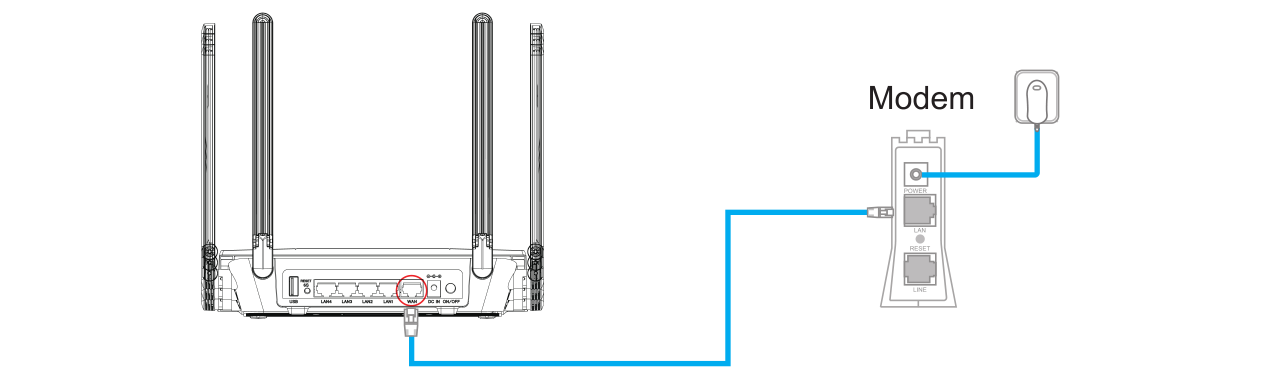
1.2 Use the provided Ethernet cable to connect the modem to the WAN port of the router.
1.3 Plug the modem into a power outlet and turn it on.
1.4 Check the indicator lights on the modem to confirm a stable Internet connection.
2.Install Your Router
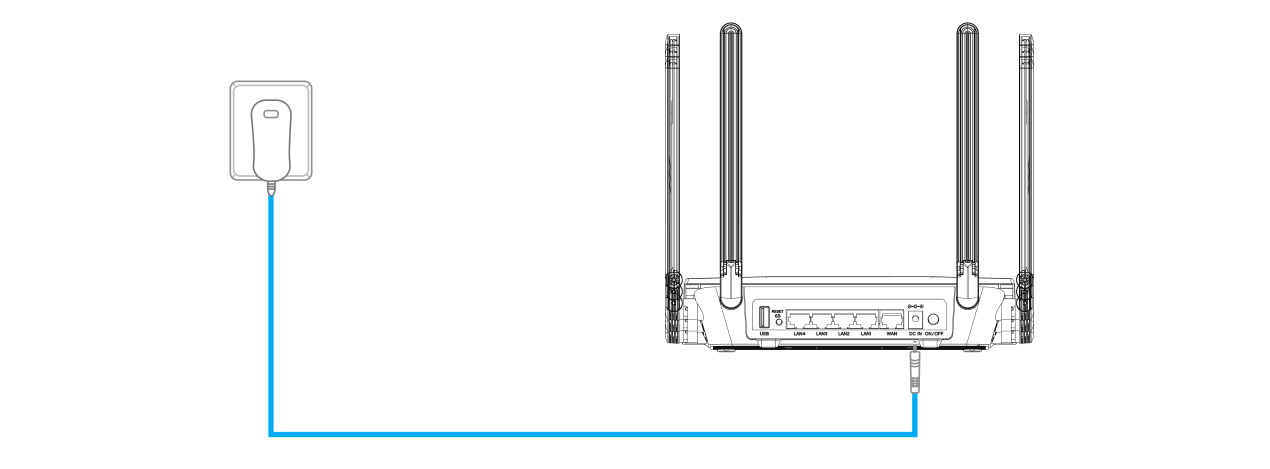
2.1 Insert the power adapter into the router's DC IN port and press the power switch (if applicable, some models lack a physical switch).
2.2 Wait for about 2-3 minutes, then the router is ready.
3.Configure the Router via Web Browser
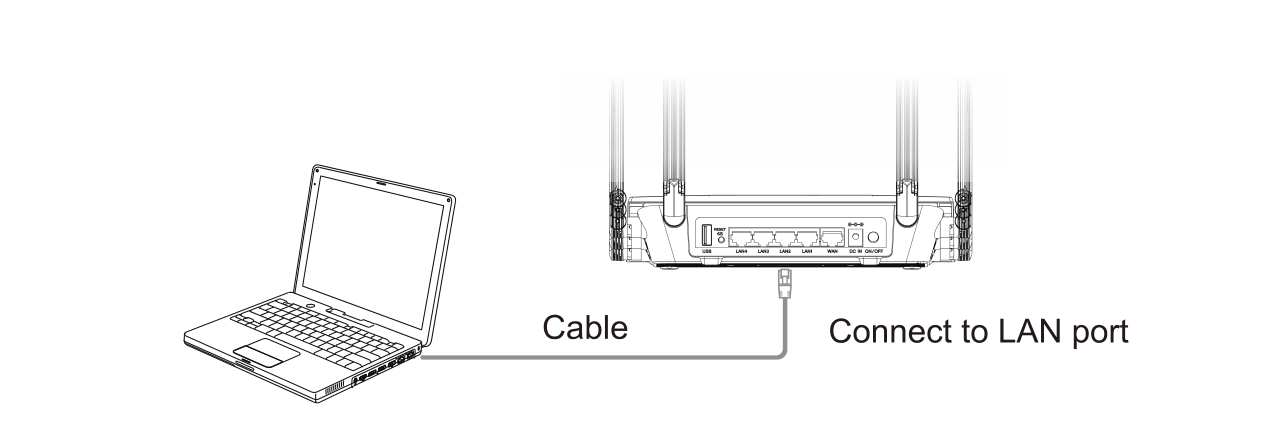
3.1 Wired Connection: Use another Ethernet cable to connect your computer to one of the LAN ports on the router.
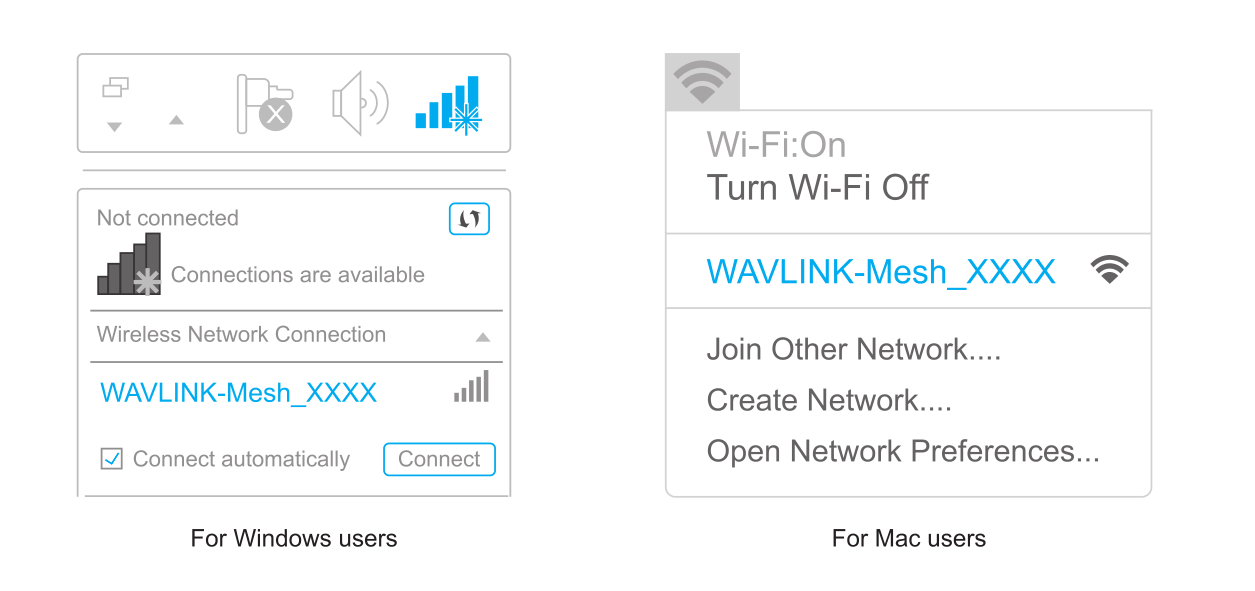
3.2 Wireless Connection: On your laptop or smartphone, connect to the default SSID printed on the router: WAVLINK-Mesh_XXXX
3.3 Open a web browser (via wired or wireless connection) and enter http://wavlogin.link in the address bar. You will automatically enter the WAVLINK router initial setup page. If not, manually enter http://192.168.20.1 in the browser's address bar and follow the instructions.