Chapter 2 Driver Installation
This chapter contains the following sections:
Driver Installation
For Windows 10/11/Later and MAC OS,it is Plug and Play, so Driver can be installed automatically. If the Network Driver cannot be installed automatically or the network port cannot be recognized, please visit www.wavlink.com/en_us/WL-UMD26 or www.wavlink.com > SUPPORT > Driver > WL-UMD26 to download and manually install the Driver.
This Dock requires the Laptop/PC to support PD and DP ALT MODE. Before connecting to the Dock, please ensure the USB-C interface of the PC/Laptops supports PD and DP ALT MODE.
How to Use
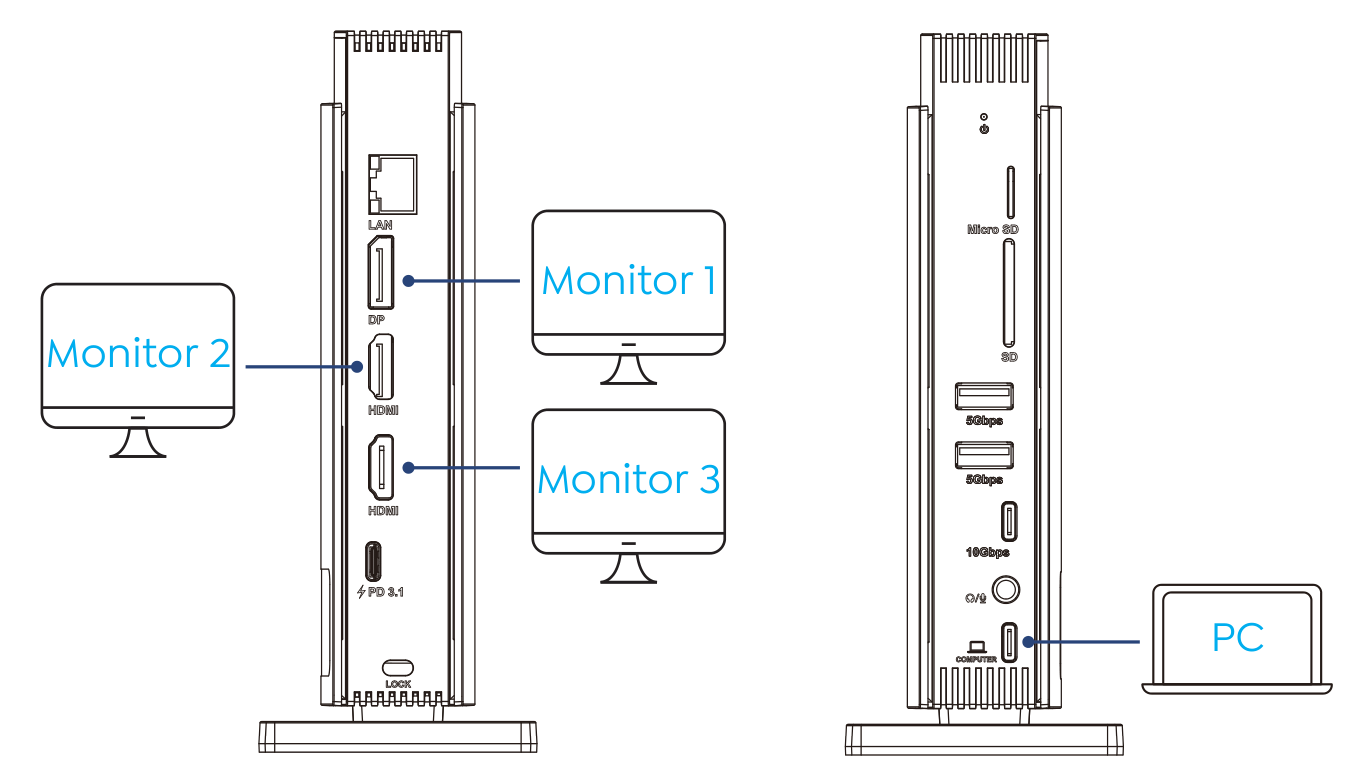
Step 1: Connect the computer to the upstream USB-C port.
Step 2: Connect the external monitors to the DP / HDMI 1 / HDMI 2 port.
Step 3: Connect the Docking's USB-C PD IN to the power adapter.