Overview
This chapter contains the following sections:
• Overview
Overview
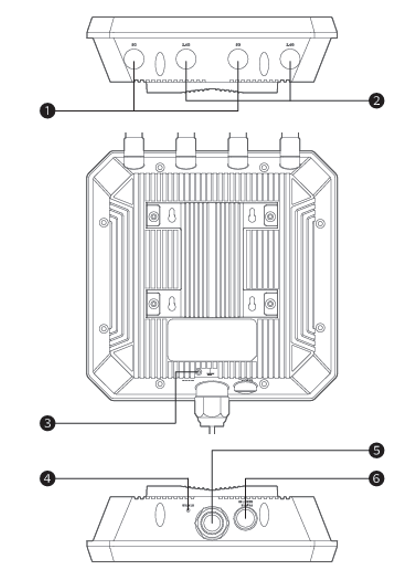 ① 5G Antenna Port
② 2.4G Antenna Port
③ Grounding Terminal
④ Status LED
⑤ WAN/LAN Port (PoE)
⑥ Pair/Reset Button
1. Reset Button: Press and hold for 6 seconds to reset the device.
2. Pair Button: Press and hold for 1 second to pair.
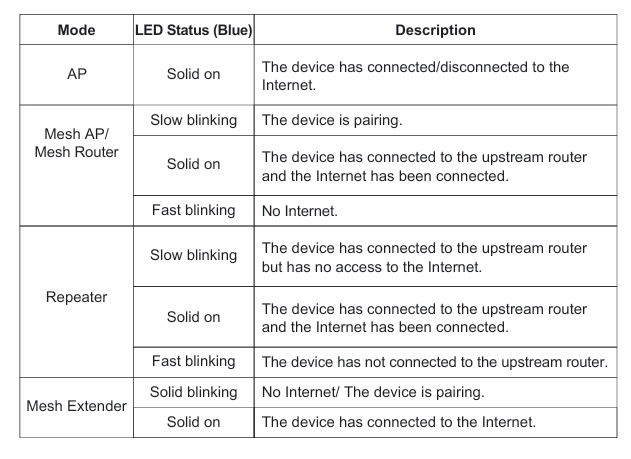
LED Indicators
Basic Info
Default IP: http://192.168.30.1
Login: http://waplogin.link
2.4G SSID: WAVLINK-BE_XXXX
5G SSID: WAVLINK-BE_5G_XXXX