More Mesh Devices
This chapter introduces the steps of adding more mesh devices.
More Mesh Devices
Generally, a mesh router device supports up to 7 (including the existing device). Therefore, if you need to add more mesh devices to bulid a stable network in your home, please pair new mesh devices with the existing network.
-
Log in to http://waplogin.link or 192.168.30.1.
-
Click Advanced, enter Mesh Network.
-
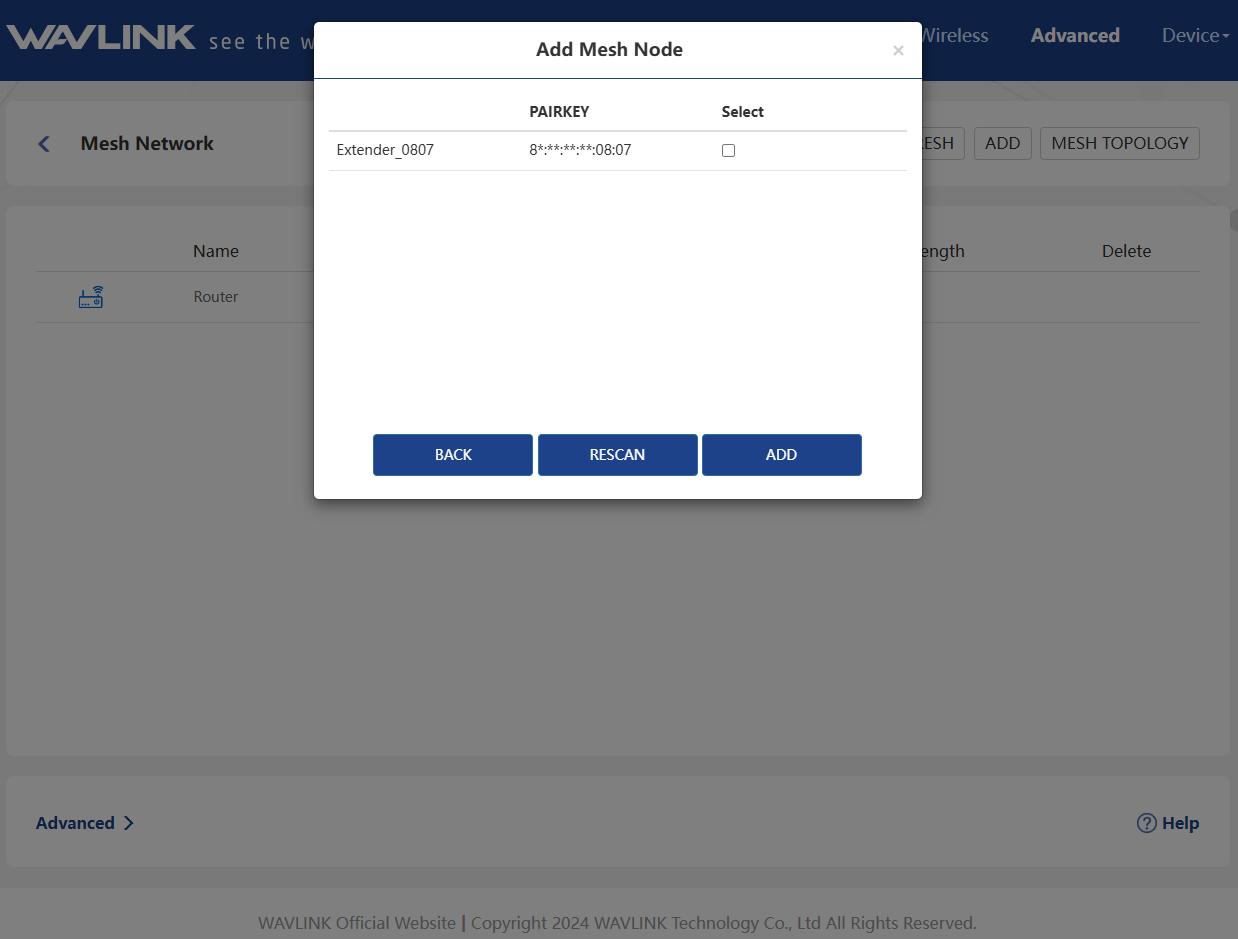
Select the Mesh Node you want to add, and click ADD.
note
- The sub-routers must be Mesh Extender Mode when you add more mesh devices.
- You can also more mesh devices by pairing. Set the sub-routers to Mesh Extender Mode, press the Pair button on the main router and the sub-router simultaneously for 1 second.