Mode Selection
This chapter introduces 5 modes, including AP, Mesh AP, Repeater, Mesh Router, and Mesh Extender mode.
Mode Selection
AP Mode/Mesh AP Mode
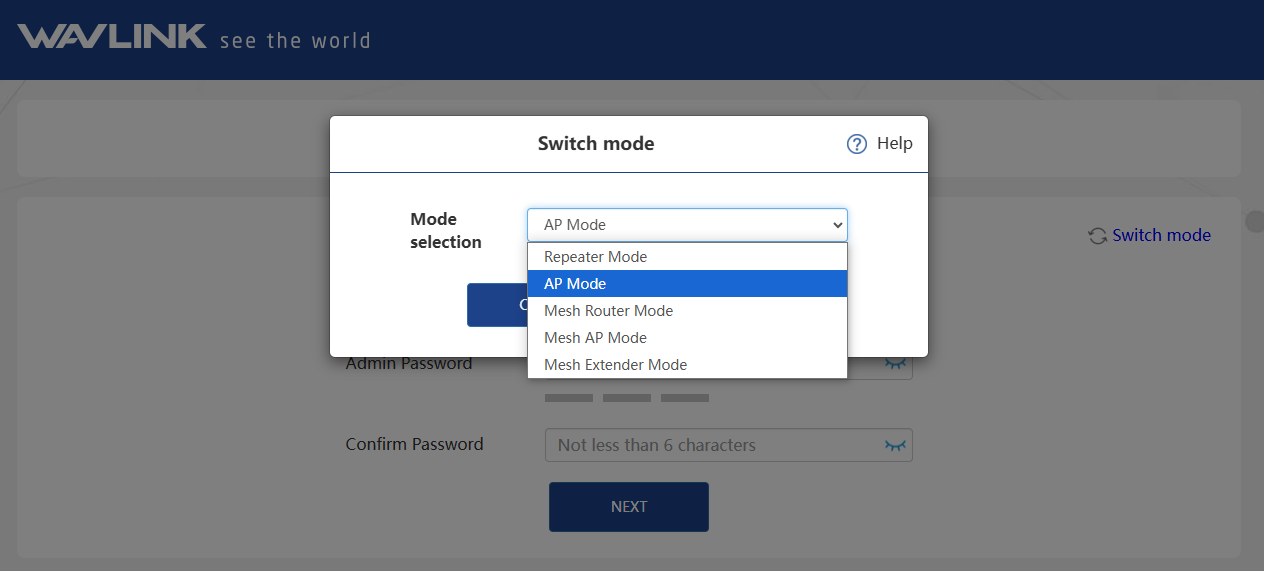
- Click Switch Mode and select AP Mode/Mesh AP Mode.
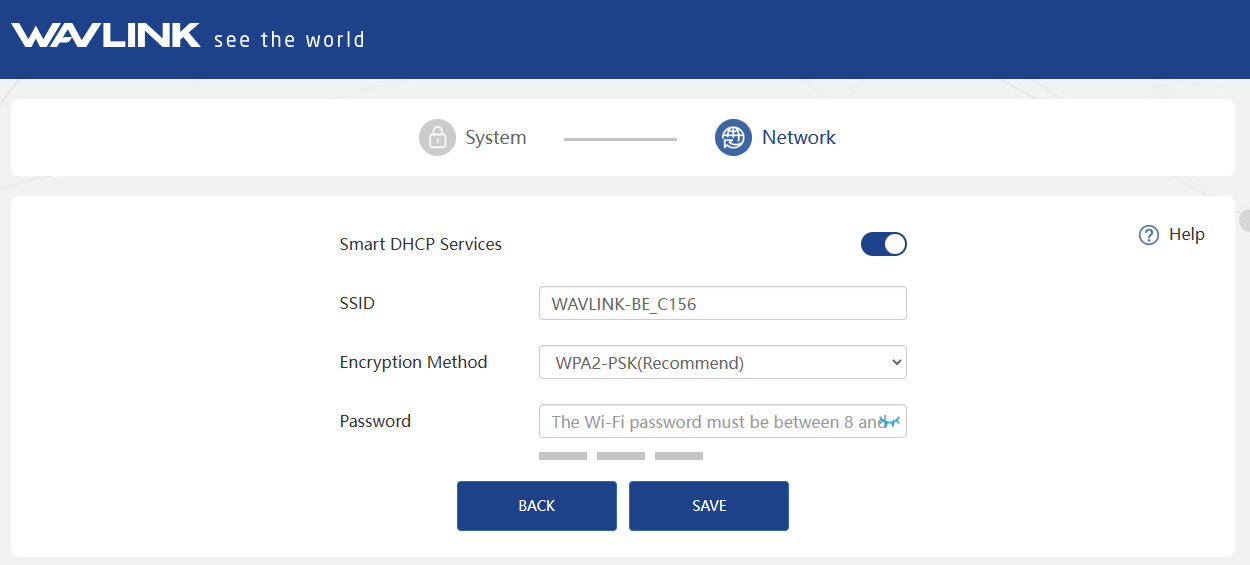
- You can change the SSID or use the default one. The recommended encryption mode is WPA2-PSK. For your network security, please create a new password according to the rule, then click SAVE.
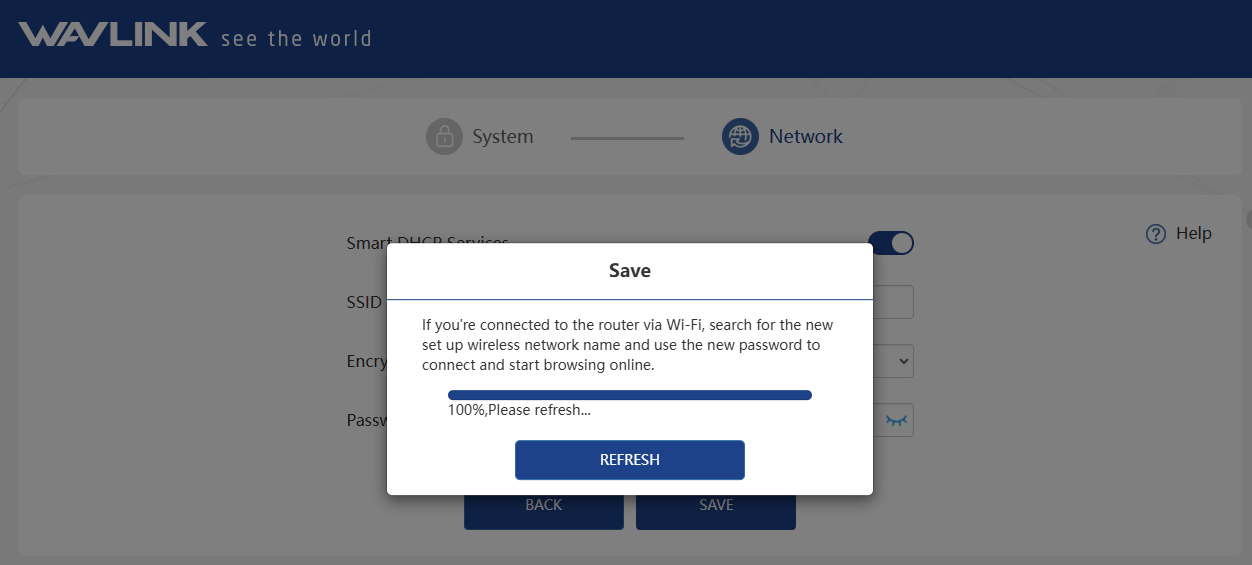
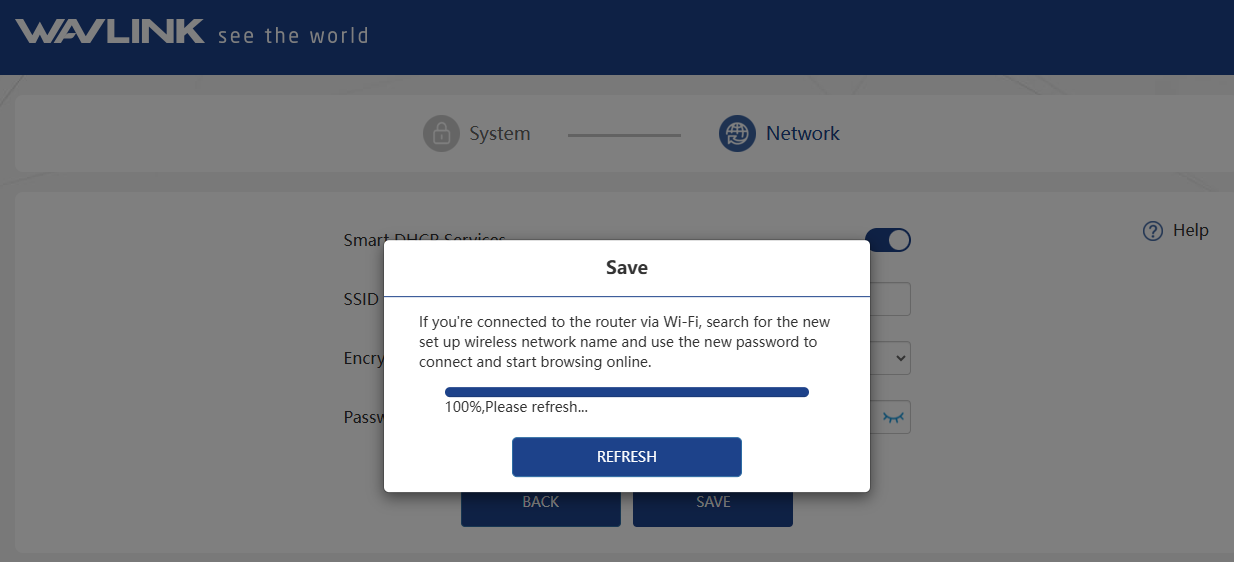
- Wait for the setting process to complete, then click REFRESH.
Repeater Mode
Click Switch Mode and select Repeater Mode.
- Select Wi-Fi
- After scanning, please make sure the Wi-Fi you want to select is listed, and click NEXT. If not, please click RESCAN.

- Enter the password of the wireless network you selected. Set the wireless network encryption mode and password for this device. Click SAVE.
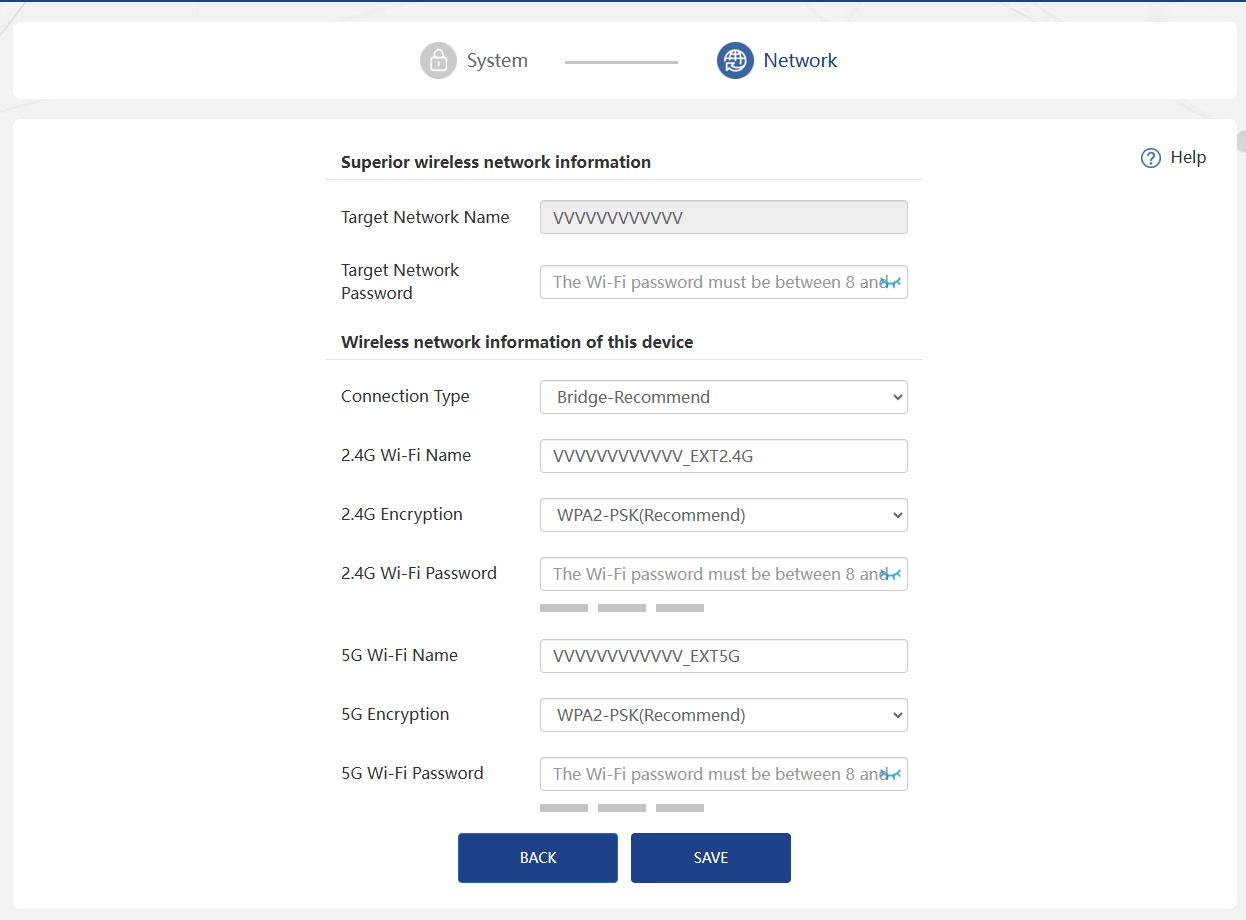
- Manual Input
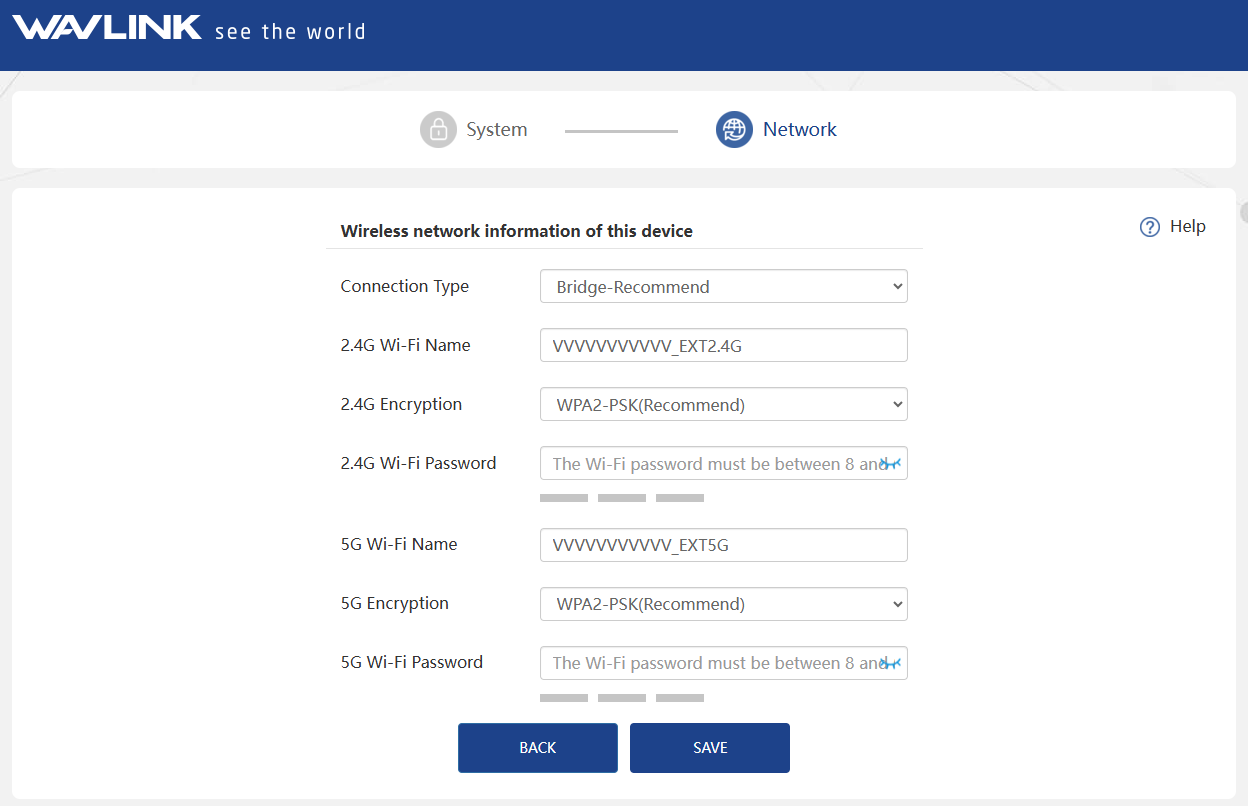
- Manually add the wireless network you want to relay, enter the device information, and click NEXT.

- Set the wireless network encryption mode and password for this device. Click SAVE.
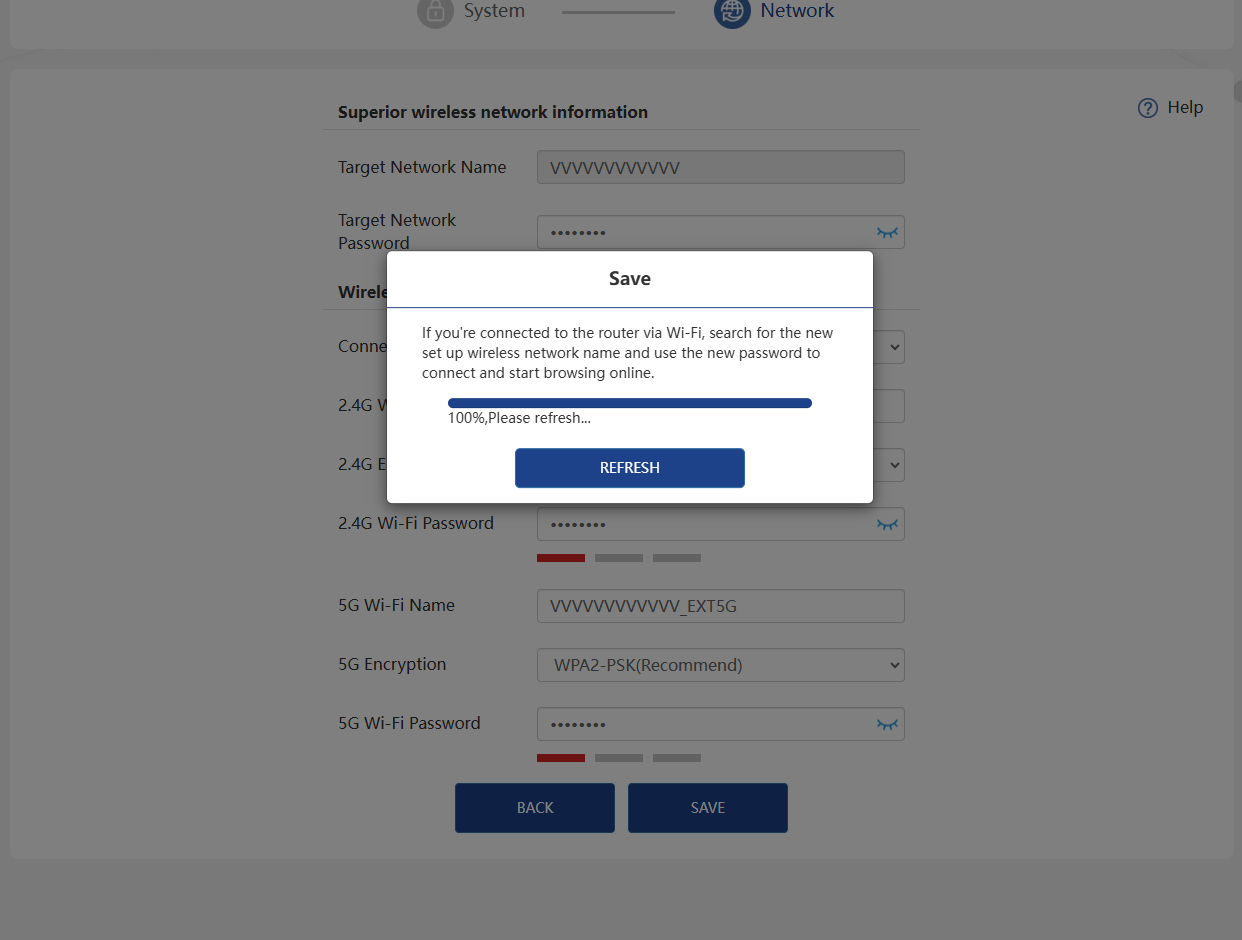
- Wait for the setting process to complete, then click REFRESH.
Mesh Router Mode
-
Click Switch Mode and select Repeater Mode.
-
Before configuring, please make sure your upper router has connected to the WAN/LAN port of this product. Select Wan Type. The recommended Encryption Mode is WPA2-PSK. For your network security, we suggest you set a new password. Click SAVE.
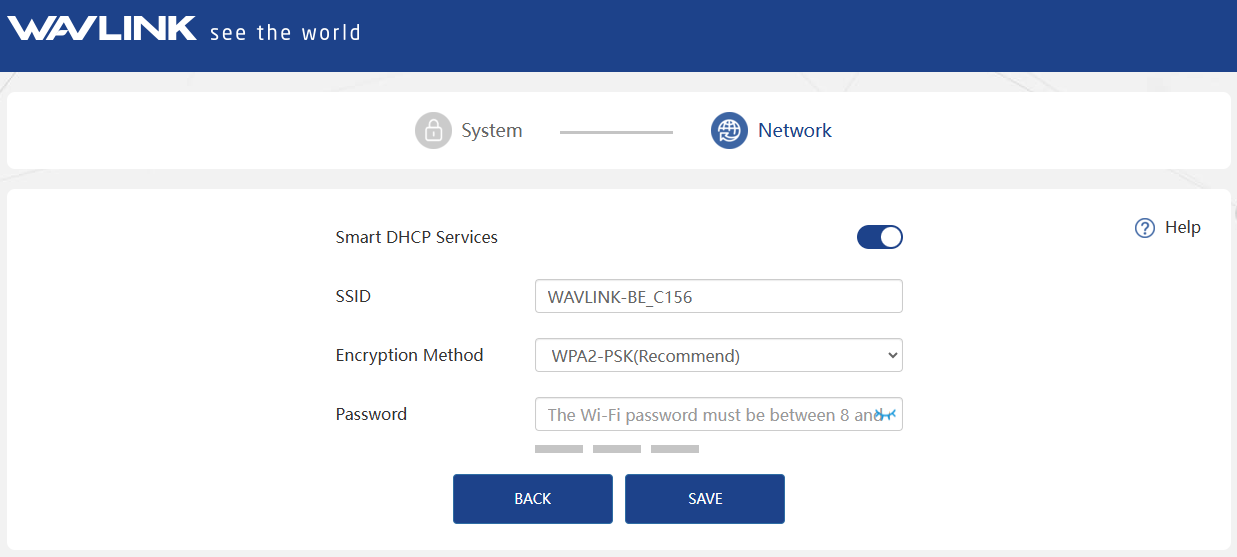
If you use DSL line and you are only provided an account name and a password by your ISP (Internet Service Provider), please choose PPPoE. If you use cable TV or fiber cable, please choose DHCP (Dynamic IP). If you are provided information such as Ip address, Subnet Mask and Default Gateway, choose Static IP.
- Wait for the setting process to complete, then click REFRESH.
Mesh Extender Mode
-
Click Switch Mode and select Mesh Extender Mode.
-
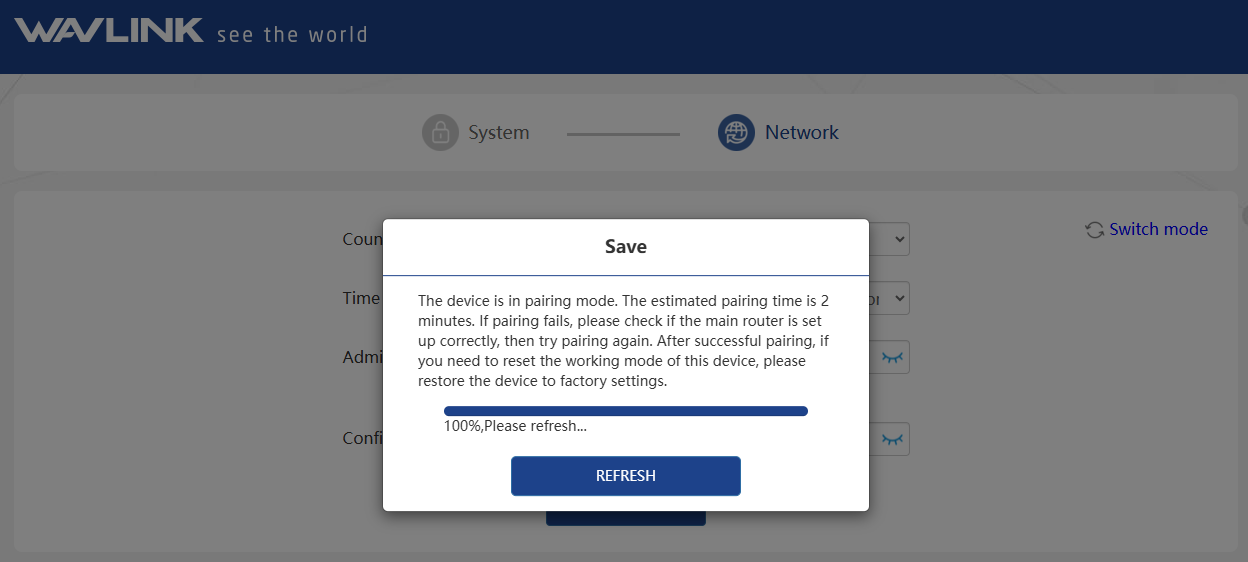
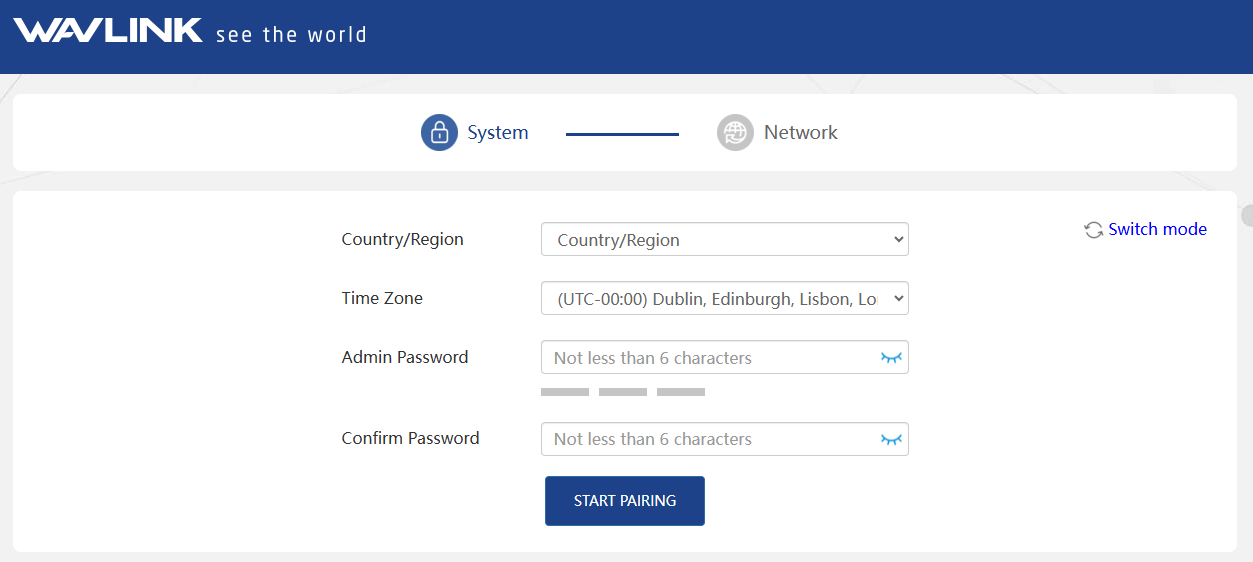
Select your Country/Region and Time Zone. For your network security, we suggest that you set a new password, and click START PAIRING.
-
Wait for the setting process to complete, then click REFRESH.