Firmware Upgrade
This chapter contains the following sections:
Firmware Upgrade
Option I: Local Upgrade
-
Download the latest firmware file from WAVLINK website.
-
Extract the firmware from the downloaded file.
-
Log in to http://waplogin.link, then click Advanced, enter Firmware Update.
-
Click ① to locate the extracted firmware file.
-
Click on UPLOAD and choose Apply, and wait for the firmware upgrade process to complete.
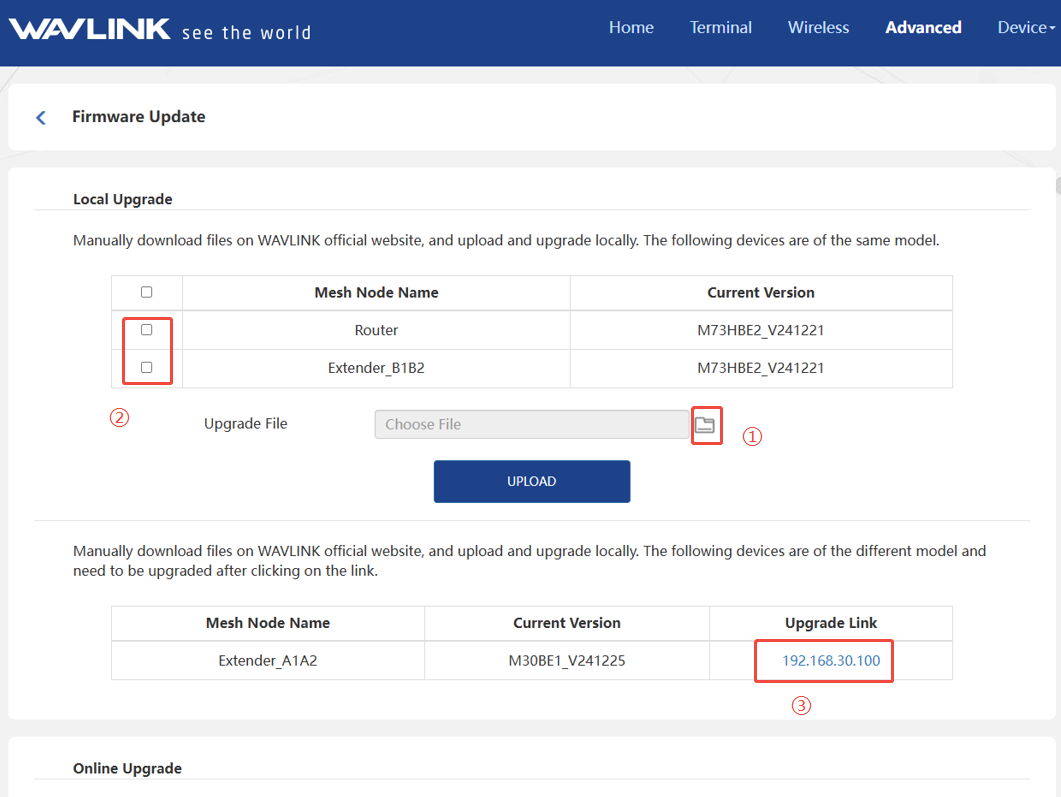
If your all mesh devices are same model, you can check and upgrade your deviecs together at ②. lf the model of your devices are not same, please visit the web interface of each device and upgrade it in ③.
Option II: Online Upgrade
-
Log in to http://waplogin.link, click Advanced, enter System and click Firmware Update.
-
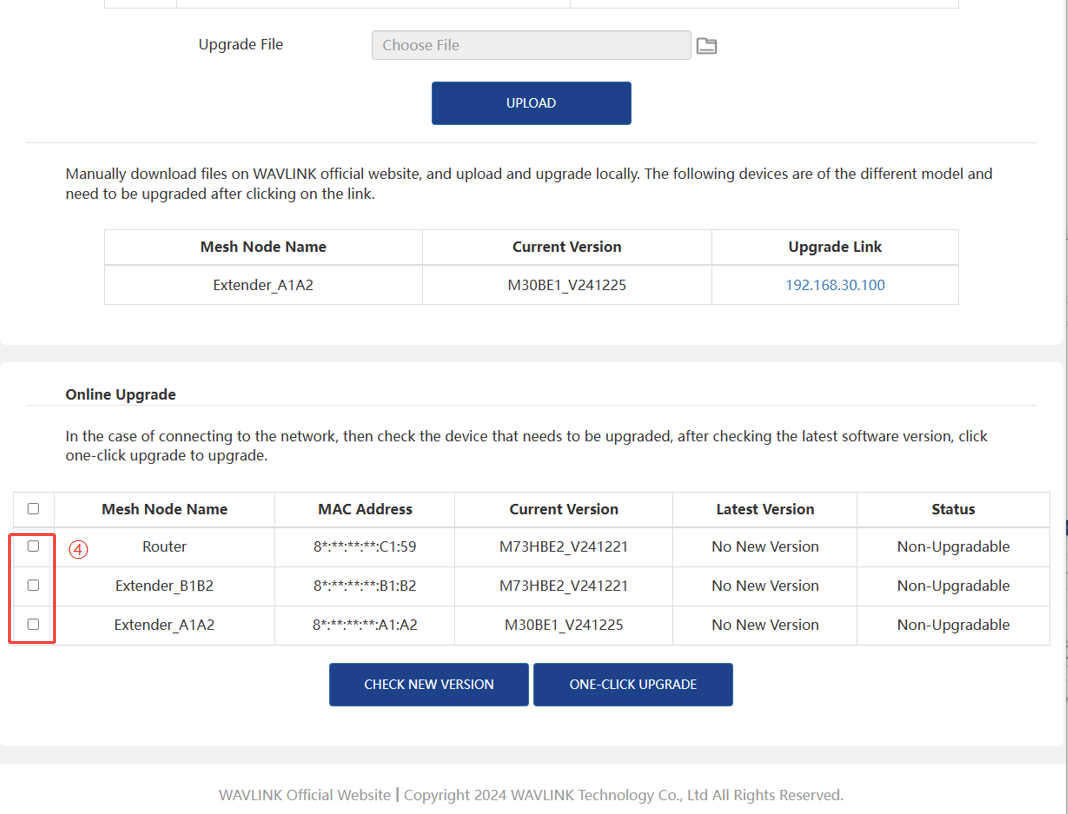
Select the Mesh Node Name among ④ that needs to be upgraded.
-
Click CHECK NEW VERSION to find the latest version.
-
Click ONE-CLICK UPGRADE, and wait for the firmware upgrade process to complete.