Chapter 5 Display Mode Settings
This chapter introduces the steps of display mode settings.
Before configuring the settings, please make sure this docking station has been connected to your laptop and monitors correctly.
For Windows
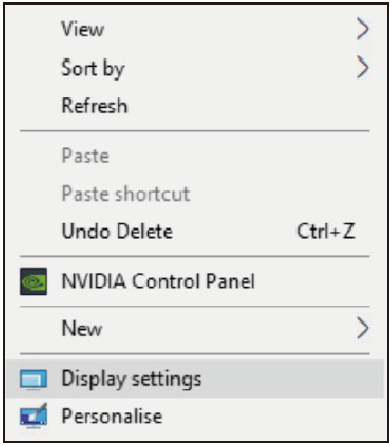
- Right-click→ Display settings.
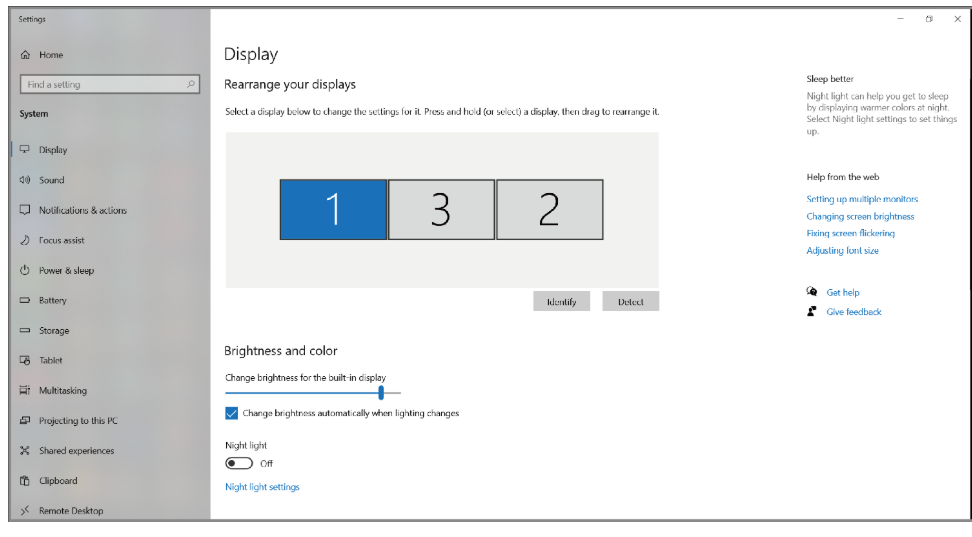
- In Display, you can enjoy different operations of duplicating, extending and rotating on your monitors.
For Mac OS 12.X or Below
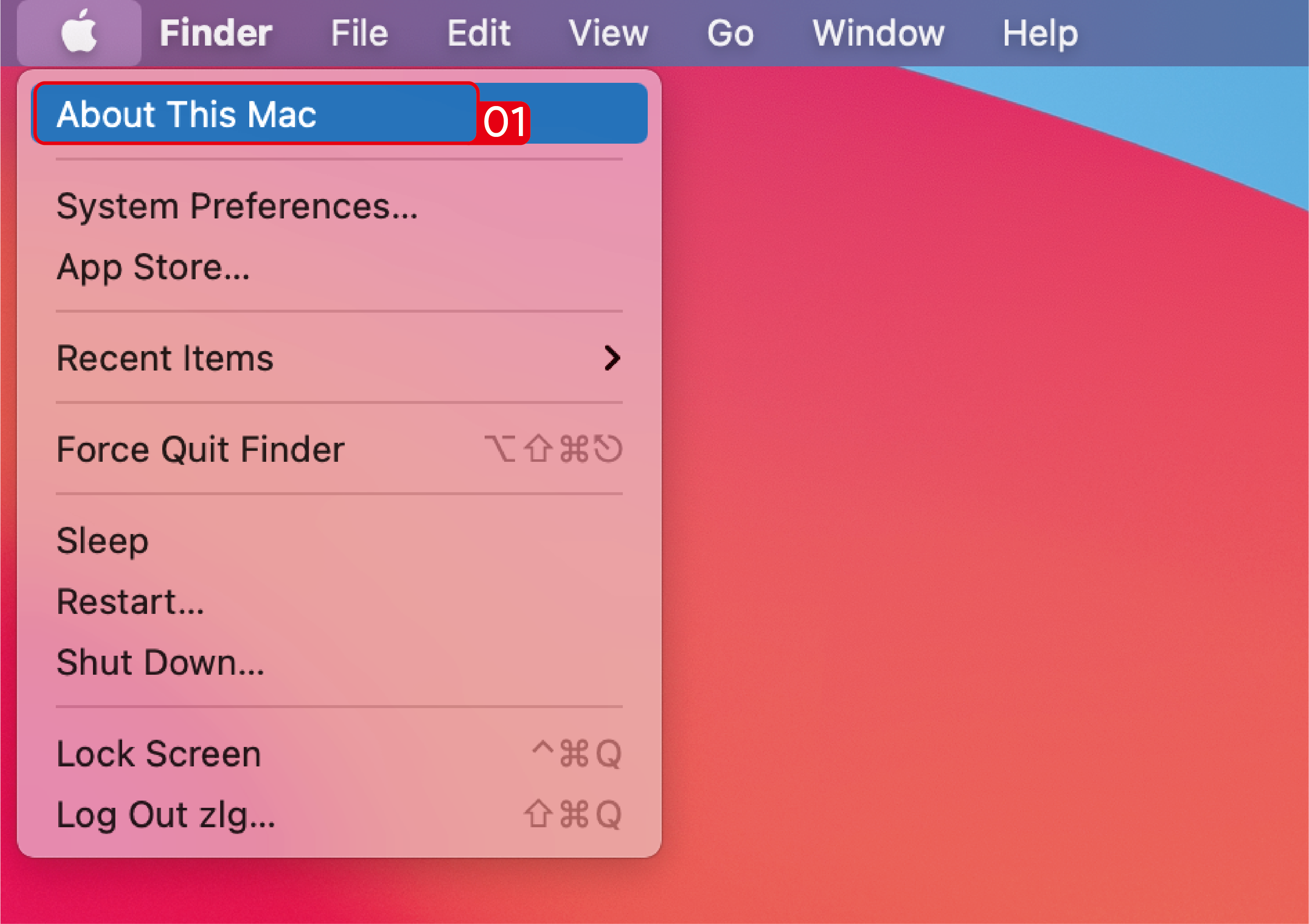
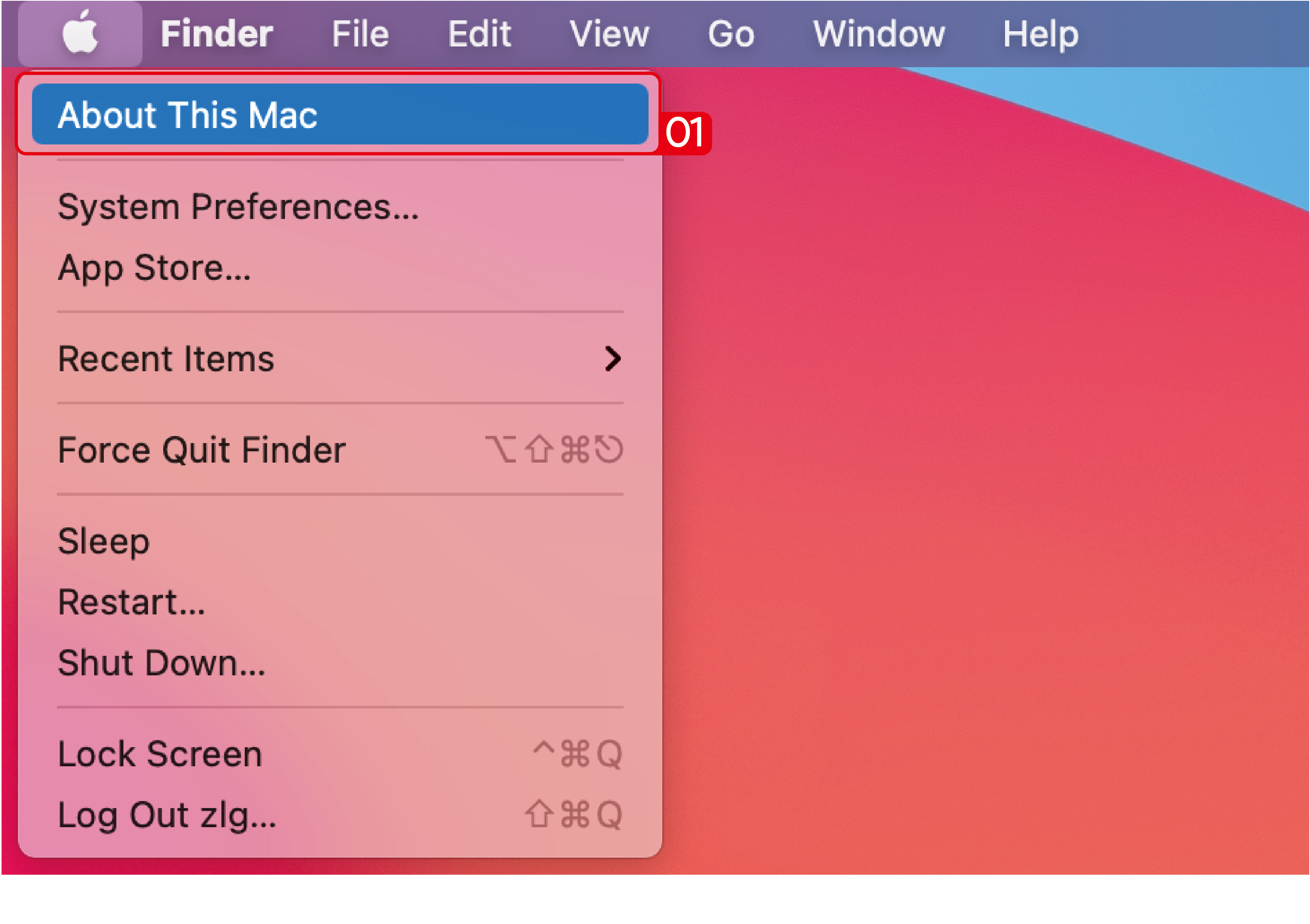
- Click Apple icon→ About This Mac.
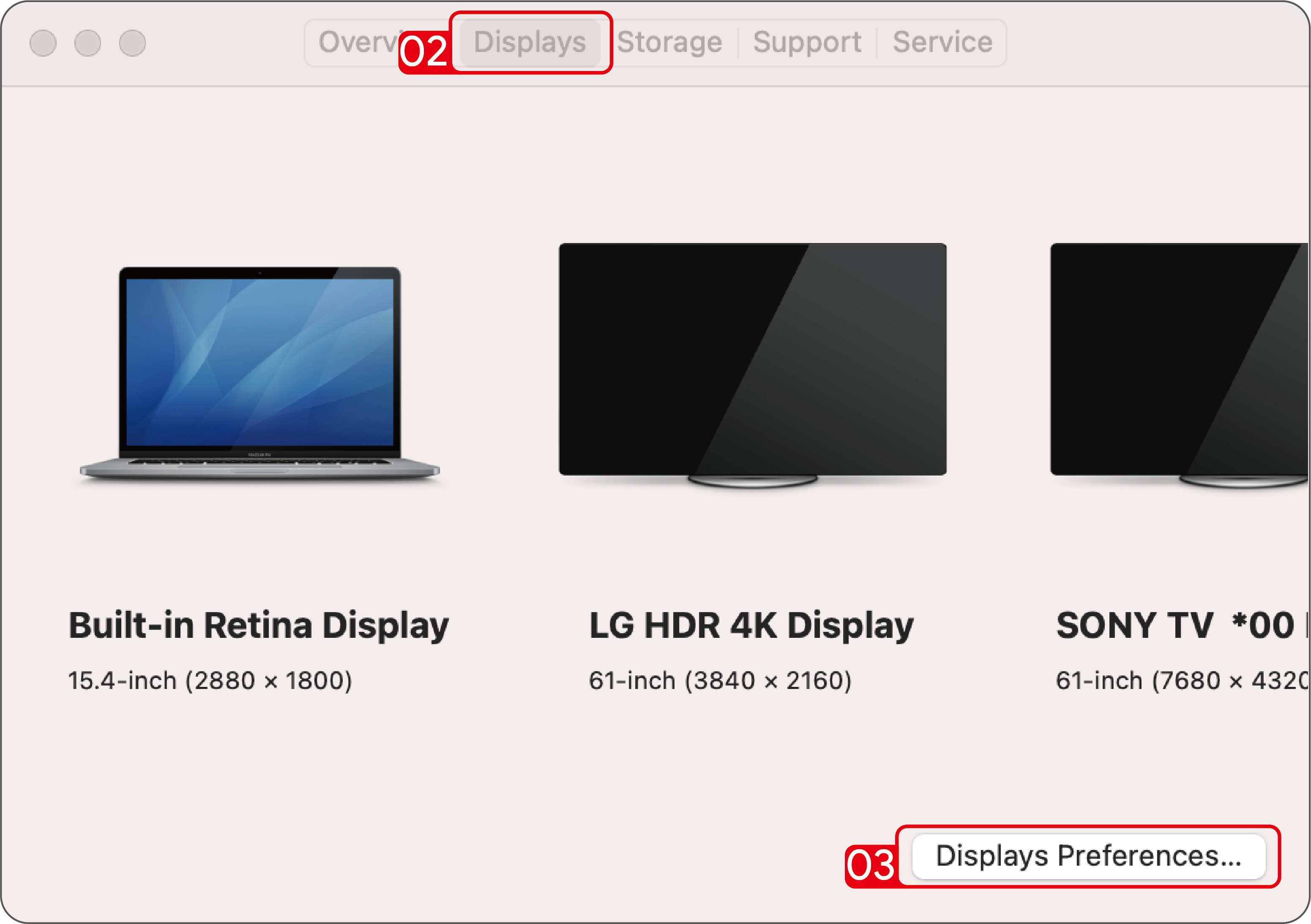
- Click Displays → Displays Preferences.
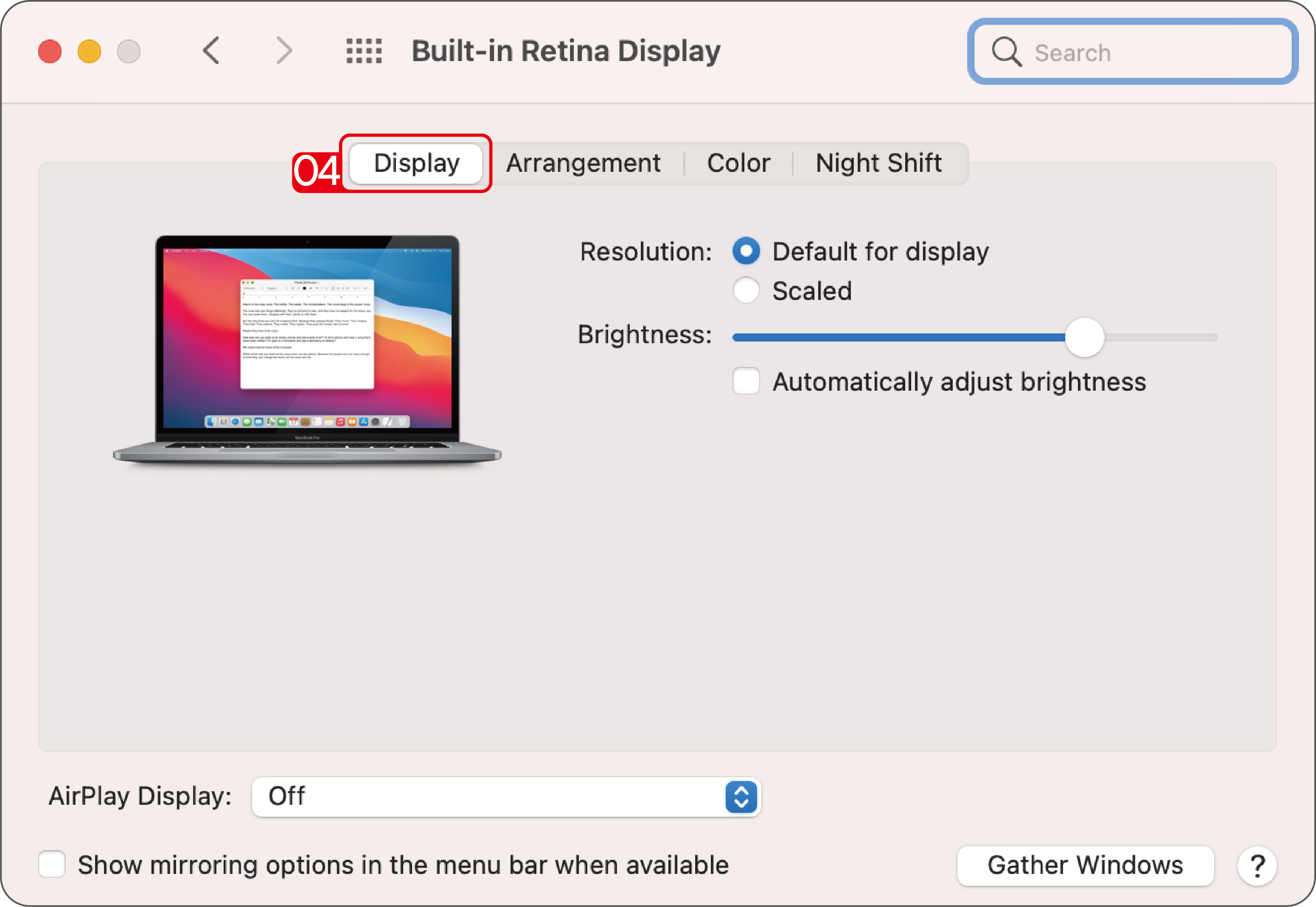
- Select Display from the list, then you can enjoy different operations of mirroring, expanding and rotating on your monitors.
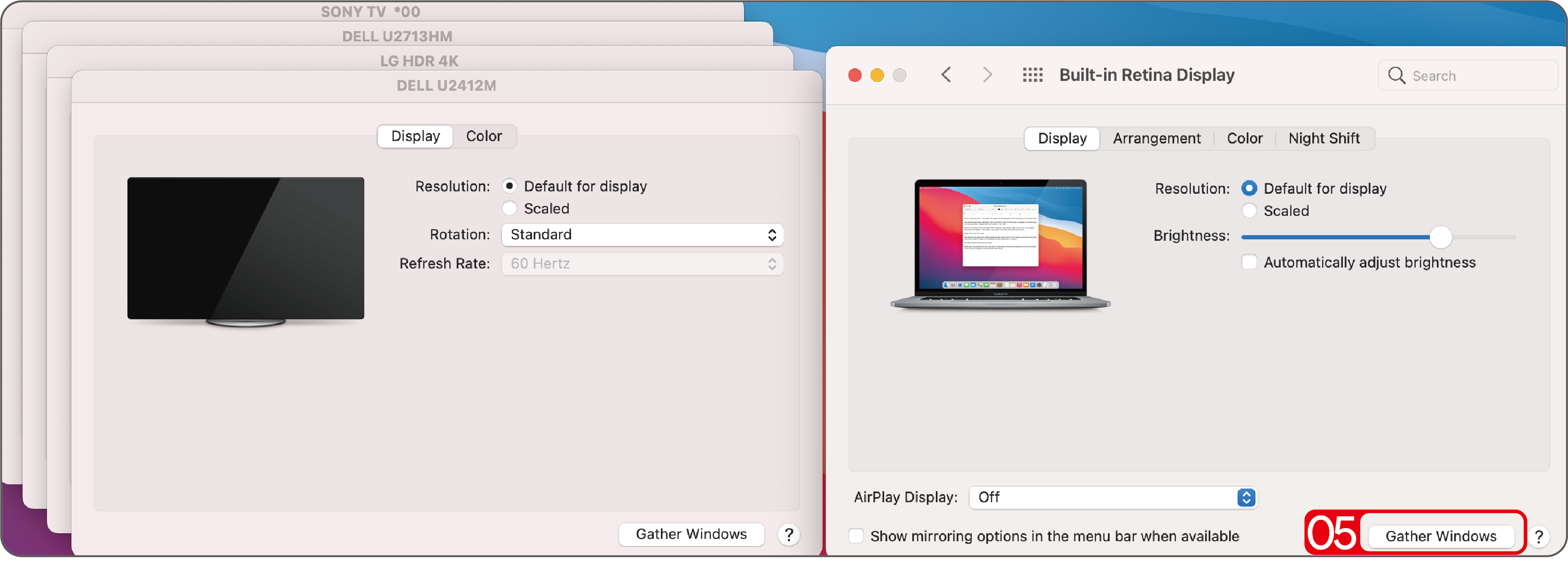
- Or click Gather Windows to gather all connected displays and make separate settings.
For Mac OS 13.X
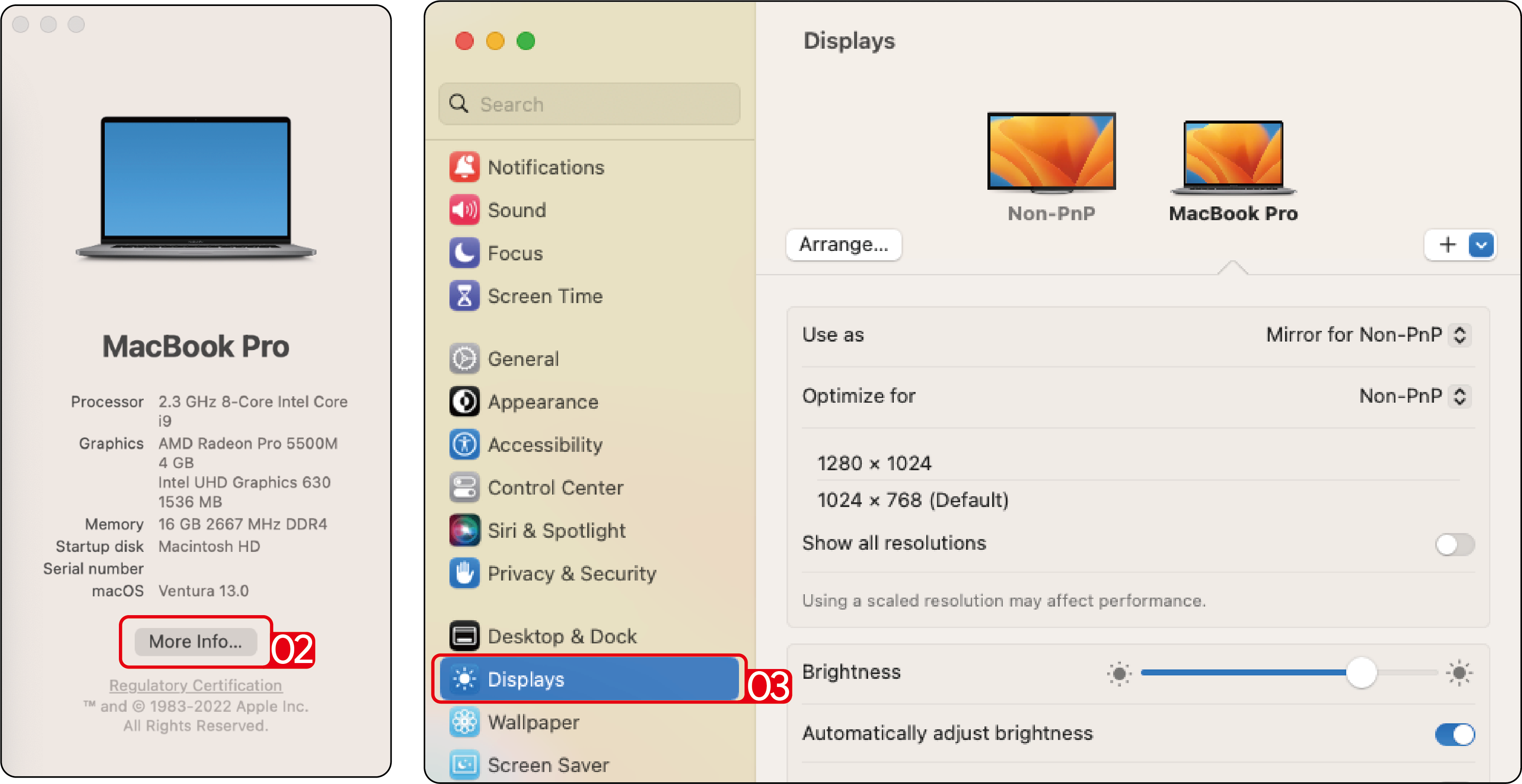
- Click Apple icon→ About This Mac.
- Click More Info....
- Select Displays from the list, then you can enjoy different operations of mirroring, expanding and rotating on your monitors.