Chapter 2 Hardware Connection
Router Setup Guide
1.Prepare the Modem
① Unplug the power adapter from your DSL modem. If the modem has backup battery, please remove it.
Note: If using a DSL Internet connection, obtain the login credentials (username/password) from your Internet Service Provider (lSP) to properly configure your wireless router.

② Use the provided Ethernet cable to connect the modem to the WAN port of the router.
③ Plug the modem into a power outlet and turn it on.
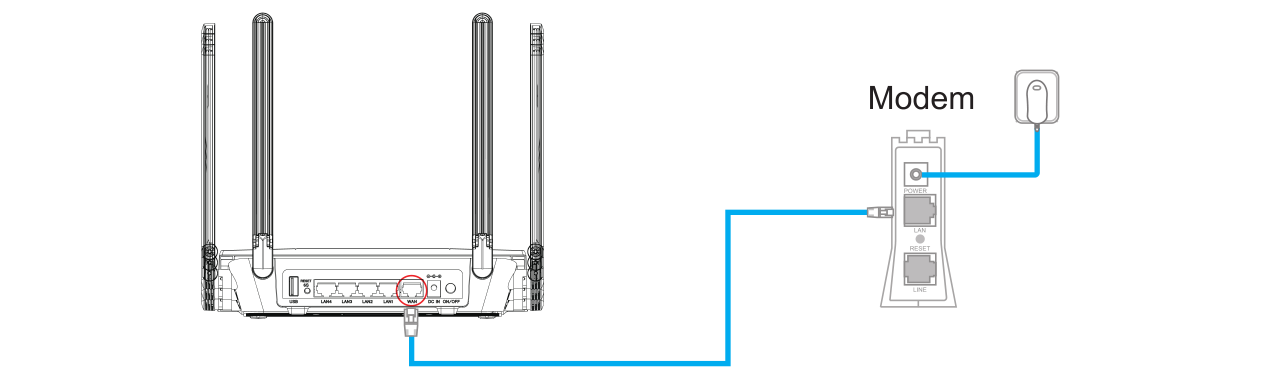
④ Check the indicator lights on the modem to confirm a stable Internet connection.
2.Install Your Router
① Insert the power adapter into the router's DC IN port and press the power switch (if applicable, some models lack a physical switch).
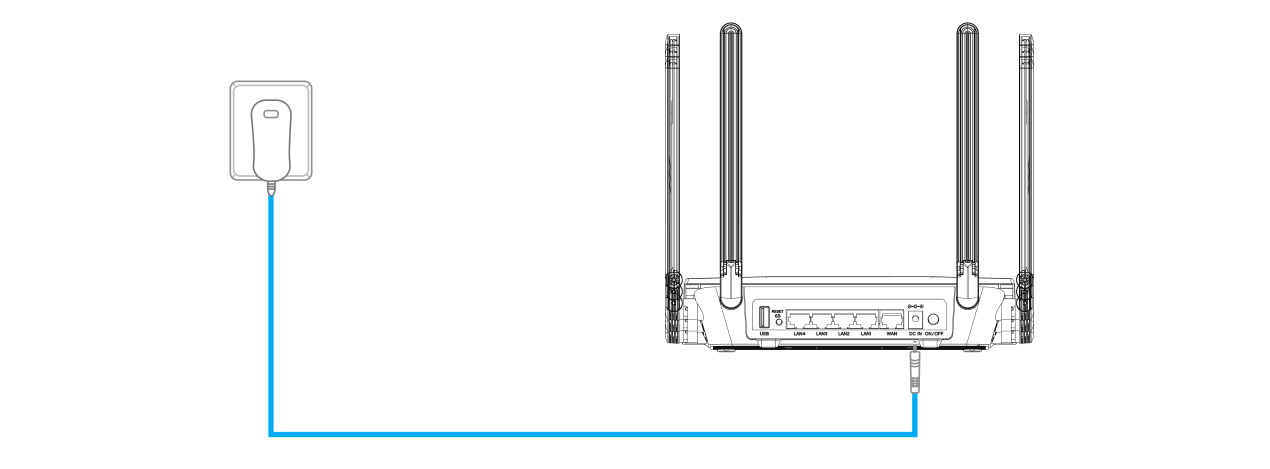
② Wait for about 2-3 minutes, then the router is ready.
3. Connecting to the Network of the Wavlink Device
① Wired Connection: Use another Ethernet cable to connect your computer to one of the LAN ports on the router.
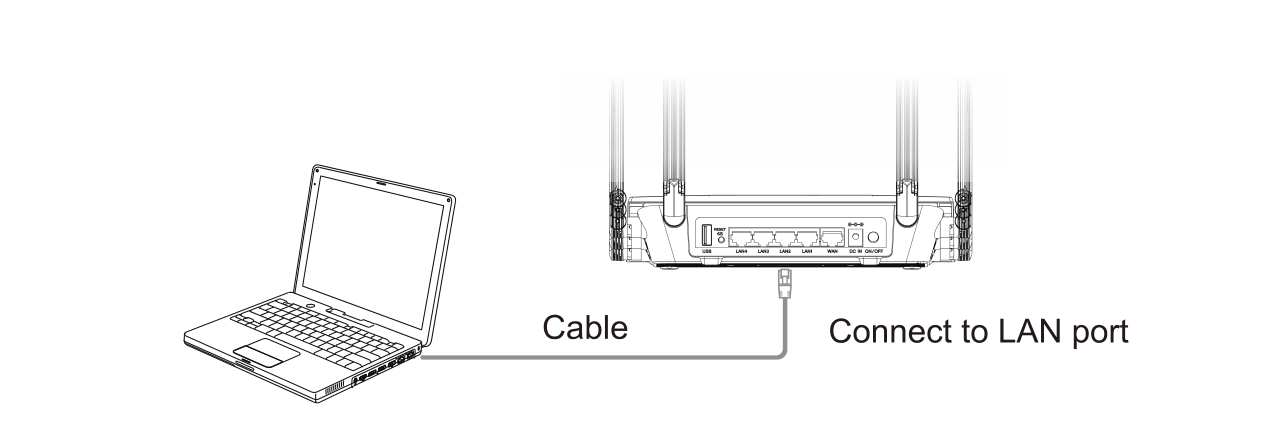
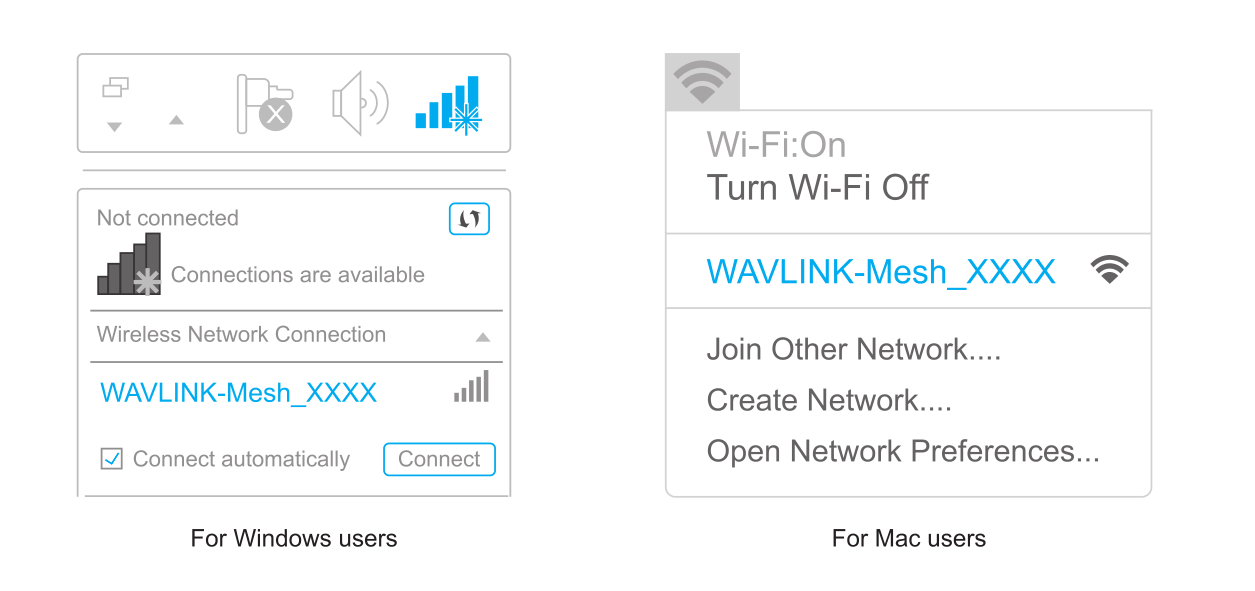
② Wireless Connection: On your laptop or smartphone, connect to the default SSID printed on the router: WAVLINK-Mesh_XXXX
4. Setting up the Device
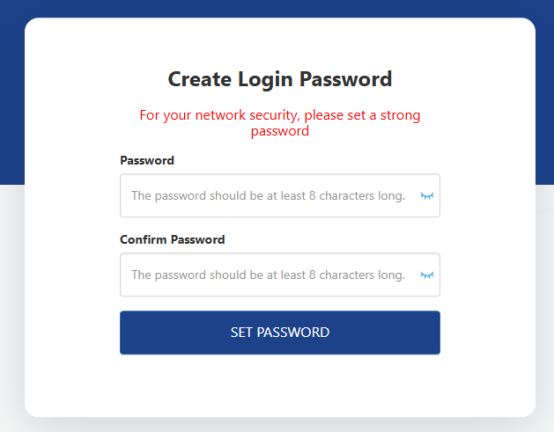
Method 1: Open a web browser (via wired or wireless connection) and enter http://wavlogin.link in the address bar. You will automatically enter the WAVLINK router initial setup page. If not, manually enter http://192.168.20.1 in the browser's address bar and follow the instructions.
Method 2: Download WavRouter APP and set up the device via the APP
More Translations Download PDF