Chapter 1 Overview
• Overview
• Features
Overview
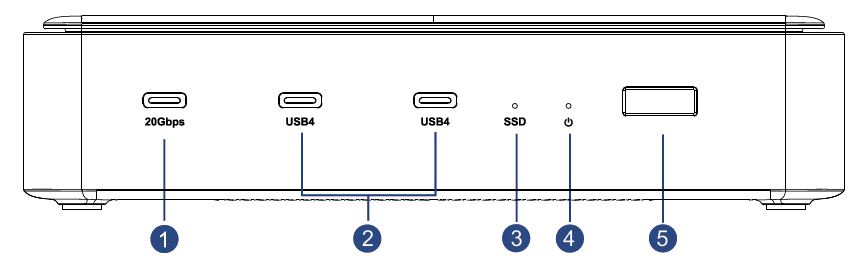
①:USB-C (20Gbps)
②:USB4 (40Gbps)
③: SSD Indicator (Solid blue when powering; flashing when reading and writing)
④:Power Indicator (Solid blue when powering)
⑤:Power Button (Short press to turn on/off)
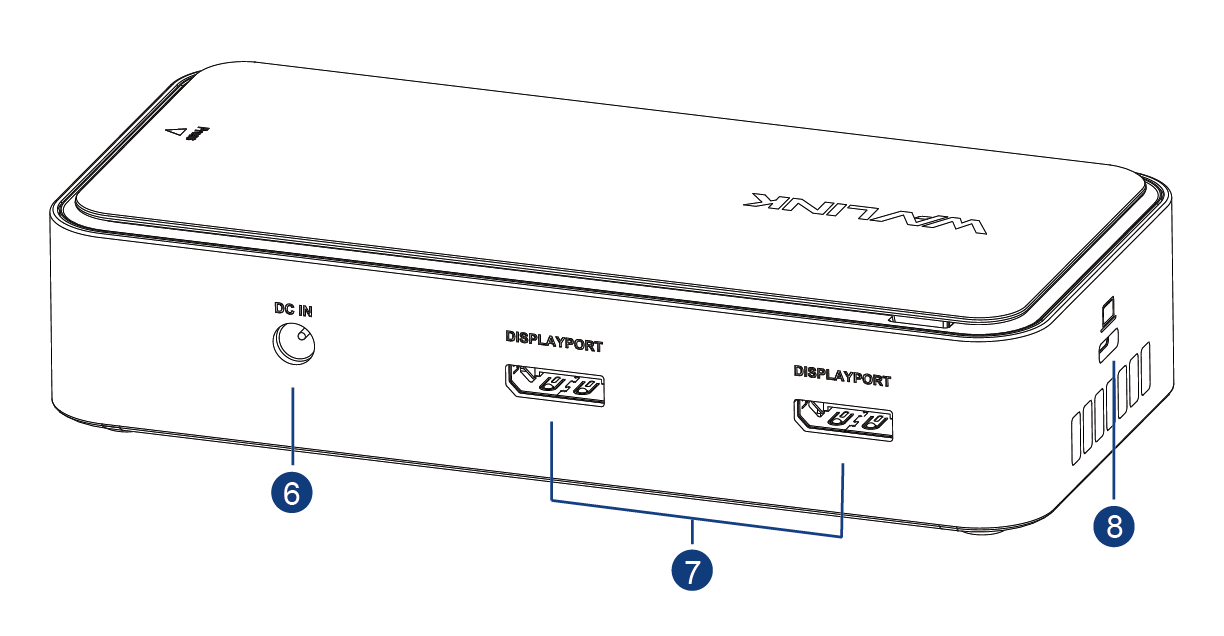
⑥:DC IN (130W)
⑦:DP
⑧:USB-C Upstream Port (Host, PD 100W)
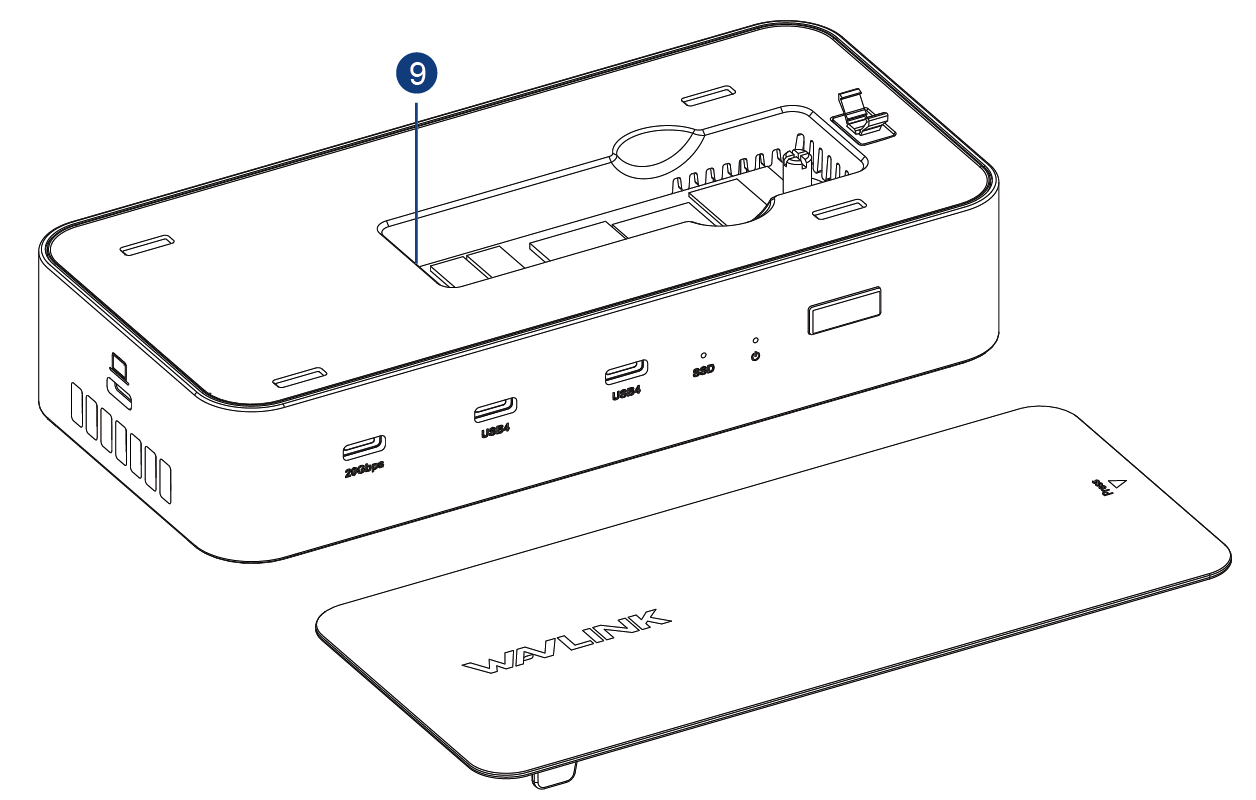
⑨:M.2 SSD Slot (20Gbps)
2230/2242/2260/2280 SSD
In The Box
1×USB4 MST DP2.1 Triple Display Docking Station
1×DC 20V Power Adapter
1×USB4 80Gbps USB C to C Cable (100CM)
1×Screwdriver
1×Quick Start Guide
System Requirements
-
Microsoft Windows 7 / 8 / 10 / 11
-
Apple Mac OS 10.15 or later(Can extend 2 different displays)
Features
- Compatible with USB4, TBT3, USB3.2 Gen2*2, and DP2.1 Alt mode.
- 2 × DP support DP2.1, max. resolution 7680×4320@60Hz.
- 2 × USB4 supports 40Gbps data transmission, and DP2.1, max. resolution 7680×4320@60Hz.
- Supports triple display, max. resolution 4K@120Hz*3.
- Supports up to 2 different external monitors when a Mac connects the product.
- 1 × USB3.2 Gen2*2 supports 20Gbps data transmission.
- 1 × M.2 interface connects an external SSD for 20Gbps data transmission.
- 1 × USB-C upstream port provides 100W charging for the host.