Chapter 2 How to Use
How to Use
Step 1: Connect the Power
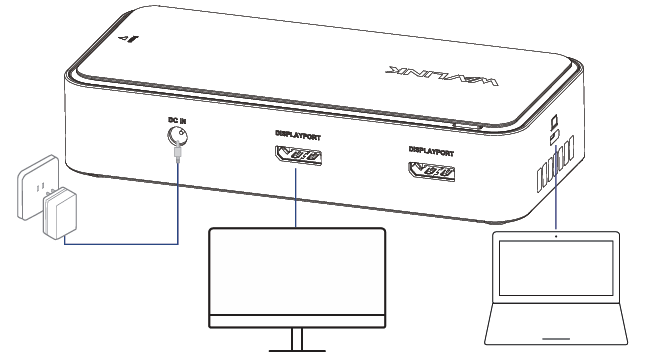
Connect one end of a power adapter to the DC IN, then plug the other end of it into the power outlet.
Step 2: Connect the Host
Connect one end of the USB-C cable to the USB-C Upstream port of the docking station, then connect the other end to the USB-C on the computer.
Step 3: Connect the Monitors
This docking station supports up to 3 external monitors. Please select any one or two from 2*DP and 2*USB4 ports to extend or mirror the screen. Triple monitors can only be displayed from 2*DP and 1*USB4 ports.
Step 4: Connect an SSD
Connect the M.2 port to an SSD, providing 20Gbps data transmission.
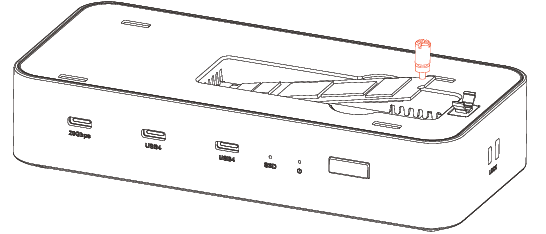
Note: Compatible with M.2 M-Key PCle NVMe SsDs in sizes 2230, 2242, 2260, and 2280.
More Translations Download PDF