Chapter 2 How to Connect
This chapter introduces the steps of connecting the docking station.
Ensuring the driver has been installed before using this Docking Station.
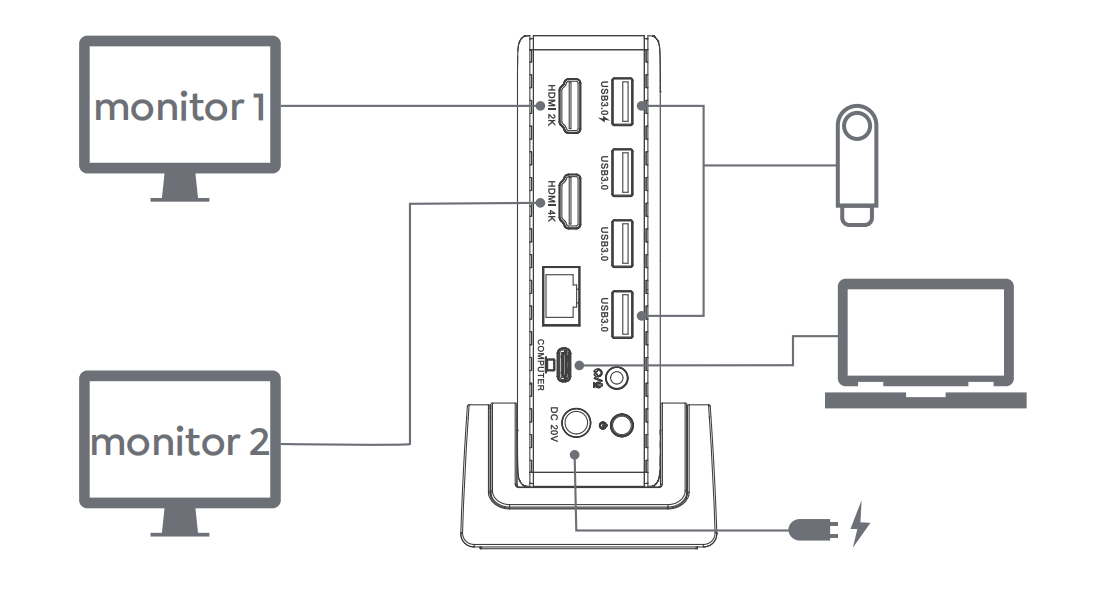
Step 1: Connect to Power
Connect the Power Adapter to the DC Power Port, then plug the Power Adapter into a power source.
Step 2: Connect to Your Laptop
Connect the USB-C Upstream Port on the Docking Station to your laptop.
Step 3: Connect to Monitors
Connect HDMI Ports to monitors.
Step 4: Connect to USB Peripherals
Connect USB peripherals to USB-A Ports according to your needs.