Chapter 4 Driver Installation
This chapter introduces the steps of driver installation.
• For Mac
The docking station is based on Silicon Motion technology, which manages the graphics function. It requires downloading and installing the Silicon Motion driver to make it work, found here: www.wavlink.com/en_us/WL-UG76PD4 or www.wavlink.com > Support > Driver > WL-UG76PD4.
For Windows
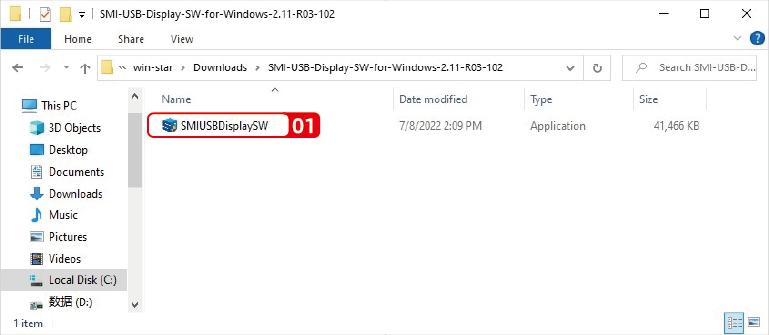
- After extracting the file downloaded, click SMIUSBDisplaySW(.exe) in the extracted file.
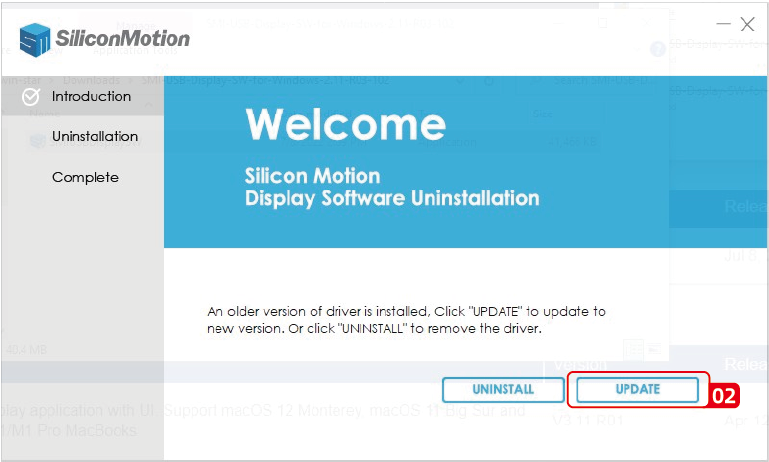
- Click UPDATE.
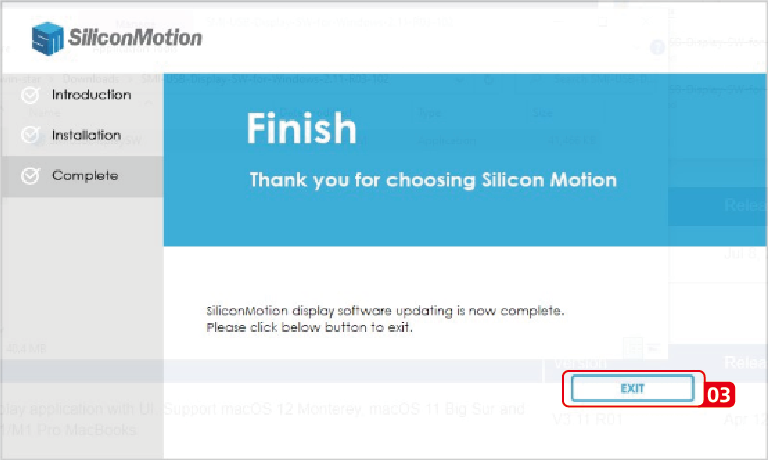
- Click EXIT to finish the installation process.
For Mac
Download the Silicone Motion InstantView application for Mac OS found here: www.wavlink.com/en_us/WL-UG76PD4 to find and manually install it.
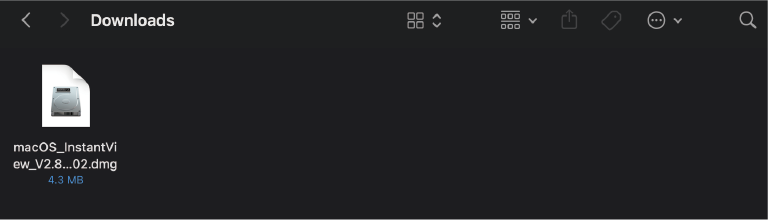
- Double click on the file you downloaded to start the application installer.
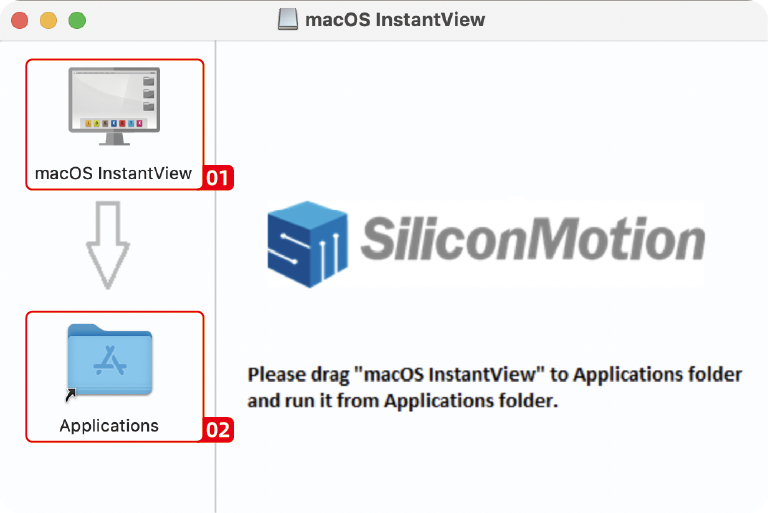
- Drag the macOS InstantView application icon into the applications folder in the open window.
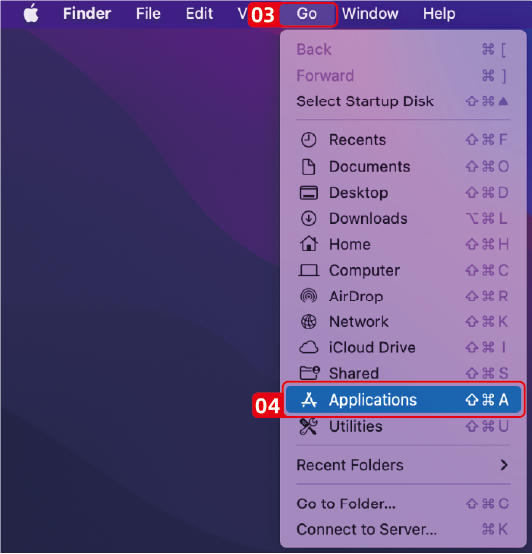
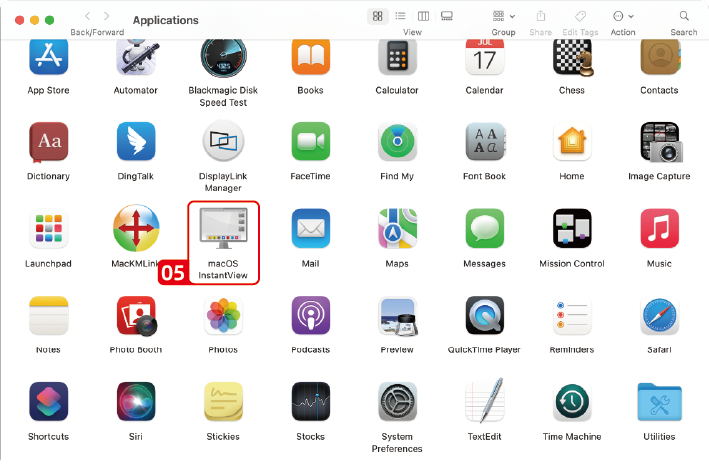
- Navigate to your launchpad or applications folder to find the macOS InstantView and double click to launch it.
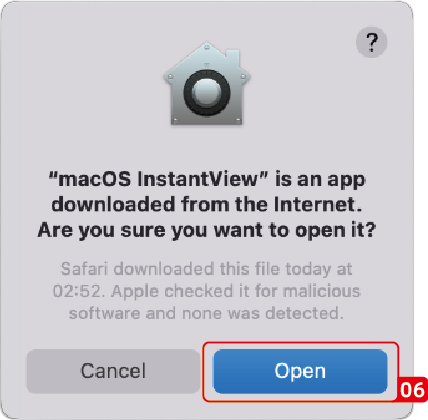
- Click Open.
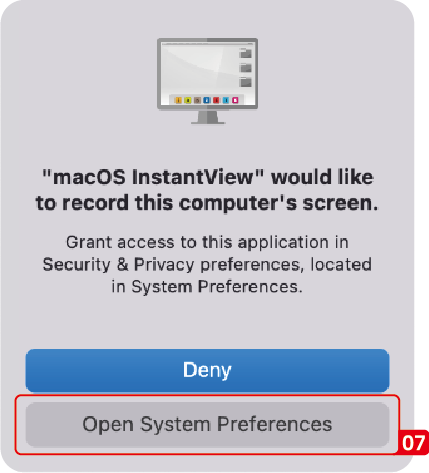
- Click Open System Preferences. (Note: this should automatically open the Security and Privacy section, but if it does not, you can manually open the Security and Privacy settings.)
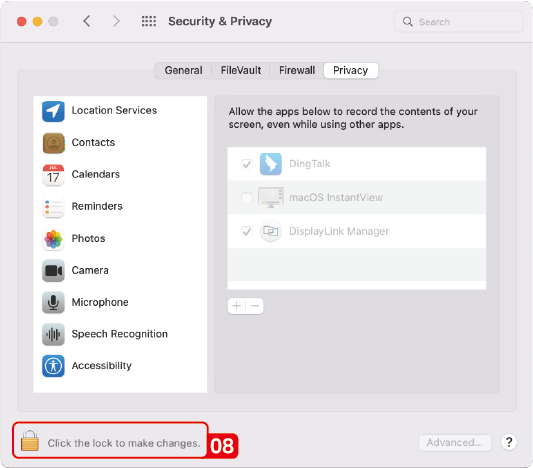
- Click on the gold pad lock on the bottom of the application window to enable changes.
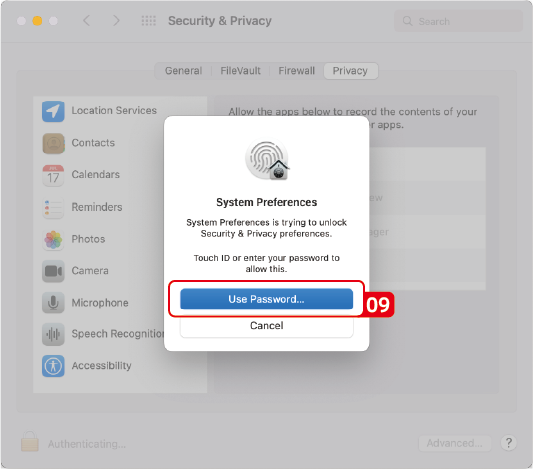
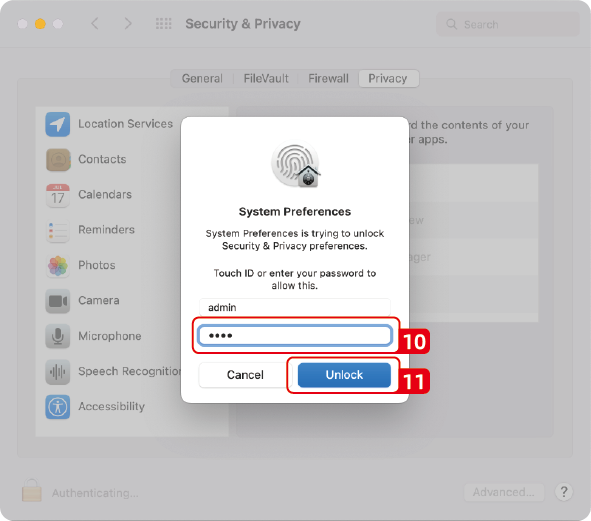
- If promoted, enter your password and click the Unlock button.
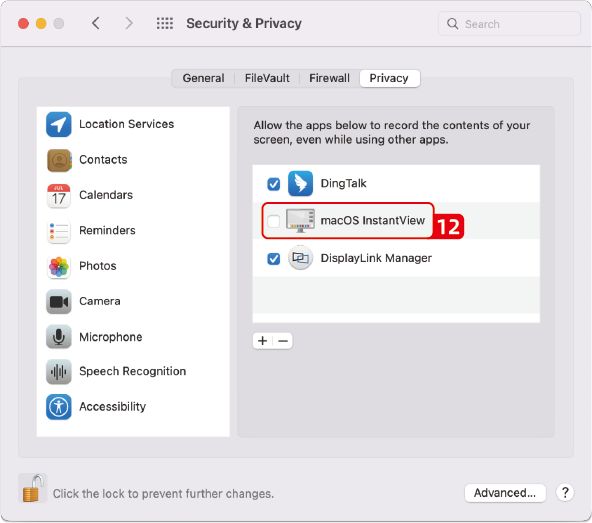
- Click to and place a check mark next to the macOS InstantView entry.
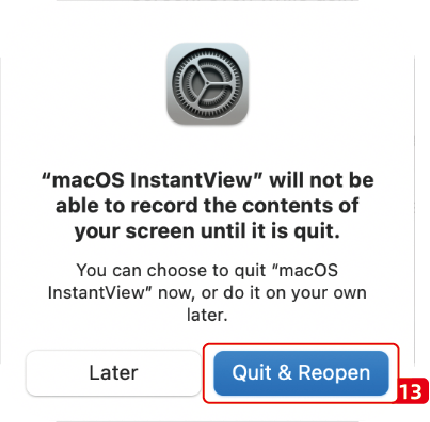
- You will be prompted to Quit and Reopen the InstantView application in order for the change take effect. So please do so:
-
The software has now been installed and you may connect your graphics adapter or docking station.
-
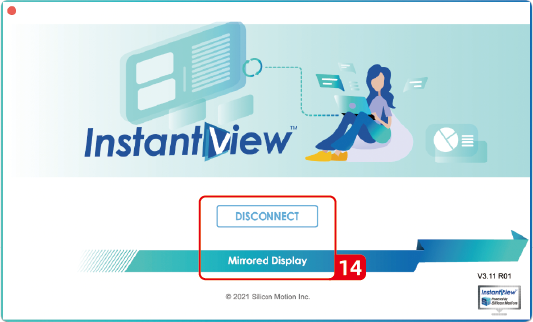
When the computer is connected to the docking station for the first time, the following window will appear after the driver is started.You can choose to disconnect or mirror the screen according to your personal usage. In addition, you can also close this window and go to the system settings to set the screen.