VPN-Server-Client
title: Chapter 9 VPN Server and Client hide_table_of_contents: false
This chapter contains the following sections:
VPN Server and Client
VPN (Virtual Private Network) can encrypt your network connection to ensure the safe transfer of important data and avoid information stealing. Remote users (VPN clients) can safely connect VPN server.
VPN Server Configuration
Open VPN Server Configuration
OpenVPN Server is used for remote devices to establish an OpenVPN connection to access your home network. If you use VPN function, you need to enable the OpenVPN server on a router and then install and run VPN client apps on remote devices.
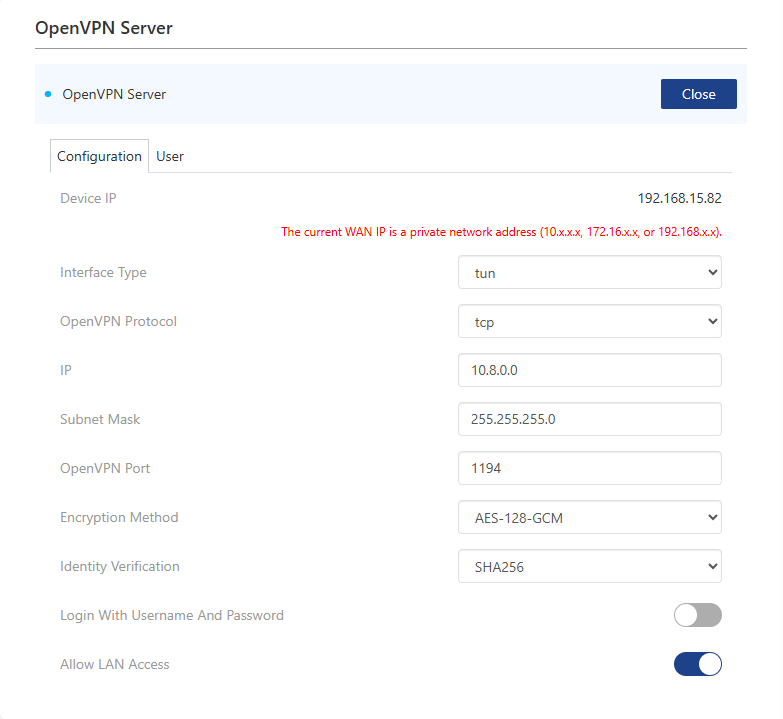

1 . Access More>VPN>OpenVPN Server.
2 . Open OpenVPN Server.
3 . Select Interface Type.
4 . Select OpenVPN Protocol.
5 . In IP and Subnet Mask, enter the range of IP addresses the OpenVPN server can lease to devices.
6 . Enter OpenVPN Port. 1024~65535 is recommended.
7 . Select Encryption Method and Identity Verification.
8 . Open Login With Username And Password to customize username and password. If turned off, you can connect without a username and password.
9 . Set whether to enable Allow LAN Access.
 10 . Click SAVE.
11 . Click Generate backup file to save it. VPN client device will establish VPN connection by using the file.
Use WireGuard VPN Server
WireGuard is a concise, efficient, and secure VPN protocol with advanced encryption algorithms, low latency, high throughput, simple and easy-to-use configuration, and cross-platform support.
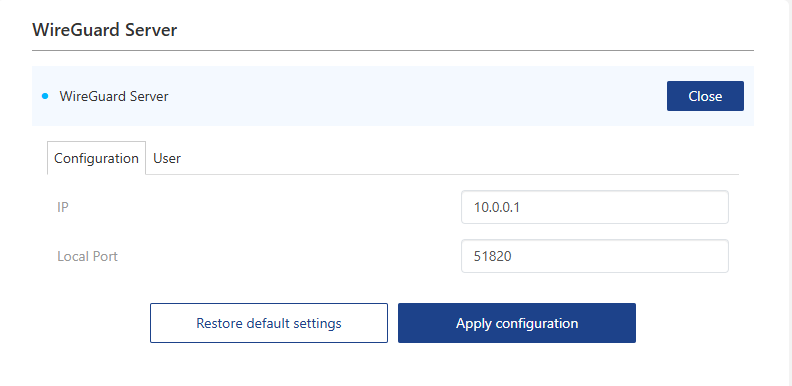 1 . Access More>VPN>WireGuard Server.
2 . Open WireGuard Server.
3 . Enter IP and Local Port.
4 . Click User and Click Add. Set Username and click APPLY.
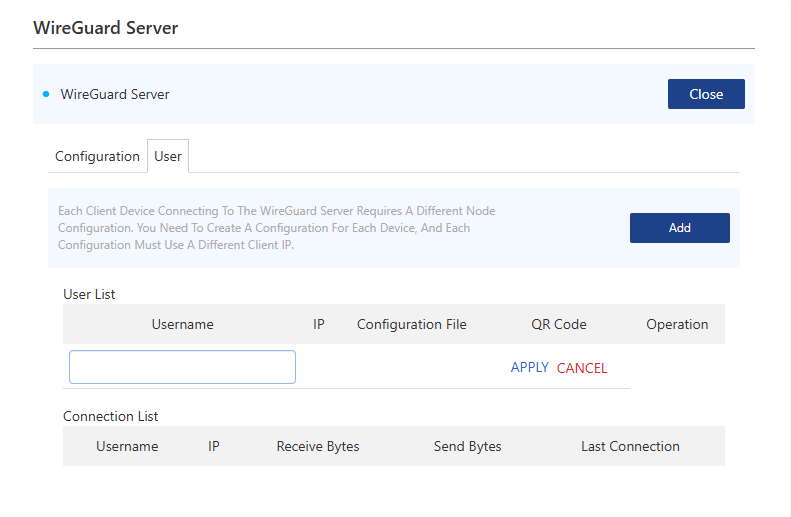 5 . Click SAVE or scan QR CODE to export the configuration file. VPN client device will establish VPN connection by using the file.
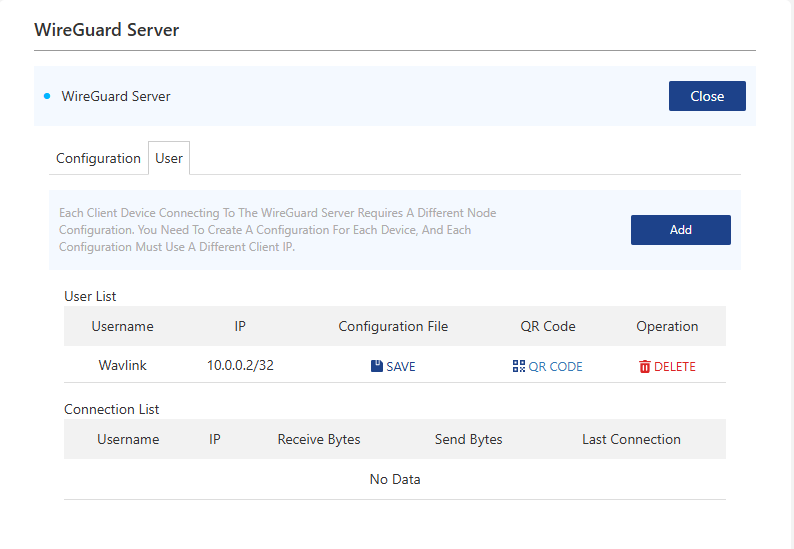
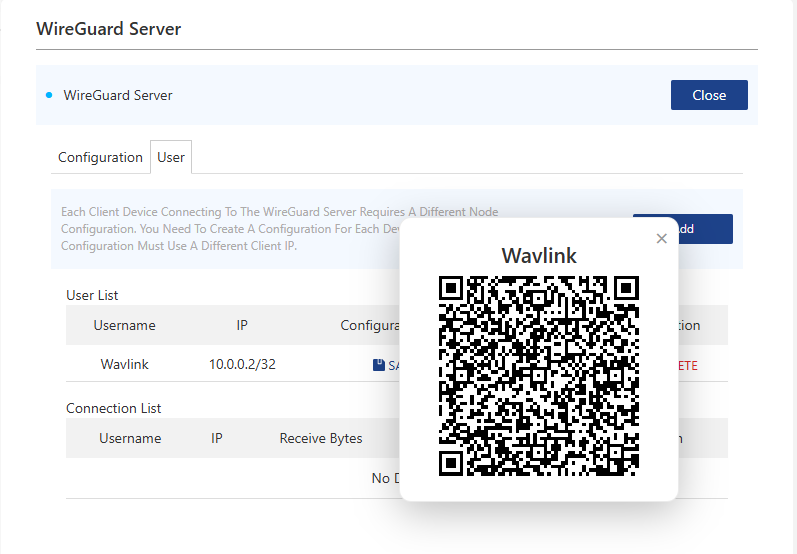 6 . If the client connects successfully. You can view this client in the connection list.

VPN Client Configuration
A VPN client establishes a VPN connection so that devices in your home network can access a remote VPN server.
PPTP/L2TP VPN Client Configuration
VPN converts public networks (Internet, etc.) into private networks using encryption technology to offer greater security and privacy protection.

- Access More>VPN>VPN Client.
- Open VPN Client.
- Select Internet Access Method.
- Select Server Address in Server or enter corresponding information in Server Address.
- Enter Username and Password.
- Click SAVE to finish the configuration.
OpenVPN Client Configuration
- Access More>VPN>OpenVPN Client.

- Click Add Group.

- Click Add Configuration.
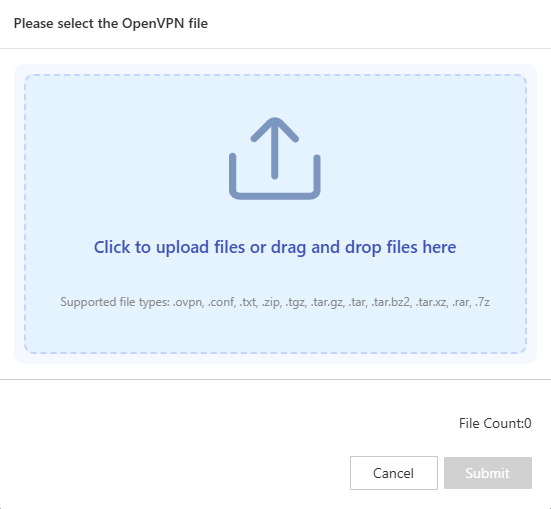
-
Upload the configuration files and then submit them.
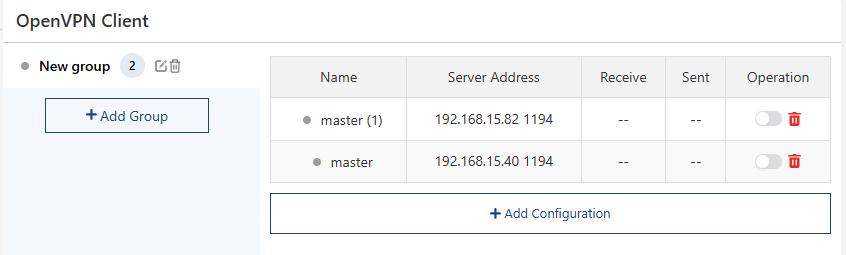
-
Open the server configuration you want to connect to and you can use the VPN tunnel, if your VPN supplier requires Login With Username and Password, you need to enter VPN Username and Password.
WireGuard VPN Client Configuration
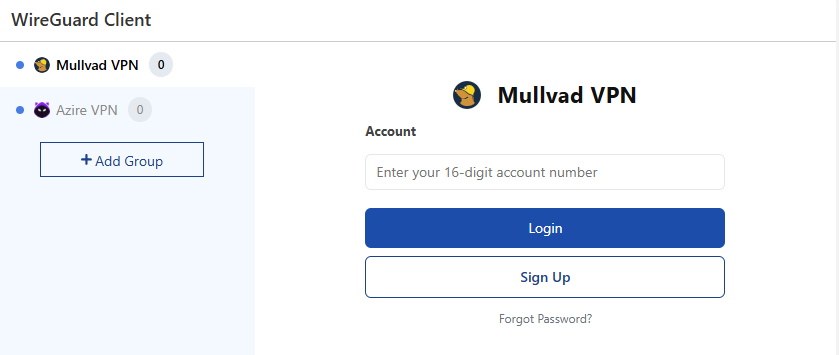
-
Access More>VPN>WireGuard VPN Client.
-
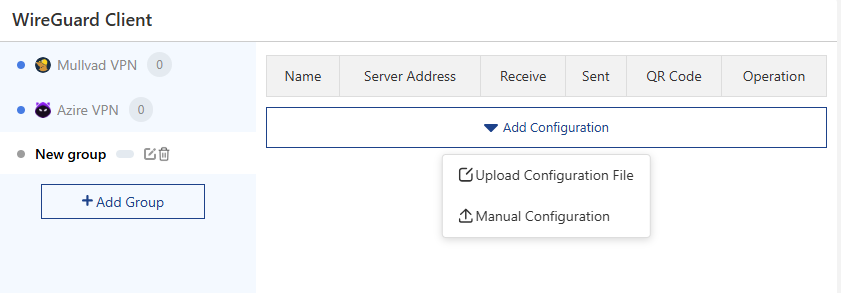
Click Add Group. If you have a Mullvad or Azire VPN account, you can use it.
-
Click Add Configuration.
-
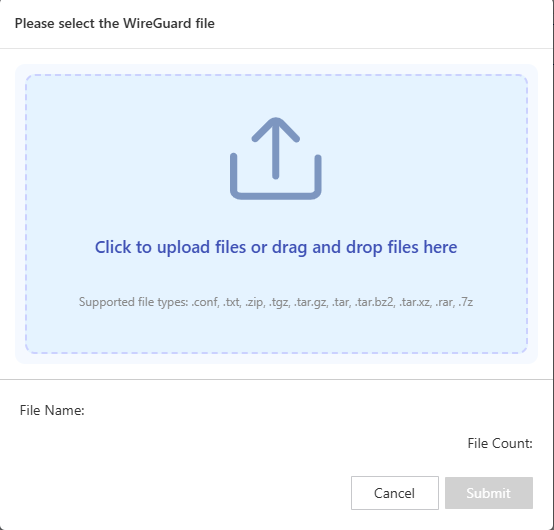
Upload the configuration files and then submit them.
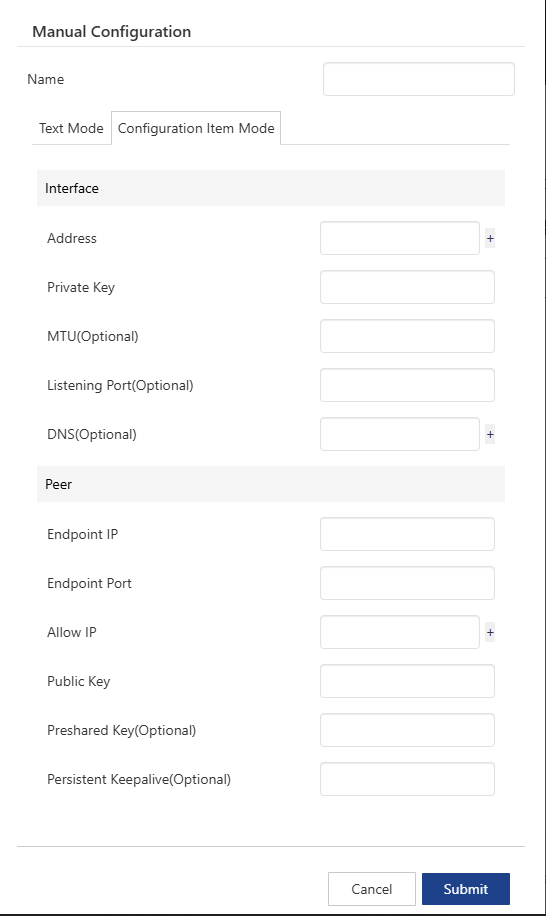
- Click Manual Configuration to manually enter the parameters of WireGuard VPN.

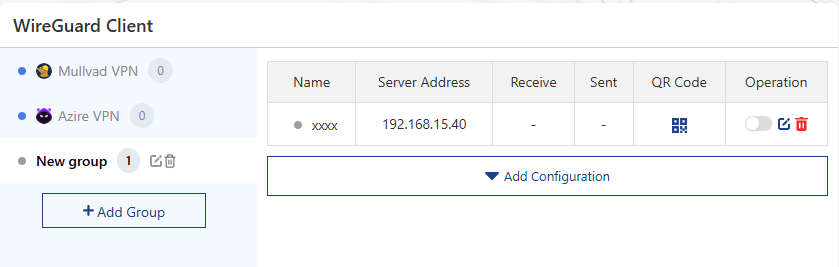
 6. Open the server configuration you want to connect to, and you can use the VPN tunnel.
ZeroTier Configuration
- Access More>VPN>ZeroTier.
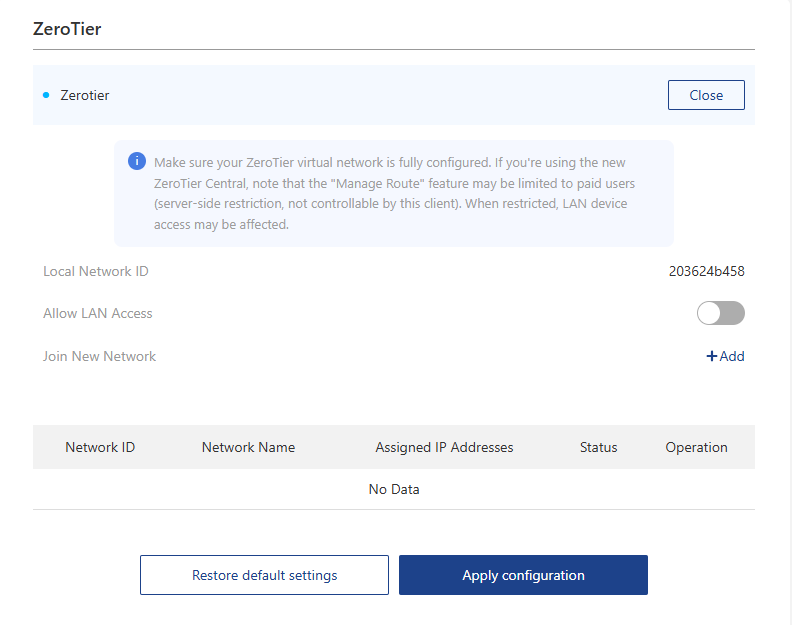
- Open ZeroTier. Click +Add to join new network.

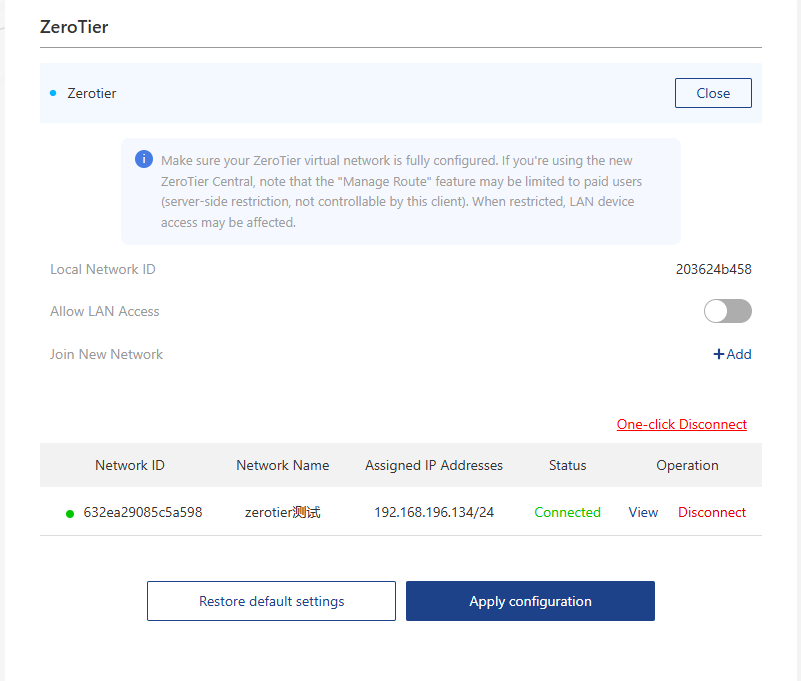
- Successful connection status is as follows:
-
Allow LAN Access: After open it, the device joining ZeroTier can access the LAN devices behind router. The router needs to be configured in the ZeroTier Center for the two parties to be able to communicate with each other.
-
Click View to check and revise configuration.
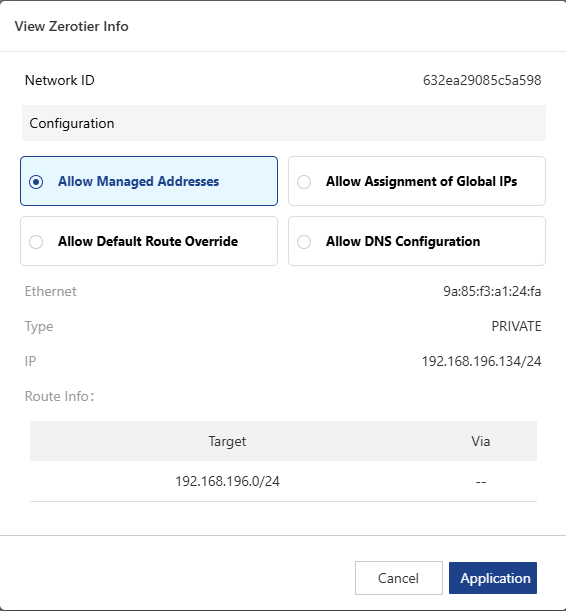
Allow Managed Addresses: Default Yes. Allow ZeroTier to set IP Addresses and Routes (local/private ranges only).
Allow Assignment of Global IPs: Default No. Allow ZeroTier to set Global/Public/Not-Private range IPs and Routes.
Allow Default Route Override: Default No. Allow ZeroTier to set the Default Route on the system. See Full Tunnel Mode.
Allow DNS Configuration: Default No. Allow ZeroTier to set DNS servers.