Chapter 8 Network Security
This chapter contains the following sections:
• Firewall
Firewall
 1 . Access More>Security>Firewall.
2 . Open Block Ping: It can prevent ping attacks and scanning and reduce the risk of network attacks on this device.
3 . Open Port Scan Blocking: It can protect server ports on devices from attacks.
4 . Open Block DDoS Attacks: It enables the router to avoid the massive resource consumption caused by DDoS attacks and ensures normal services.
5 . Click SAVE to finish the configuration.
ALG Configuration
ALG(Application Layer Gateway)allows a custom NAT traversal filter to be inserted into the gateway to support the address and port translation of certain application layer “control/data” protocols. Keeping default settings is recommended. When you use voice and video applications to create or receive calls through the router, you may need to disable SIP ALG because some voice and video applications do not work well with SIP ALG.
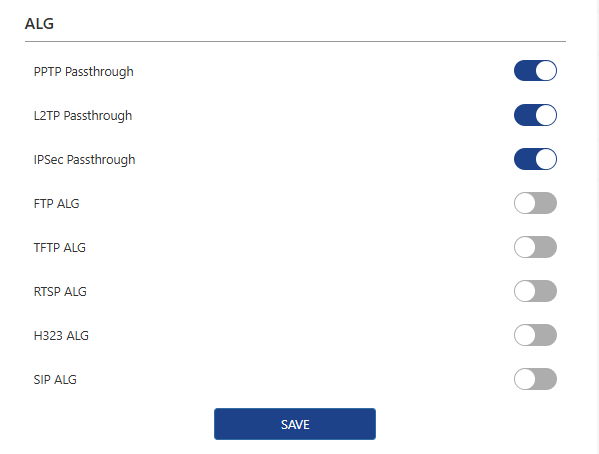
1 . Access More>Security>ALG.
2 . After configuration, please click SAVE to finish.
MAC Filter
1 . Access More>Security>MAC Filter.

MAC Filter: Enable MAC Filter and all devices added to the MAC Filter list will be blocked from accessing the Internet.
Guest Network Exception: Devices under guest Wi-Fi are not subject to MAC filtering rules.


2 . Click ADD, Find the devices that need to be added or manually input them. Click APPLY to finish configuration.
More Translations Download PDF