Chapter 7 Firmware Update
This chapter contains the following sections :
Firmware Upgrade
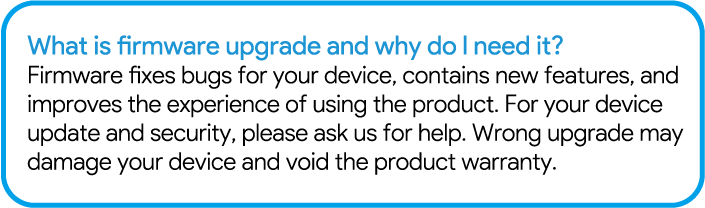
Firmware Upgrade can fix bugs of the router. However, we don't recommend you to upgrade the firmware, if the router works properly.
Local Upgrade
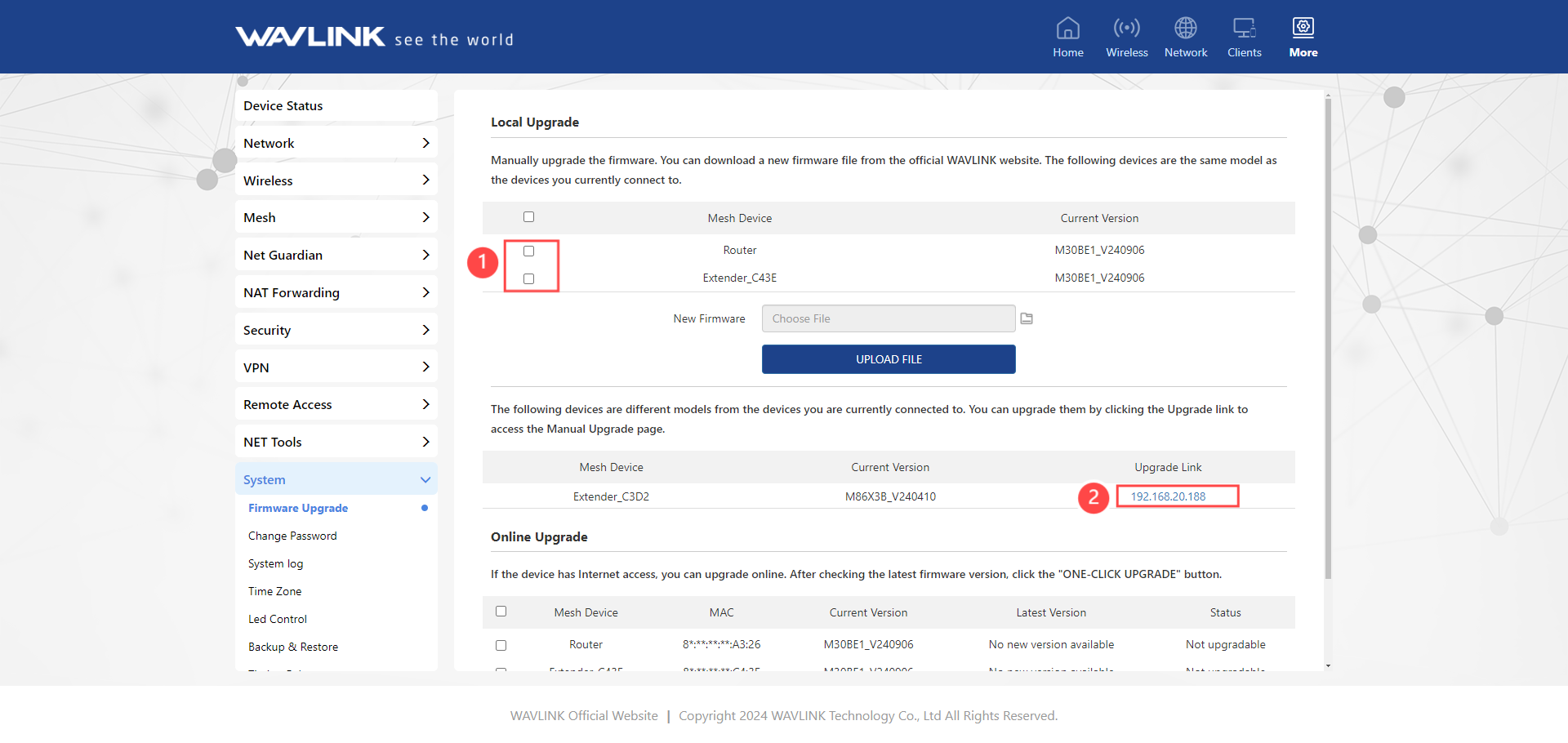
- Download the latest firmware from the official website.
- Enter http://wavlogin.link in the address field not search bar.
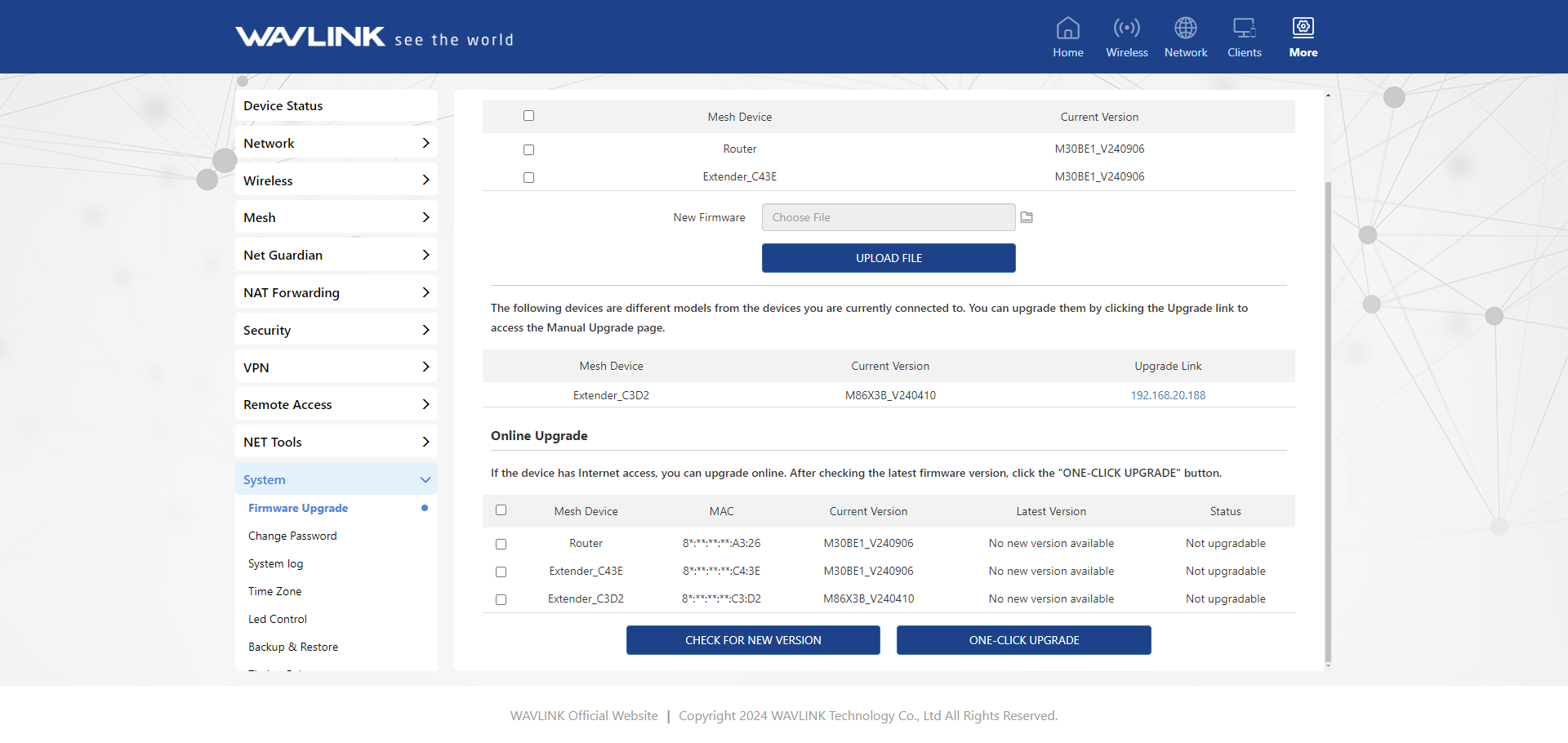
- Click More>System>Firmware Upgrade.
- Click on file icon to locate the extracted firmware file.
- Click on Upload Upgrade and choose Apply, and wait for the firmware upgrade process to complete.
Online Upgrade
- Enter http://wavlogin.link in the address field not search bar.
- Click More>System>Firmware Upgrade.
- Select the Mesh Node Name in ❸ that needs to be upgraded.
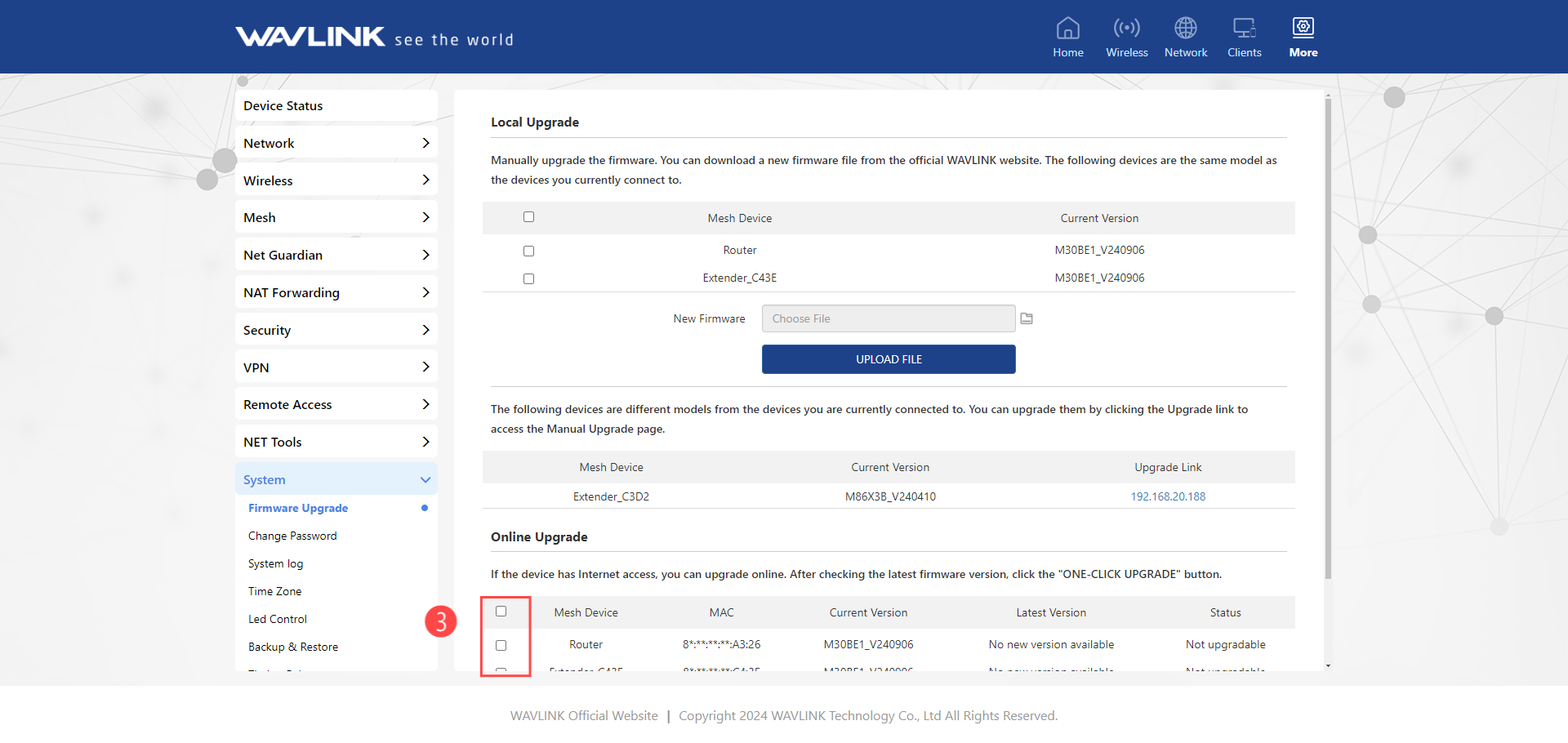
- Click on Check for new version to find the latest version.
- Click on One-Click Upgrade, and wait for the firmware upgrade process to complete.
 Note: After updating firmware, please Reset The Device And Clear Your Browser Cache.