Chapter 1 Overview
This chapter contains the following sections :
Package Content
There are the following items in the box, please check before using:
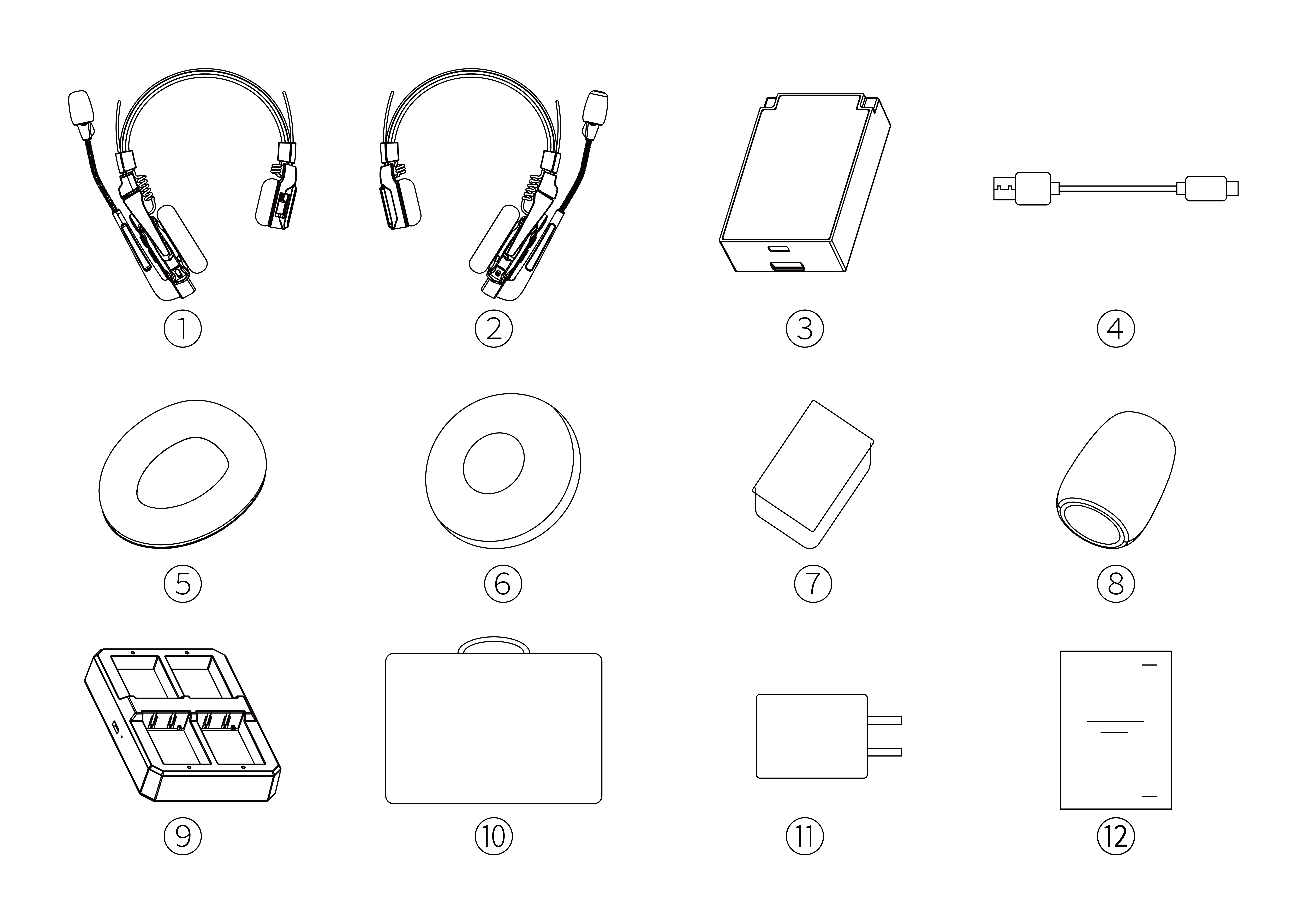
① Master Headset
② Remote Headset
③ Detachable Lithium Battery
④ USB-A to USB-C Cable
⑤ Headset Ear Cushion
⑥ Round Foam Ear Cushion
⑦ On-ear Foam Cushion
⑧ Microphone Cover
⑨ 4-Seater Battery Charging Station
⑩ Storage Bag
⑪ Power Adapter (for Battery Charging Station)
⑫ Quick Start Guide
Product Overview
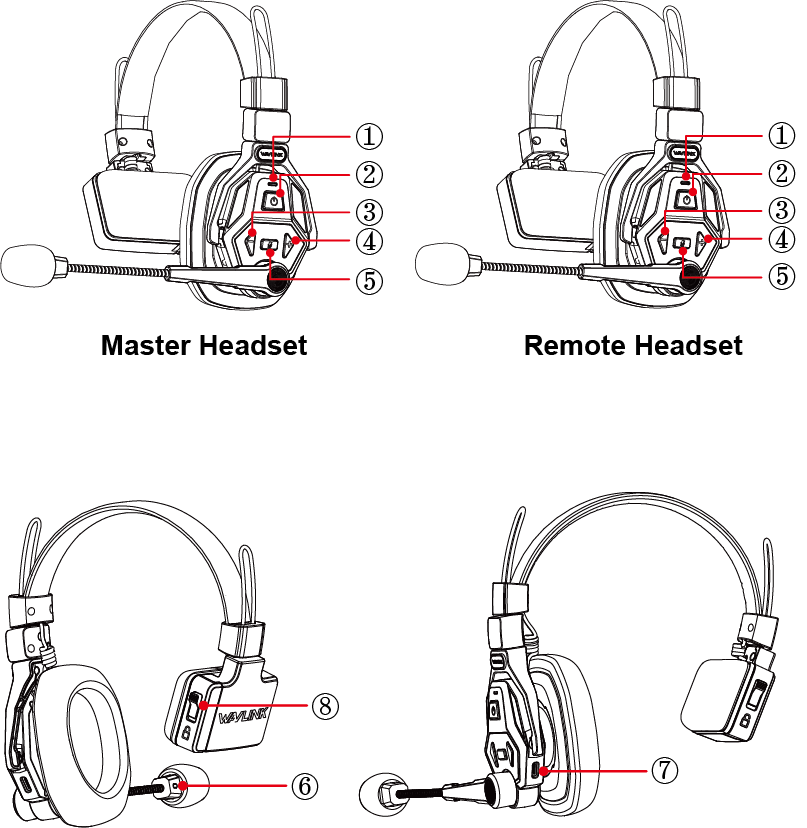
① SYS/Status Indicator
② Power Button
③ Volume-/Clear
④ Volume+/Pair
⑤ Mute
⑥ Audio Indicator
⑦ Type-C Port
⑧ Battery Compartment
LED Indicator
| Indicator | Status | Description |
|---|---|---|
| SYS/Status | Blue on | The Master/Remote Headset has been enabled and normally connected to the Remote/Master (Full Charged). |
| SYS/Status | Flashing blue | The Master/Remote Headset has been enabled and not normally connected to the Remote/Master Headset. |
| SYS/Status | Red on | The battery level is below 20%, it needs to be charged. |
| SYS/Status | Green on | The battery is being charged, and turns off after fully charged. |
| MIC | Red on | MUTE on. |
| MIC | Green on | The MIC is working properly. |