Chapter 3 Battery Compartment
Step 1. If the battery is low, charge it as the below:
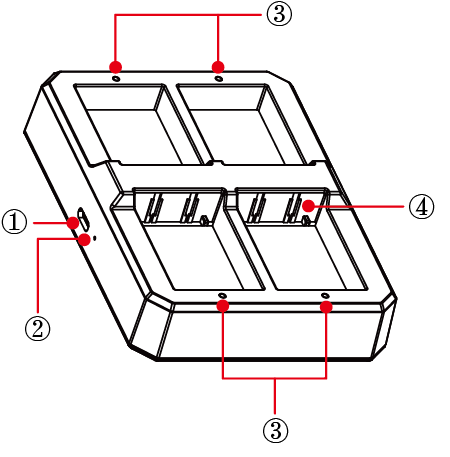
① USB-C Power IN
② Power LED(Solid Green)
③ Charging Indicator: Solid Green-In charging Off-Fully charged
④ Charging Contacts
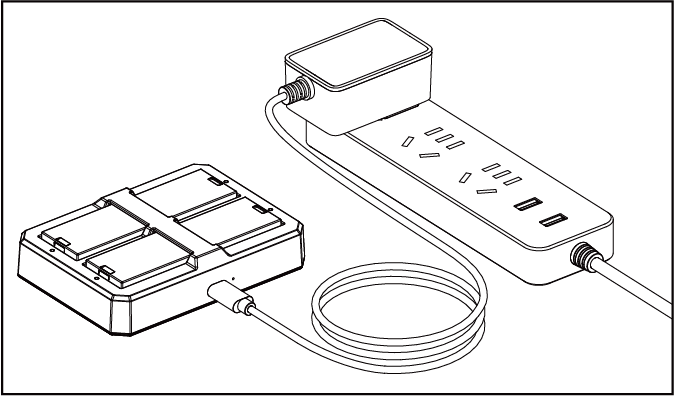
To replace the battery, follow these steps:
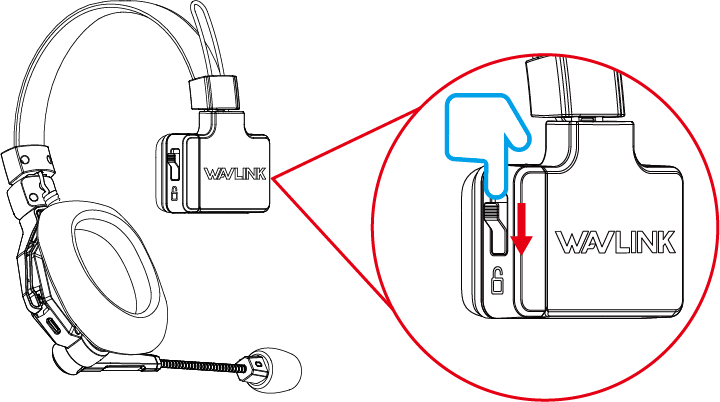
Step 2. Press the release button to unlock the battery, then remove it from the compartment.
Step 3. Insert the battery into the compartment, ensuring the contacts are properly aligned.
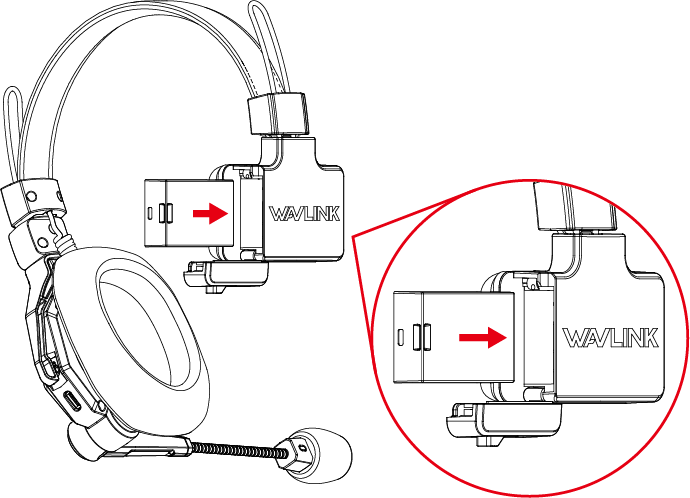
Step 4. Apply pressure to firmly push the battery into place.
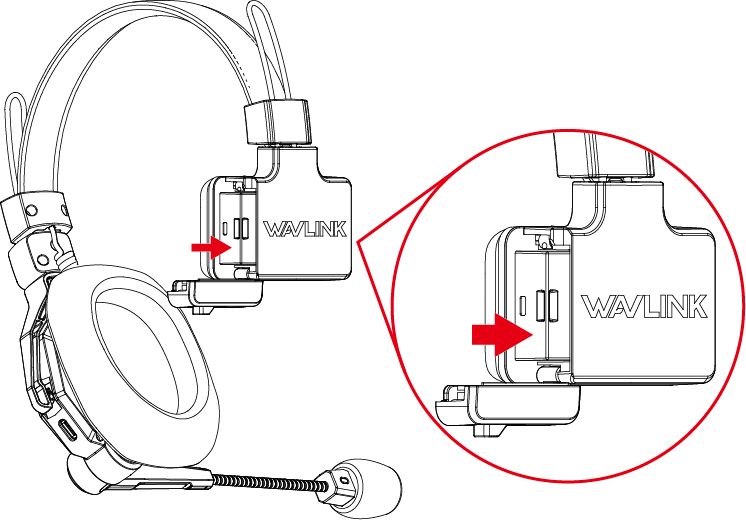
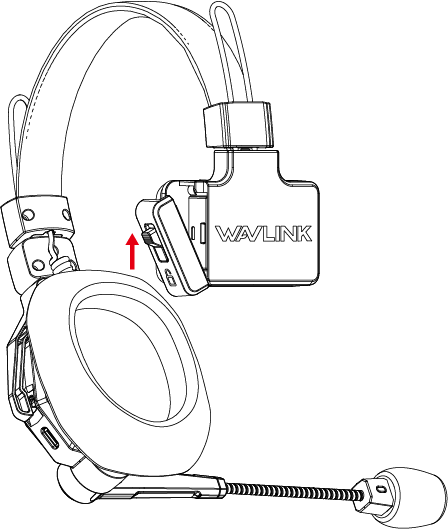
Step 5. Once the battery is properly seated, press the lock on the cover of battery compartment upwards to lock the cover.
| Item | Parameter |
|---|---|
| Battery | 1×Master Headset+1×Remote Headset: 8h 1×Master Headset+3×Remote Headset: 5.5h 1×Master Headset+5×Remote Headset: 4h 1×Master Headset+8×Remote Headset: 2.5h |
| Full Charging Time | 2.5h |