Chapter 1 Basic Product Info
• Overview
Overview
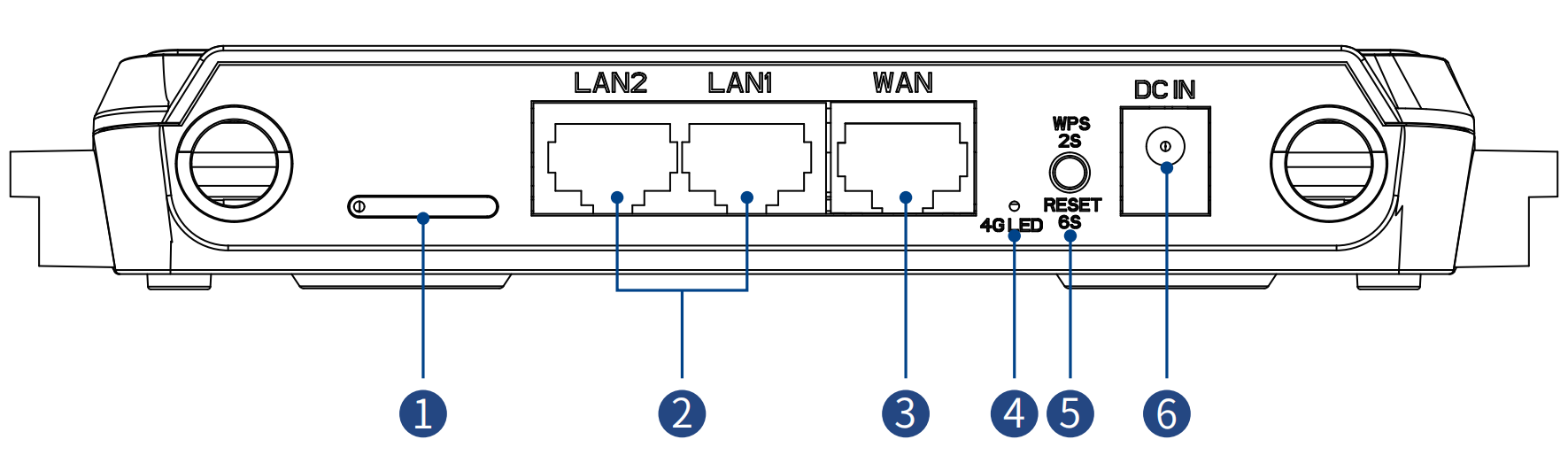
① Built-in SIM Card Slot
② LAN Ports
③ WAN Port
④ 4G LED
⑤ RESET/WPS Button
⑥ DC In Port
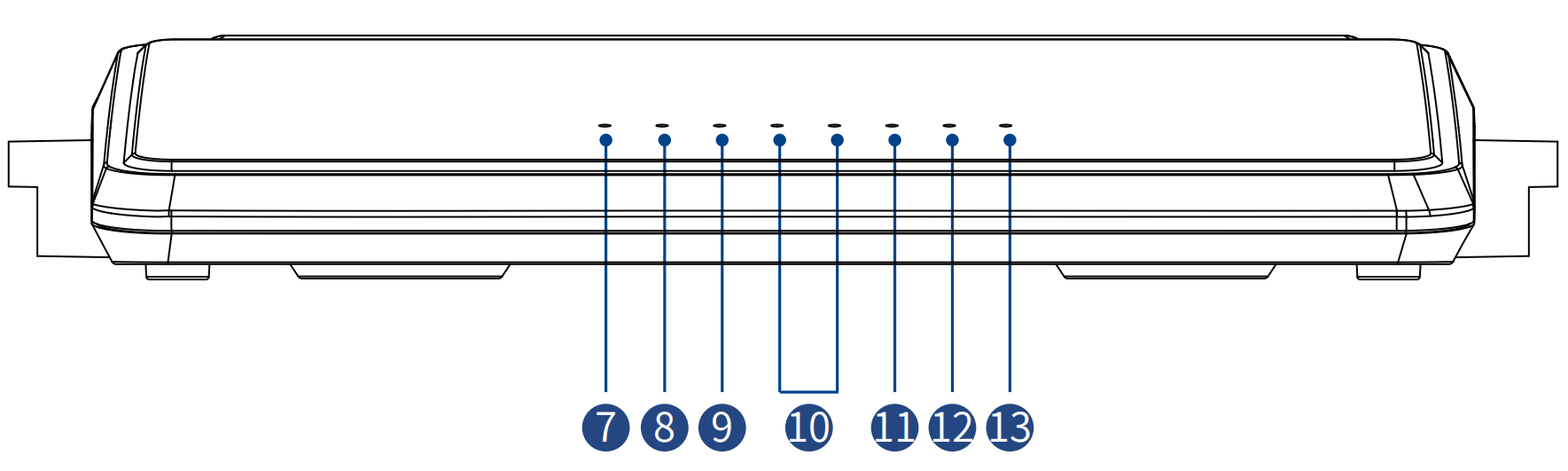
⑦ Power LED
⑧ WiFi LED
⑨ WAN LED
⑩ LAN LED
⑪ Internet LED
⑫ SYS LED
⑬ WPS LED
Reset: press and hold RESET button for 6-8 seconds. WPS: press and hold WPS button for 2 seconds.
In the Box
- 1 x N300 4G WiFi Router
- 1 x Power Adapter
- 1 x RJ45 Ethernet Cable
- 1 x SIM Card Needle
- 1 x Quick Start Guide
Basic Info
Default IP: 192.168.40.1
Login: http://wavlogin.link
Default Password: admin
2.4G SSID: WAVLINK-N_XXXX
Official Website: www.wavlink.com
Technical Support: support@wavlink.com
LED Indicator
| LED | Status | Indication |
|---|---|---|
| WiFi LED | On | Wi-Fi is active and working normally |
| Internet LED | Solid On | Internet is connected |
| Internet LED | Flashing | The WAN port is connected but no Internet access; The 4G network is connected but no Internet access |
| Internet LED | Off | No Internet connection |
| SYS LED | On | System is starting up |
| WPS LED | Flashing | The WPS process is activated |
| WPS LED | Off | The WPS process is completed or disabled |
| 4G LED | Flashing Slowly | SIM card is not detected |
| 4G LED | Flashing Rapidly | SIM card is detected |