Chapter 2 How to Connect
This chapter introduces the steps of connecting the docking station.
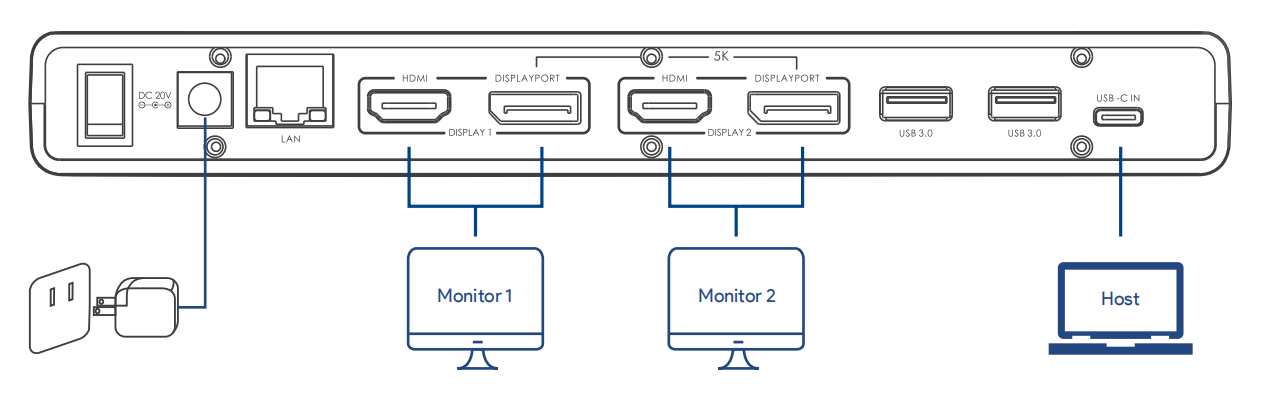
- Step 1. Connect the host laptop to USB-C Upstream port.
- Step 2. Connect Display 1(HDMI or DisplayPort) and DisplayPort 2(HDMI or DisplayPort) to monitors.
- Step 3. Connect the Power Adapter to the DC In, then plug the Power Adapter into power source.
note
In Display 1 and Display 2, DisplayPort and HDMI port cannot be used simultaneously, thus, one port in each video stream group is available.