How to Connect
This chapter introduces the steps of connecting the docking station.
Ensuring the driver has been installed before using this Docking Station.
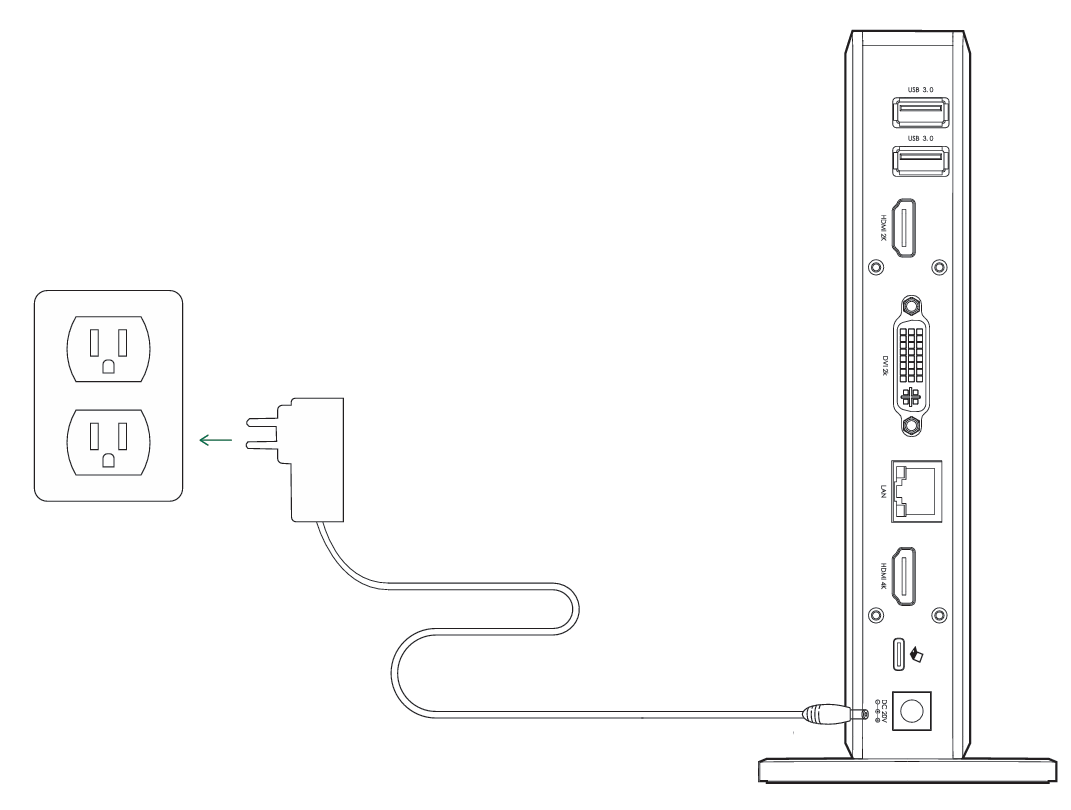
Step 1: Connect to Power
1.1 Plug one end of the equipped Power Adapter into the Power Jack port (DC IN 20V) on the Docking Station.
1.2 Plug the other end of the Power Adapter into a Power Outlet.
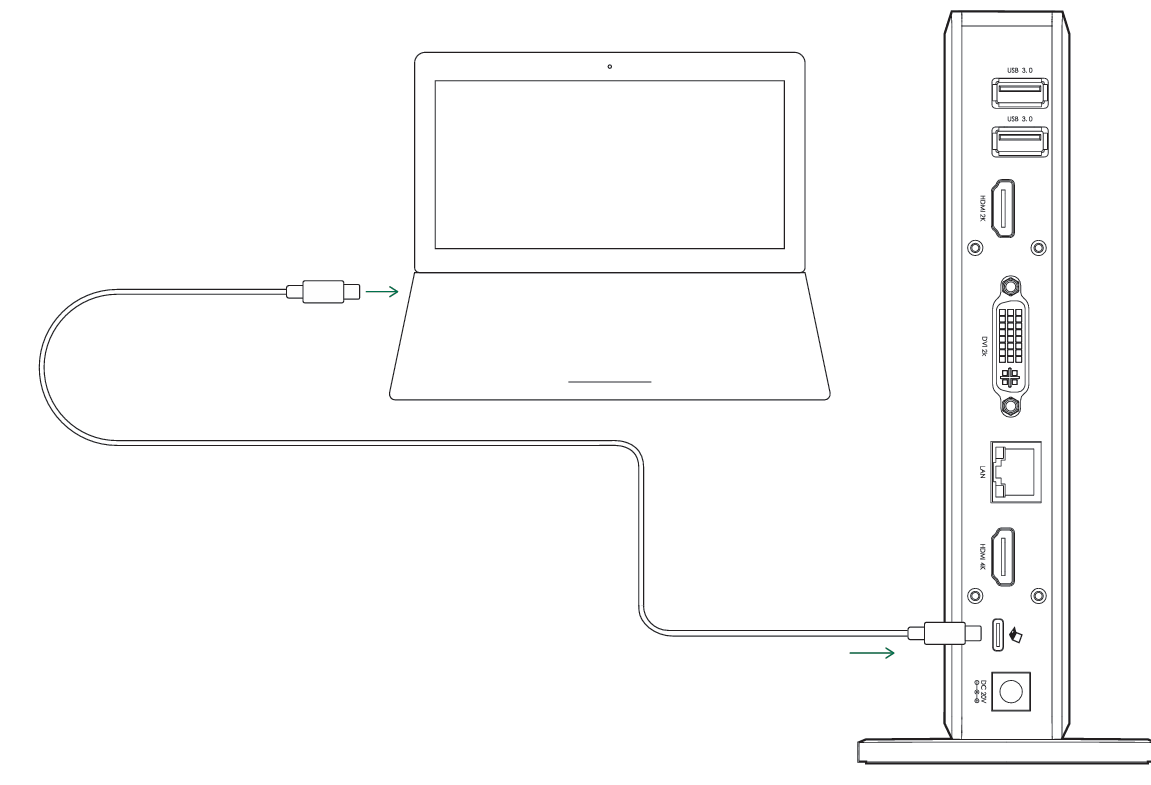
Step 2: Connect to Your Laptop
2.1 Use the provided USB-C to C Cable or USB-A to C Cable to connect the USB-C Upstream port on the Docking Station to your laptop.
Step 3: Connect to Monitors
3.1 Connect 2K HDMI, DVI, and 4K HDMI ports to monitors according to your needs.
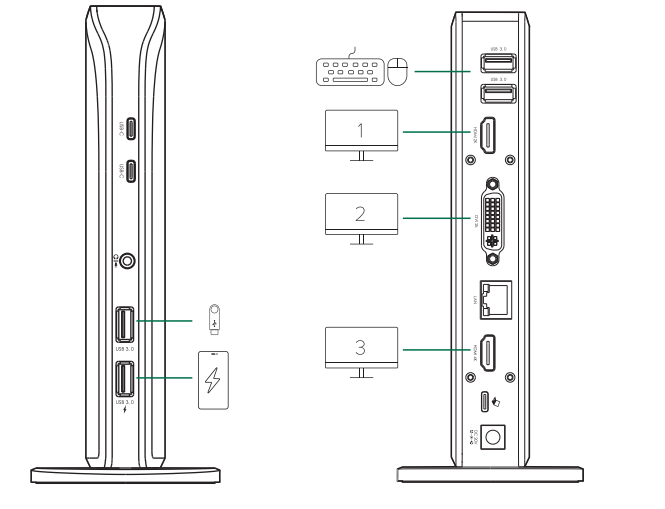
Only when you use the USB-C to C Cable to connect computers with a USB-C port equipped with DP-alt-mode function, the docking station can connect up to 3 monitors.