Chapter 2 Driver Installation and Connection
This chapter introduces steps to install driver for Windows and Mac.
Driver Installation
For Windows 10/11/Later and MAC OS, it is Plug and Play, so no Driver installation is needed.
If the Network port of this Dock can't be recognized, please visit to download www.wavlink.com > SUPPORT > Driver > PC Peripherals > USB Network Card > WL-NWU331GCA or www.wavlink.com/en us/WL-NWU331GCA to download and manually install the Driver.
For Windows
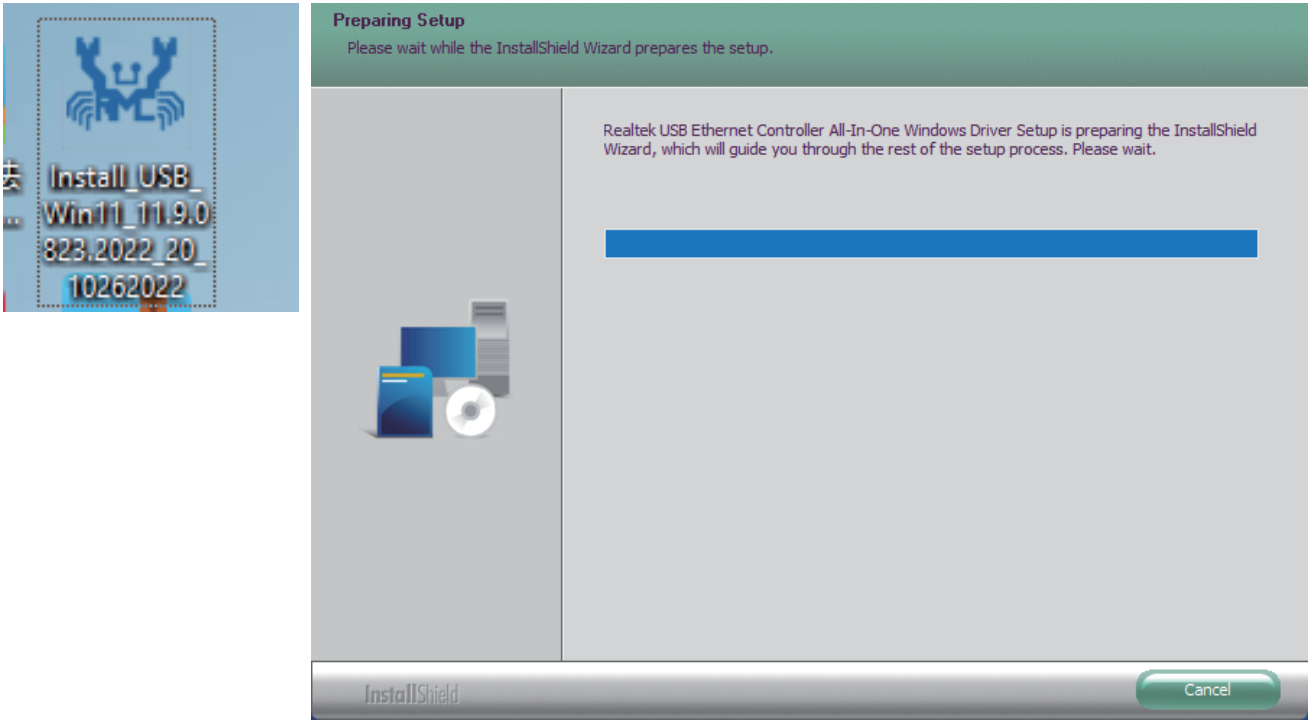
1.Locate the downloaded folder and unzip the file to the desktop, please select Yes if your computer asks your pemmission, then double-click the Driver icon on the desktop.
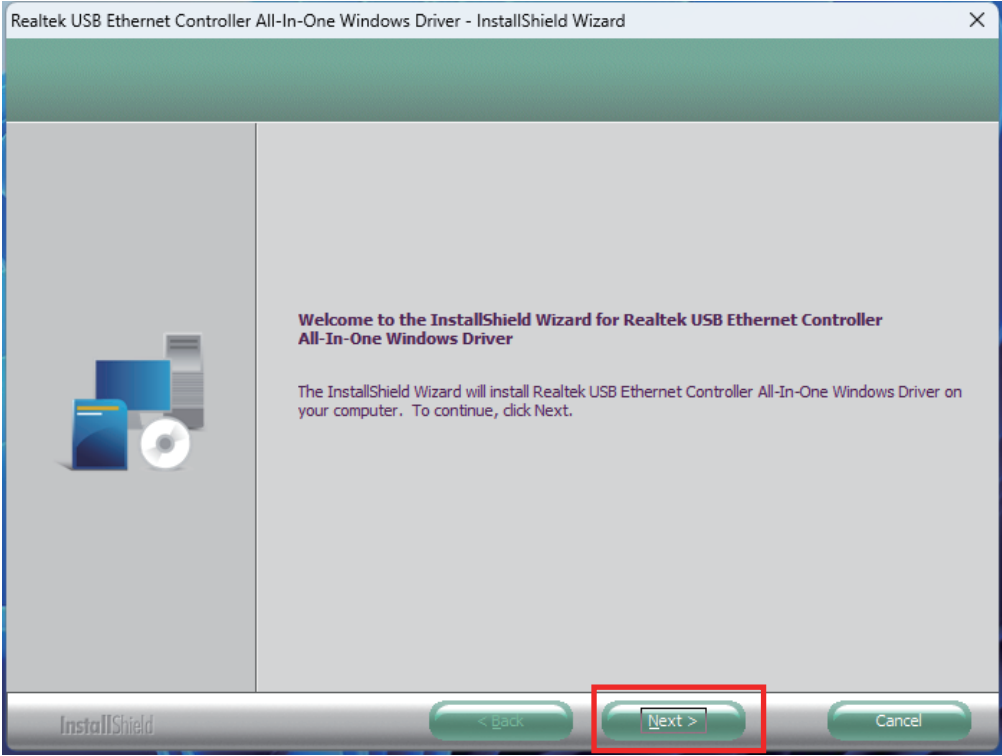
2.Click Next to continue the installation process.
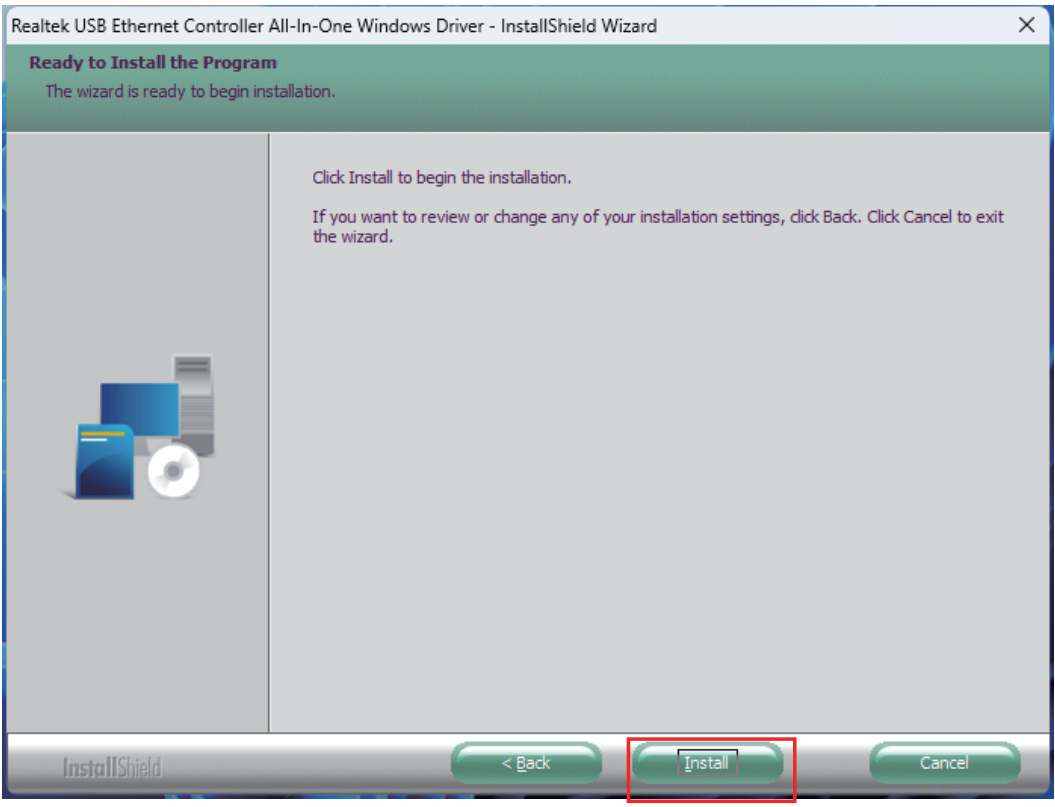
3.Select Install to begin the installation. lf you want to review or change any of your installation settings, click Back or Cancel to exit the wizard.
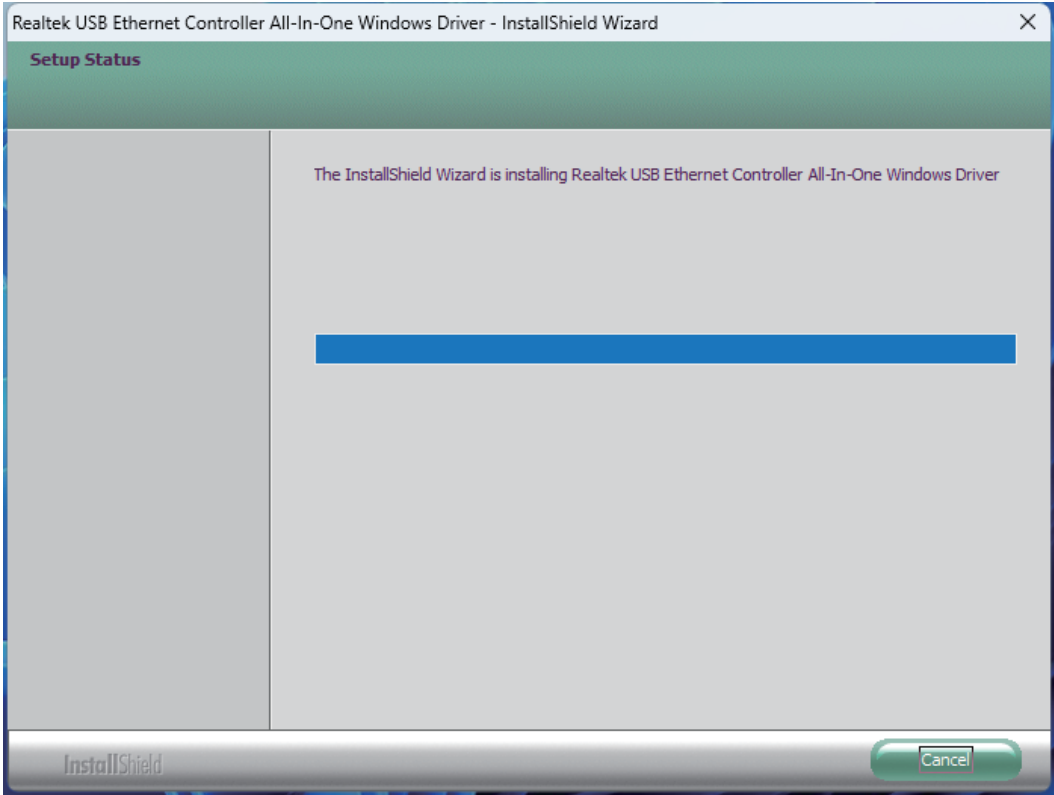
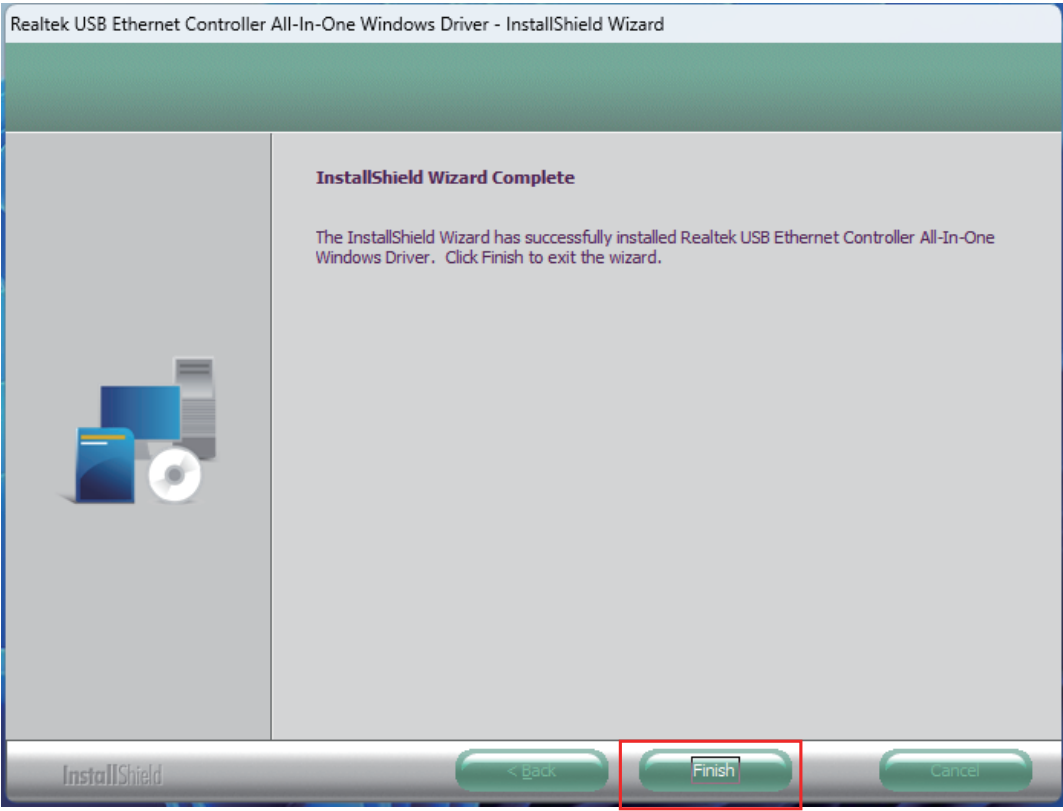
4.After the Driver is successfully installed, select Finish to exit the wizard.
For Mac OS
1.Locate the downloaded folder and double click the icon on the desktop.
2.Double-click the icon to open the file.
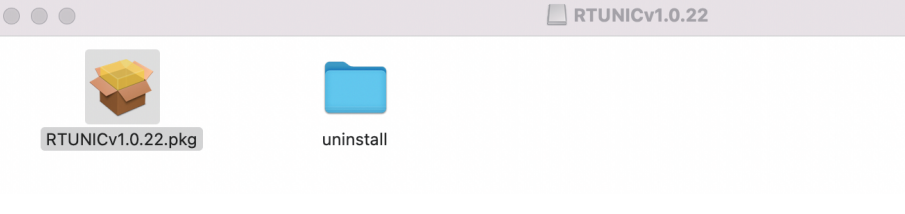
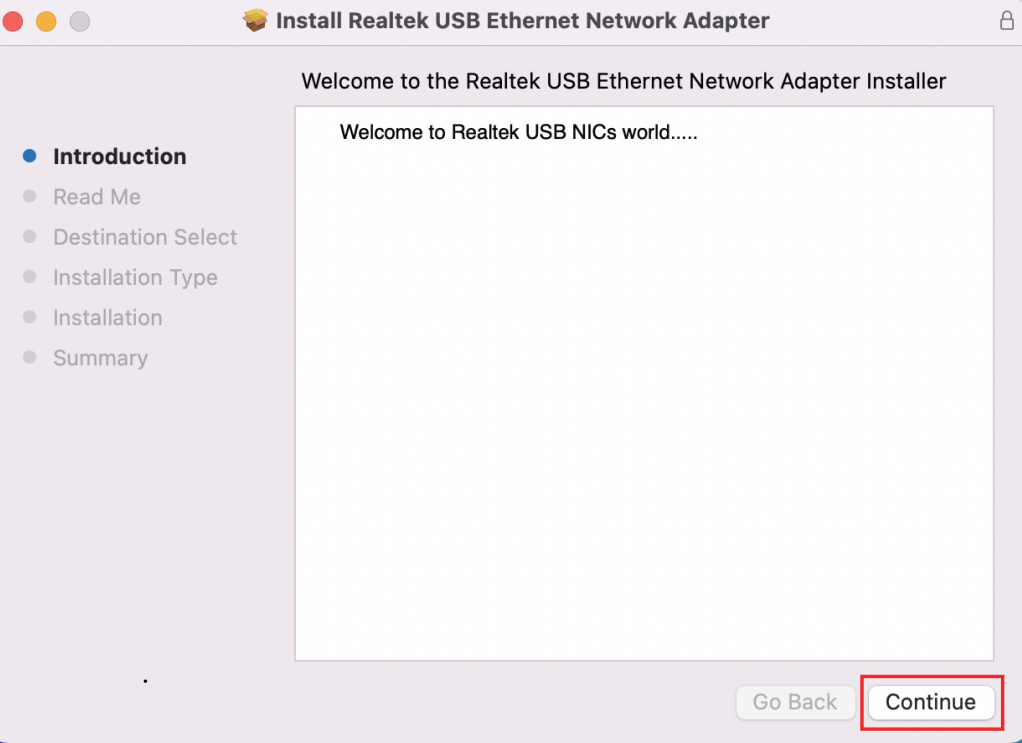
3.Navigate to the wizard window, and click Continue to the next step.
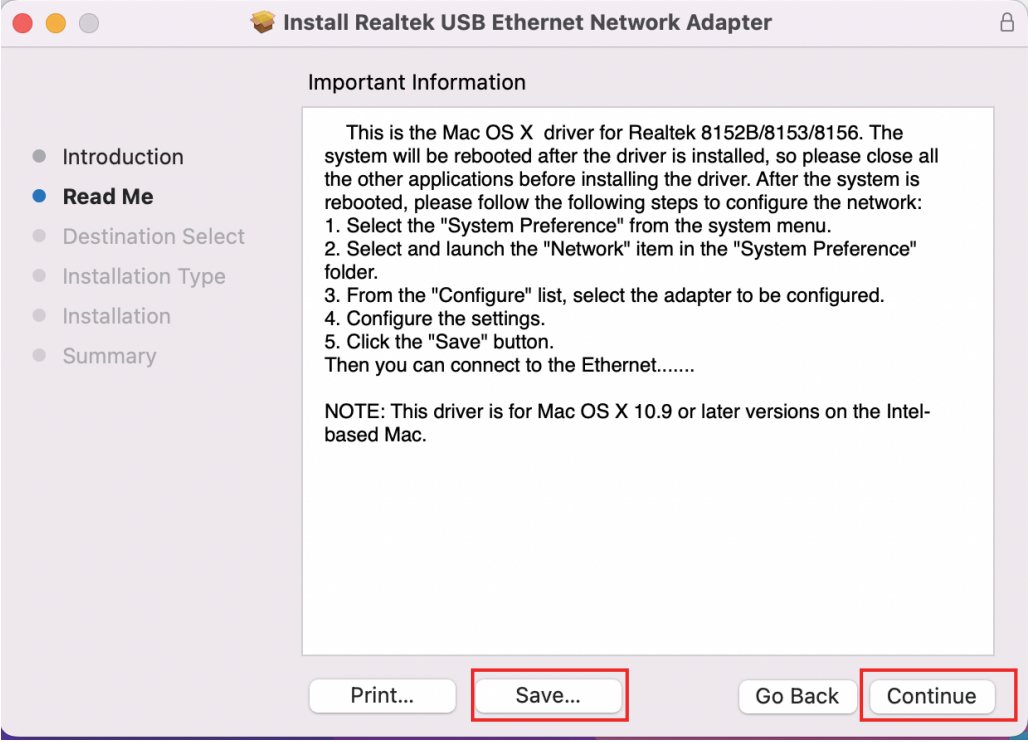
4.Read the Important Information carefully and click Save, then click Continue.
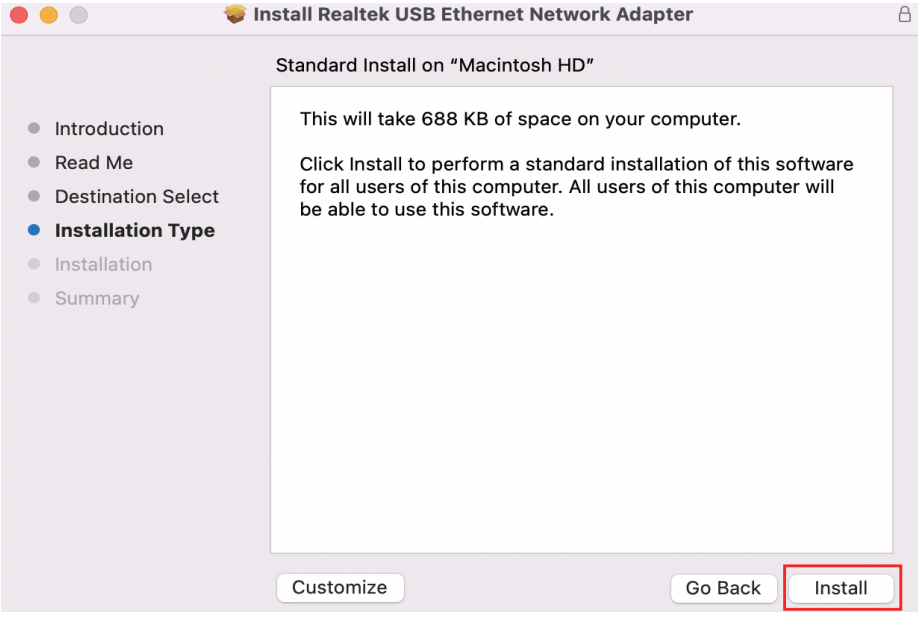
5.Click Install to perfom a standard installation of this Network Adapter.
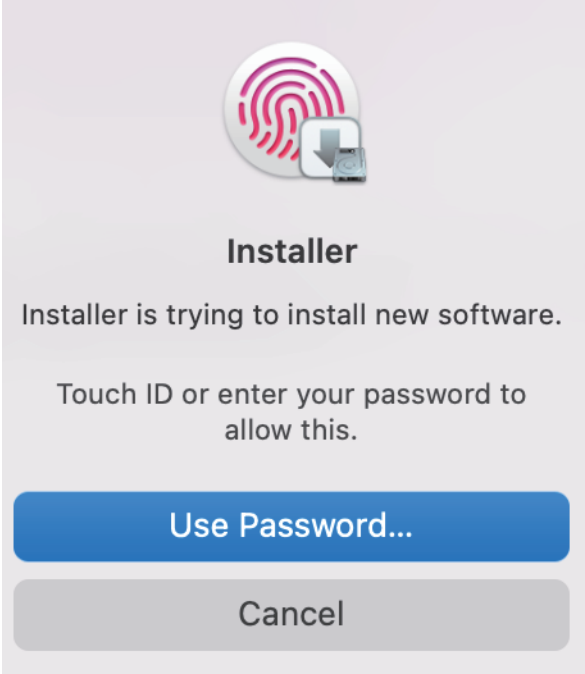
- Select Use Password or useTouch ID to allow the software installation.
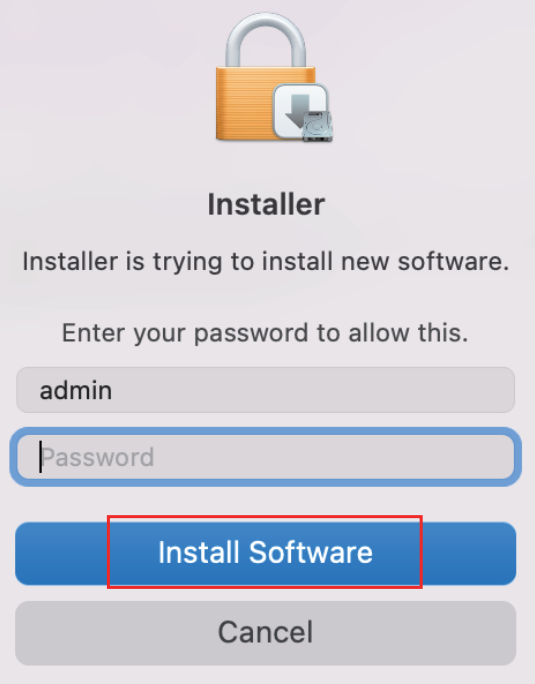
- Select Install Software after entering the screen password.
8.Please wait patiently for the installation to complete, then click Restart.
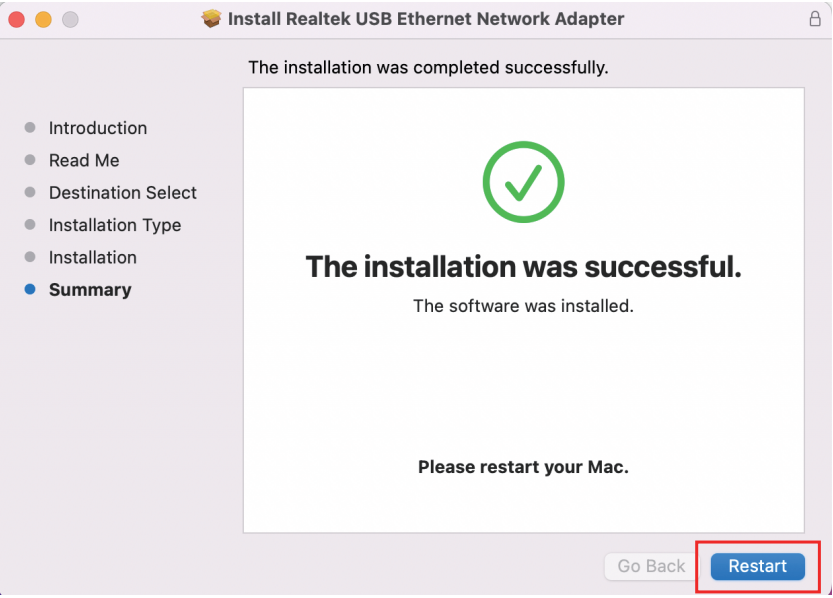
9.Please restart your Mac.
Please scan the QR code or visit the link to watch the installation video.
- For YouTube: https://youtu.be/EZ1iag1WzMQ?si=K0Q_E0UOkfK5fqP4
- For WAVLINK Official Website: https://www.wavlink.com/en_us/video/cd1fd1274e.html