Chapter 1 Basic Information
This chapter introduces the docking station's features, appearance, and some basic information.
It contains the following sections :
• Features
• Overview
Introduction
The 2.5 Gigabit Ethernet adapter converts a USB port into a 10/100/1000/2500 Base-T Ethernet port. It can replace a damaged computer network card or connect a USB-C PC to a high speed Ethernet Network at places where a wireless connection is slow, inconsistent or not available at all. It is faster than gigabit and future-proof, hence is ideal for video conferencing, pro gaming, large files transferring and video streaming.
Thank you for choosing this 2.5 Gigabit Ethernet Adapter !
Features
- Fully compliant with the IEEE 802.3u(10/100Mbps), the IEEE 802.3ab(1000Mbps) and the IEEE 802.3bz(2500Mbps).
- One USB-C and USB-A compliant with USB Spec3.0, 2.0 and 1.1.
- Designed for USB-C compatible devices, reversible plug orientation and no external power needed.
- Green and Amber LEDs indicate the status of power network connection and speed.
- Portable and tiny in size: fits anywhere in your office bag or pocket.
- Supports Wake-On-Lan' and 'RealWow!" to enable remote wake-up of a sleeping PC through Internet.
- Supports Microsoft Wake Packet Detection (WPD).
- Works with Win 7/8/10, Mac OSX 10.6 and later.
In the Box
- 1 x 2.5 Gigabit Ethernet Adapter
- 1 x Quick Start Guide
System Requirement
- Mac OS 10.6 or later
- Win 7/8/10
Overview
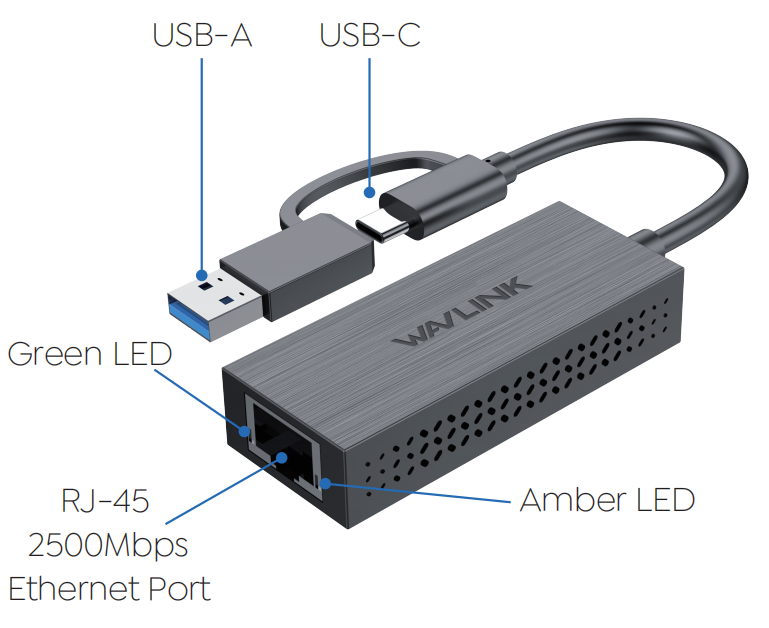
Blinking green: auto recognition and transferring at 2.5 Gigabit speeds.
Blinking amber: auto recognition and transferring at 10/100/1000M speeds.
Off: The adapter is not receiving electrical power and no Ethernet connection is detected.
Connection Diagram
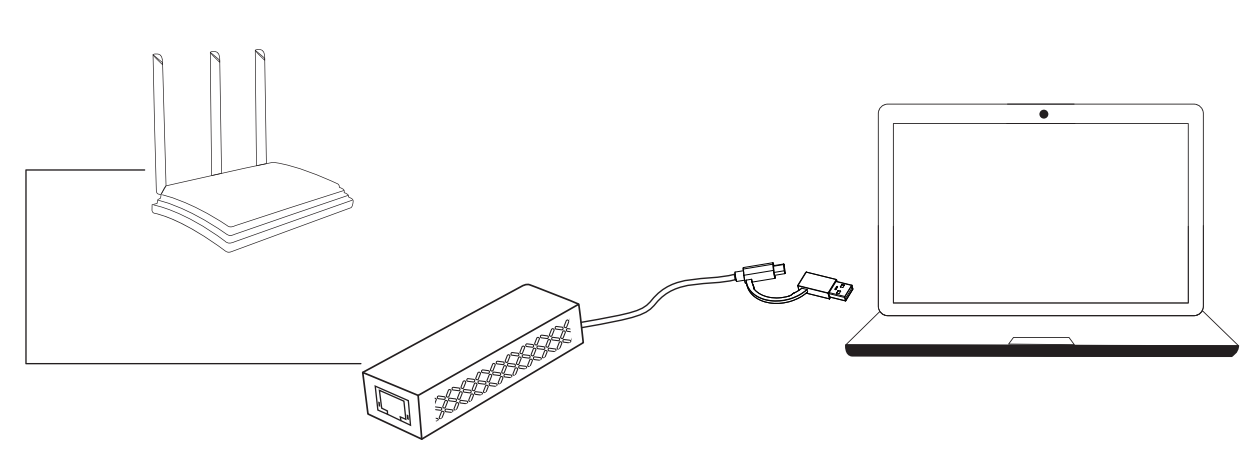
Step 1: Plug in the adapter, then connect an Ethernet cable between your router or modem and the Ethernet port on the adapter.
Step 2: Just starting using it when one LED is blinking.
Note: Open a browser and test the connection.
More Translations Download PDF