Chapter 2 Display Specification and Operation
This chapter introduces the docking station's display resolution, connection, and display setting.
It contains the following sections :
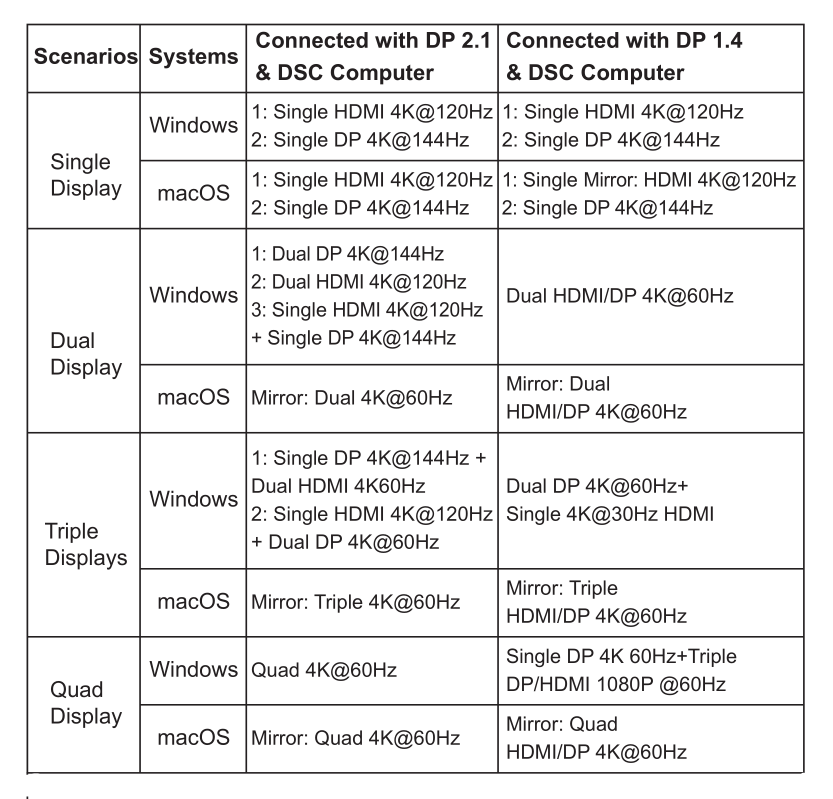
Display Resolution
Note:
Mac OS only supports Mirror Mode in Dual Display.
On Windows, the Quad display turns off the laptop screen.
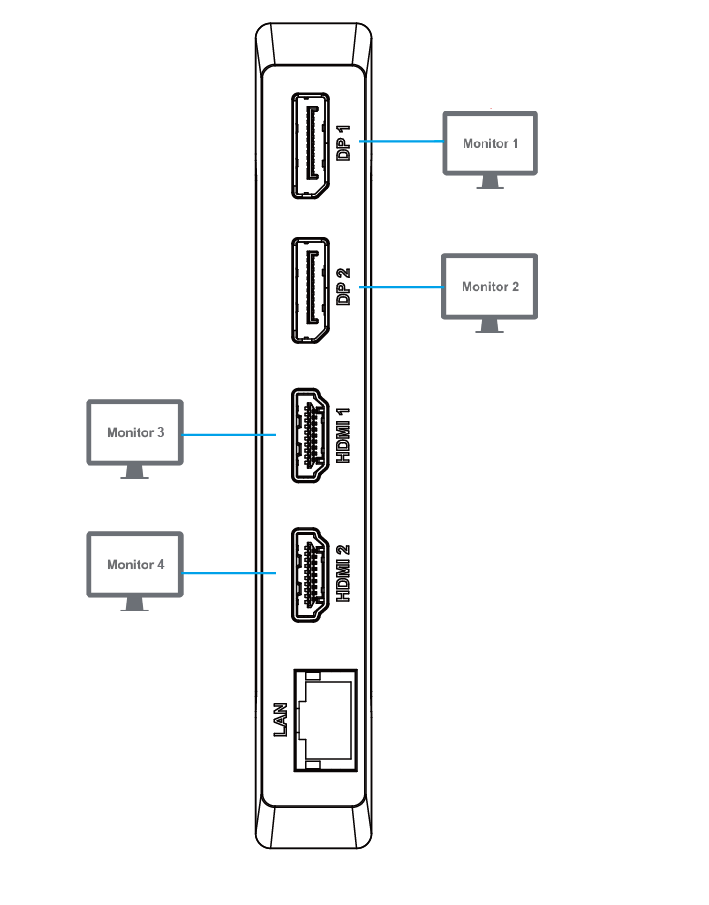
Connection
Display Mode Setting
For Windows Users
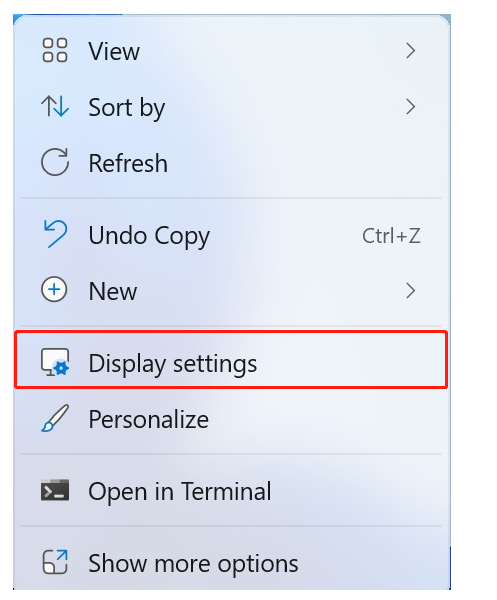
1.Right click on any spot on your desktop and select "Display settings".
2.In "Display", please choose either monitor 2, monitor 3, monitor 4 or monitor 5.
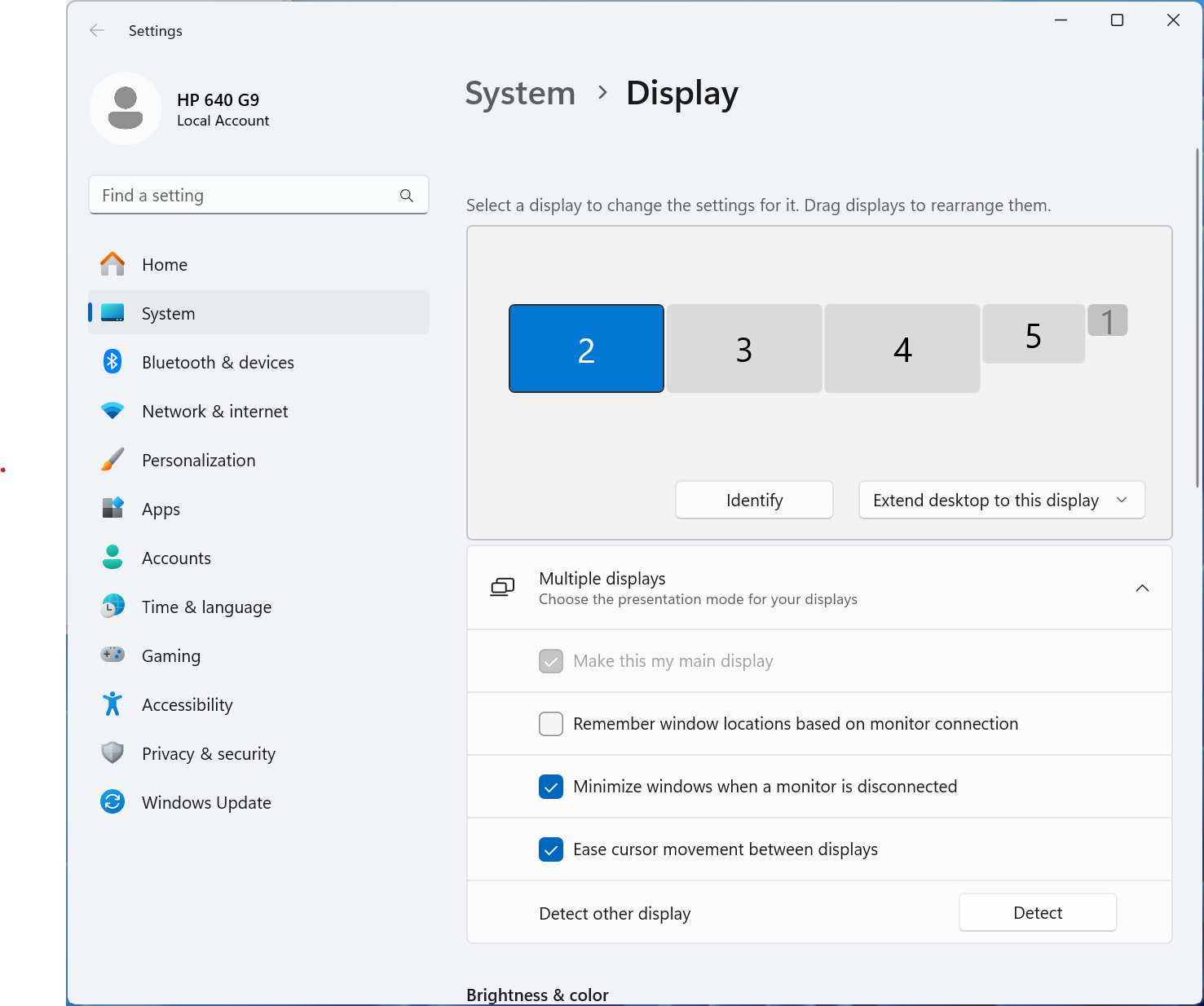
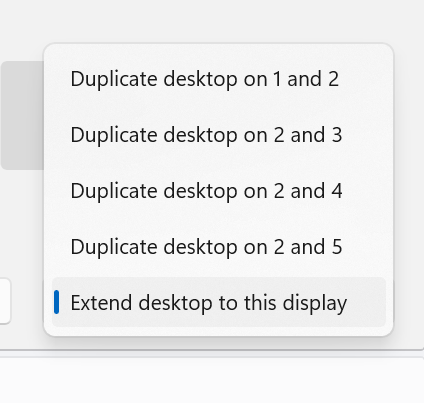
3.Scoll down to the "Multiple Displays", and select the mode in the drop-down list that fits your need.
For macOS Users
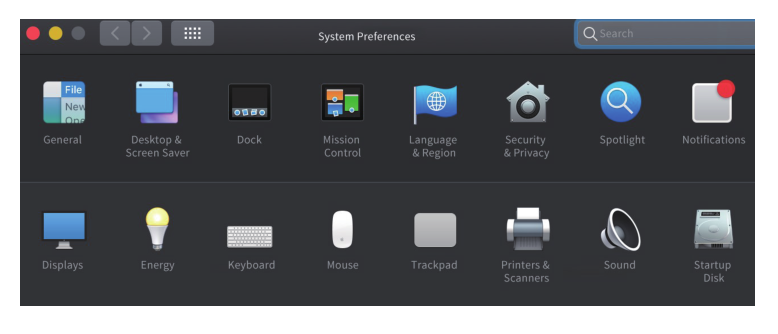
1.Select "System Preferences" and choose "Displays".
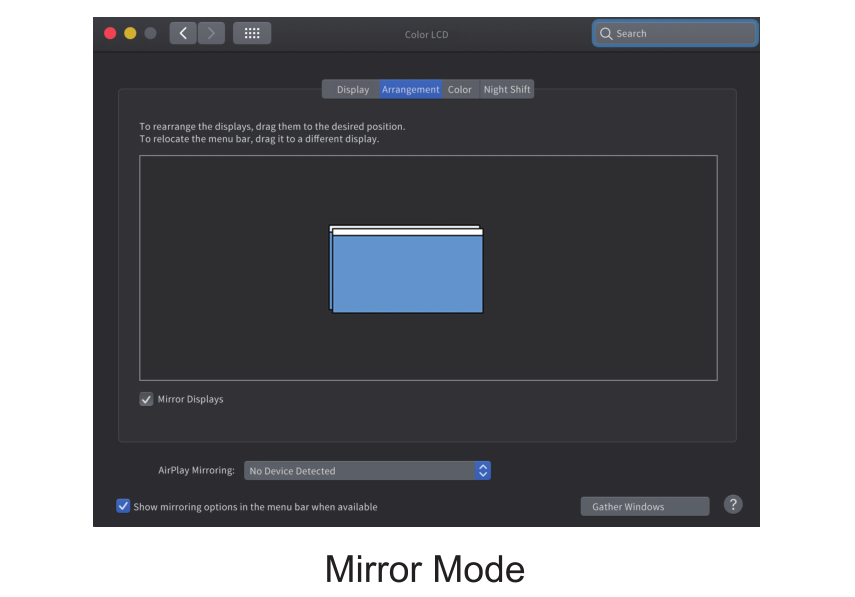
2.Click on "Arrangement" to change the position of displays currently connected.
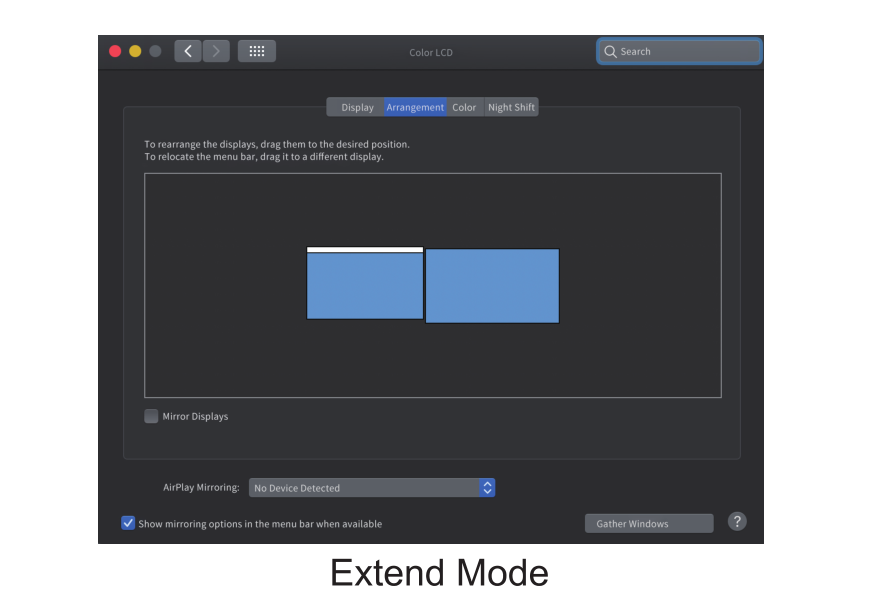
3.Select either extend or mirror on your demand.