Chapter 2 SSD Assembly and Connection
This chapter contains the following sections:
SSD Assembly and Connection
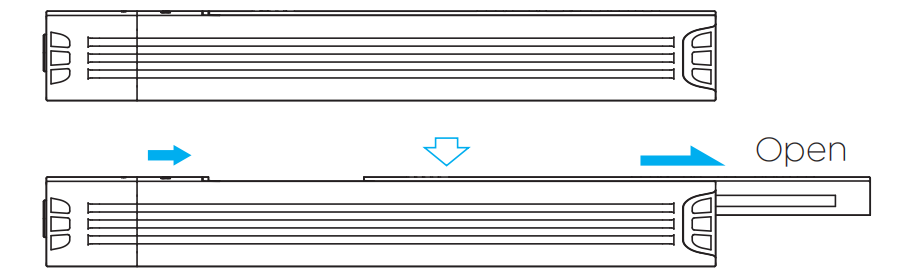
- Slide the top cover of the SSD enclosure in the direction indicated by the arrow to remove it.
- Insert the SSD into the slot at a 45-degree angle, then press it down until it lies flat. Secure it in place using the black silicone buckle.
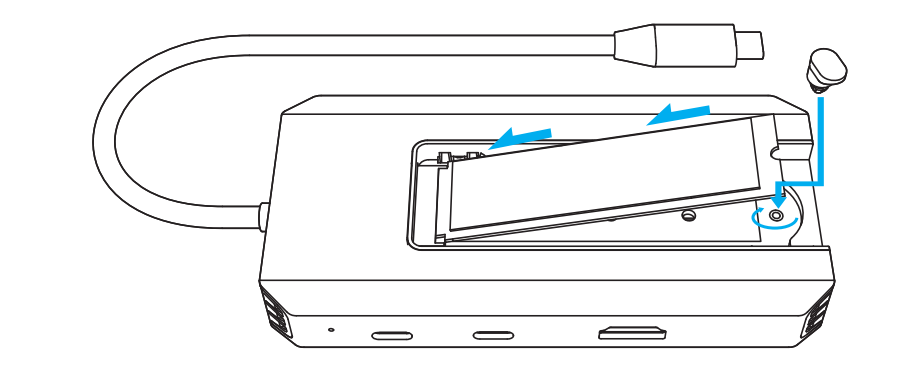
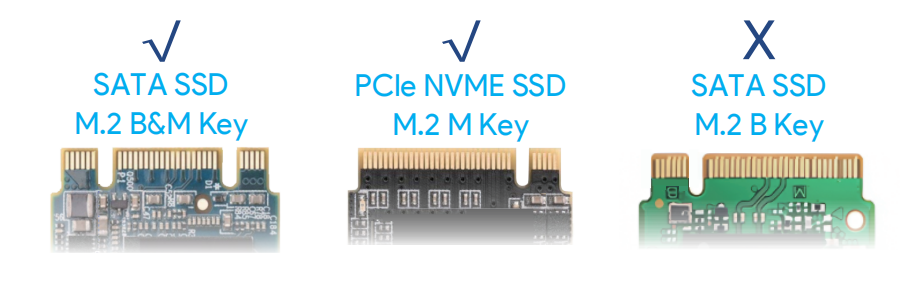
- Attention: To ensure smooth and successful operation of the SSD, we recommend choosing the appropriate SSD sizes: 2230/2242/2260/2280 and applicable interfaces: M and B+M key.
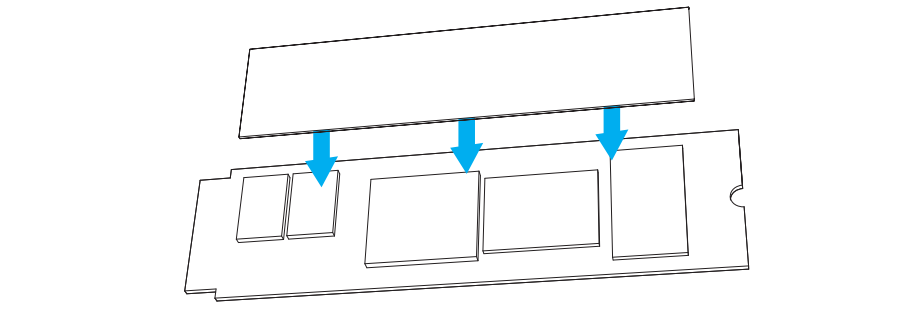
- Tear off the protective films on both sides of the thermal silicone pad, and stick it on the SSD.
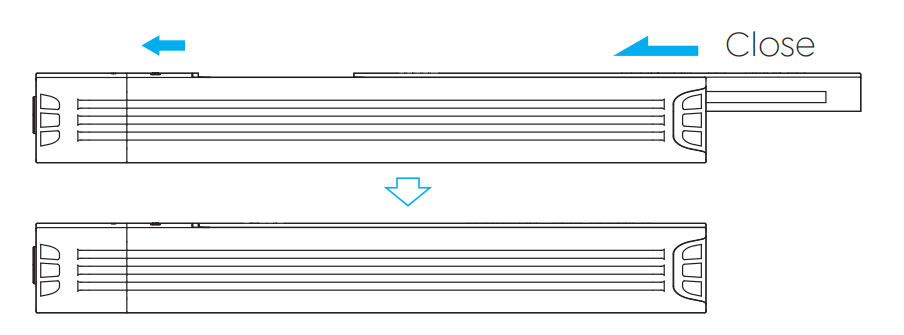
- Reassemble the top lid in the direction of the arrow.
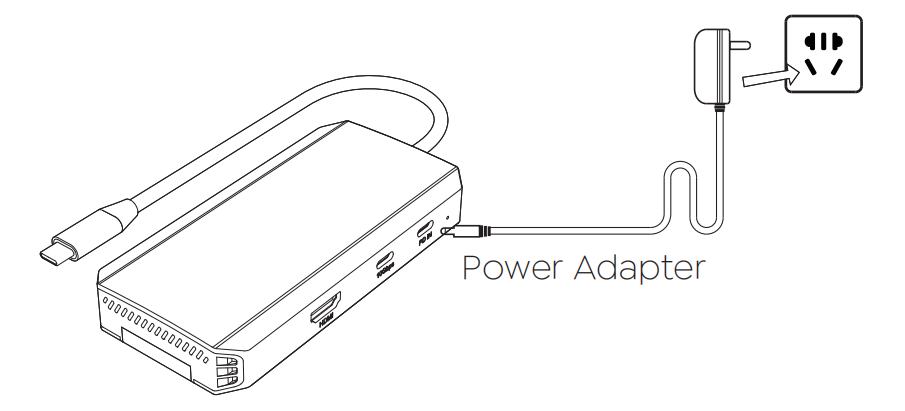
- Connect an external Power Adapter(100W) to the USB-C PD IN port, and plug the Power Adapter into the Power Outlet.
- Connect the USB-C cable to the Host.
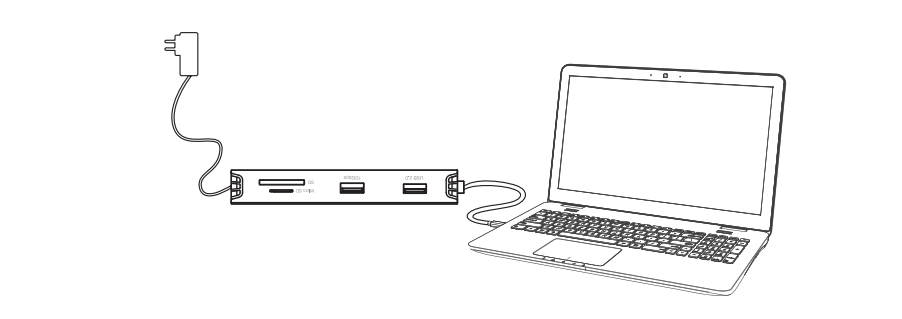
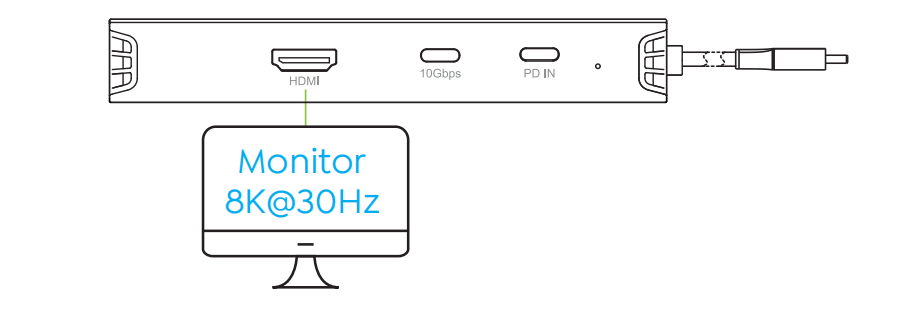
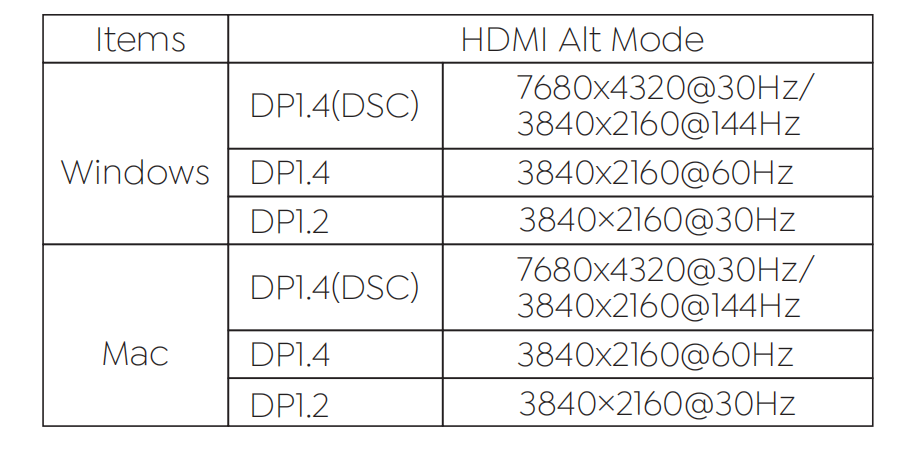
- Connect the Monitor to the HDMI port.