Chapter 2 Connection and Resolution
This chapter contains the following sections :
Connection and Resolution
How to Connect
Note: Before connecting, please ensure the host computer has installed the Driver(referring to Driver Installation ).
-
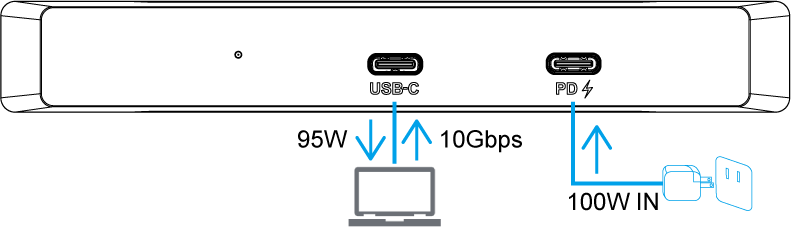
Connect to the Host, plug one end of the USB-C cable to the Upstream USB-C of Adapter, then plug another end to the USB-C on the computer(if it is USB-A, use the USB-C to USB-A Adapter to connect).
-
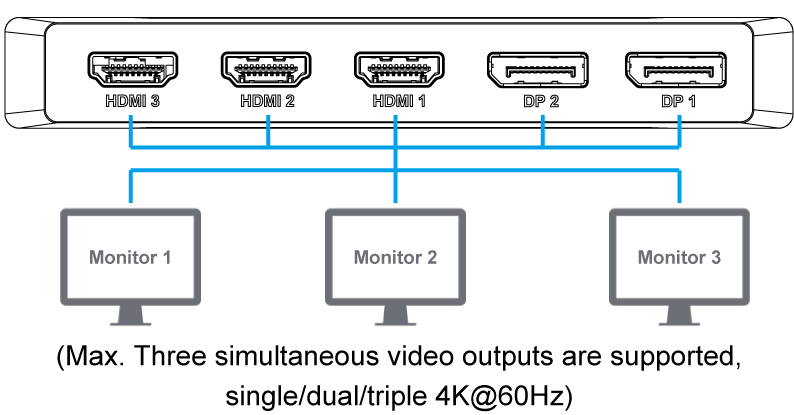
Connect to the Monitors, this adapter supports max. 3 displays, please select any one/two/three of them to extend/mirror the screen.
Display Resolution
| Display Mode | Windows/Mac |
|---|---|
| Single Extend/Mirror Display | 3840×2160@60Hz |
| Dual Extend/Mirror Display | 3840×2160@60Hz |
| Triple Extend/Mirror Display | 3840×2160@60Hz |