Chapter 4 Display Setting
This chapter contains the following sections :
Display Mode Settings
Before configuring the settings, please make sure this docking station has been connected to your laptop and monitors correctly.
For Windows OS
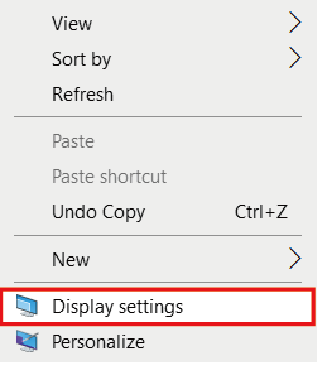
- Right-click and select Display settings.
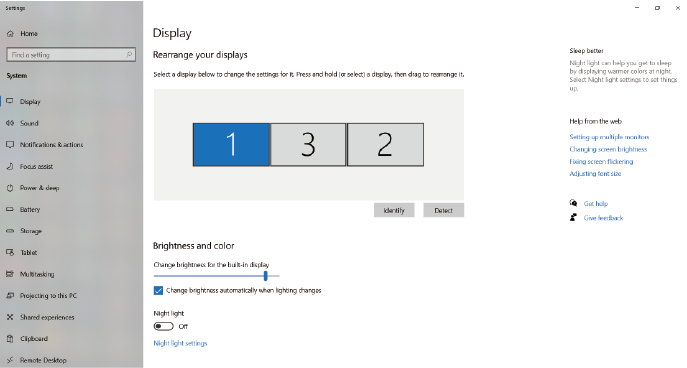
- In Display, you can enjoy different operations of duplicating, extending and rotating on your monitors.
For Mac OS
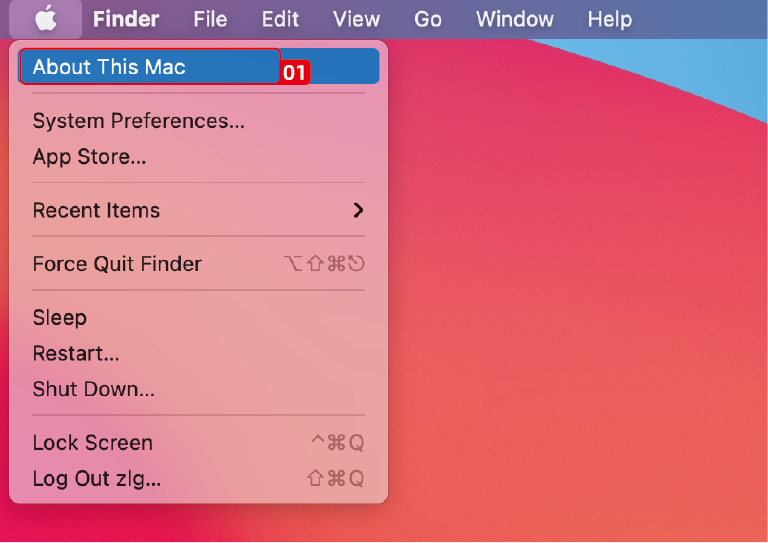
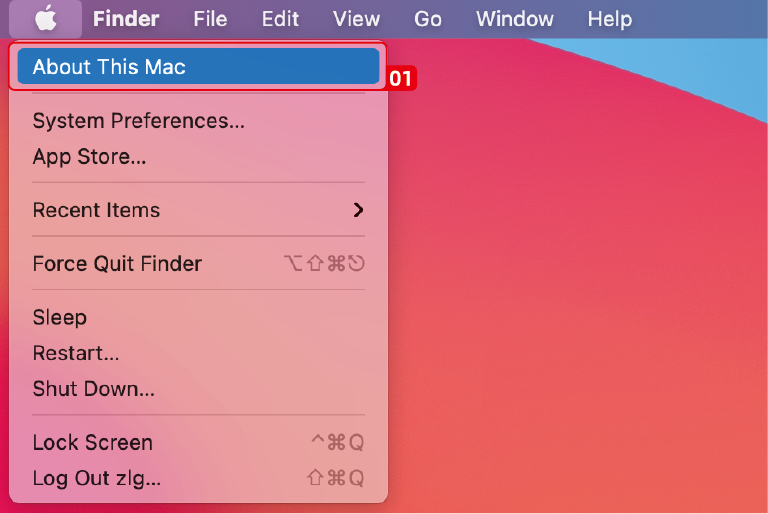
- Click Apple icon, then select About This Mac.
- Click Displays, then select Displays Preferences.
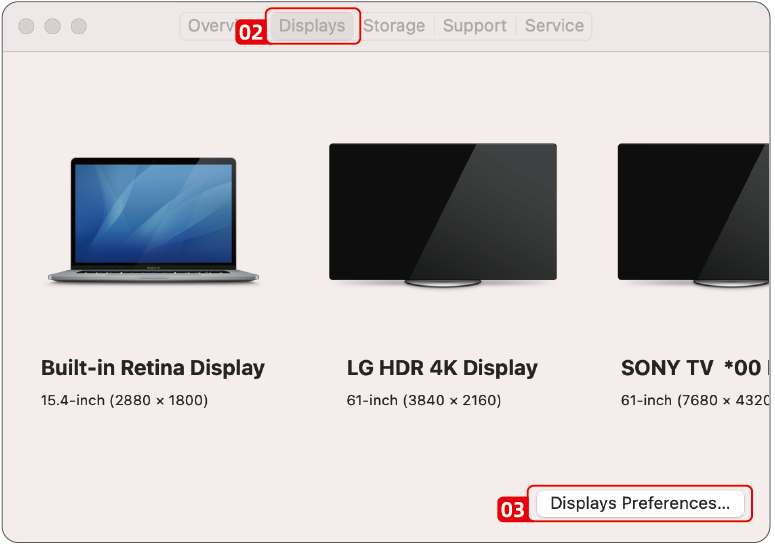
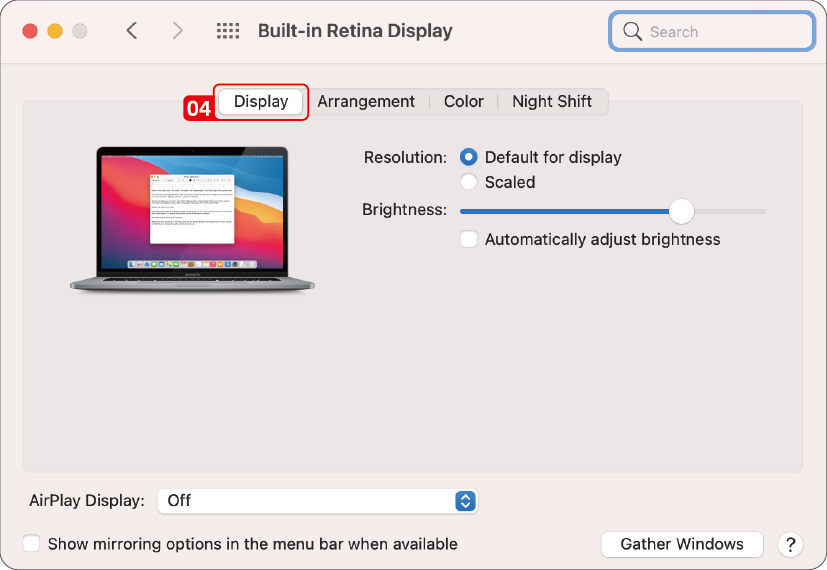
- Select Displays from the list, then you can enjoy different operations of mirroring, expanding and rotating on your monitors.
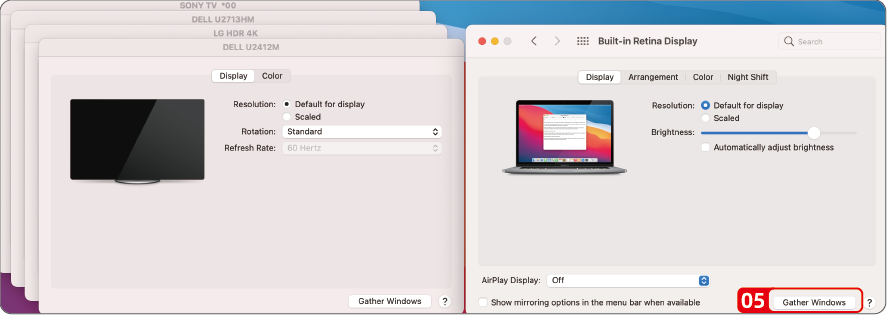
- Or click Gather Windows to gather all connected displays and make separate settings.
For Mac OS X13
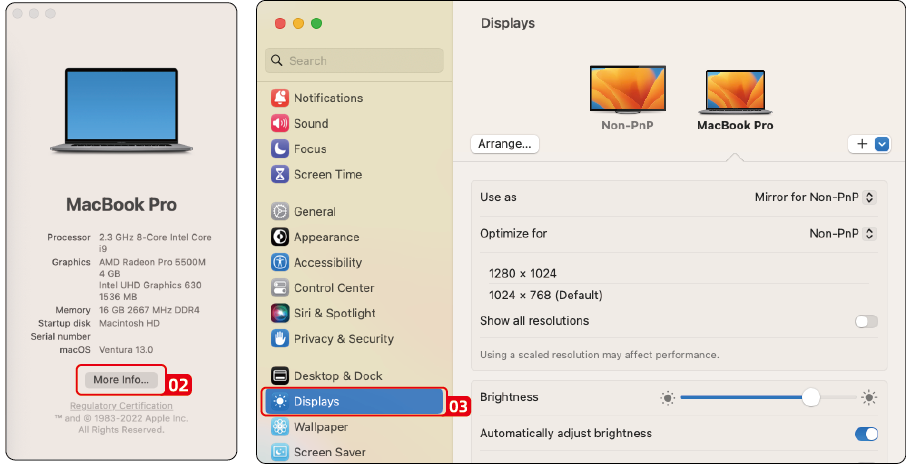
- Click Apple icon, then select About This Mac.
- Click More Info....
- Select Displays from the list, then you can enjoy different operations of mirroring, expanding and rotating on your monitors.