Chapter 3 How to Connect
This chapter introduces the steps of connecting the docking station.
Before connection, please make sure that the DisplayLink graphic driver has been installed.
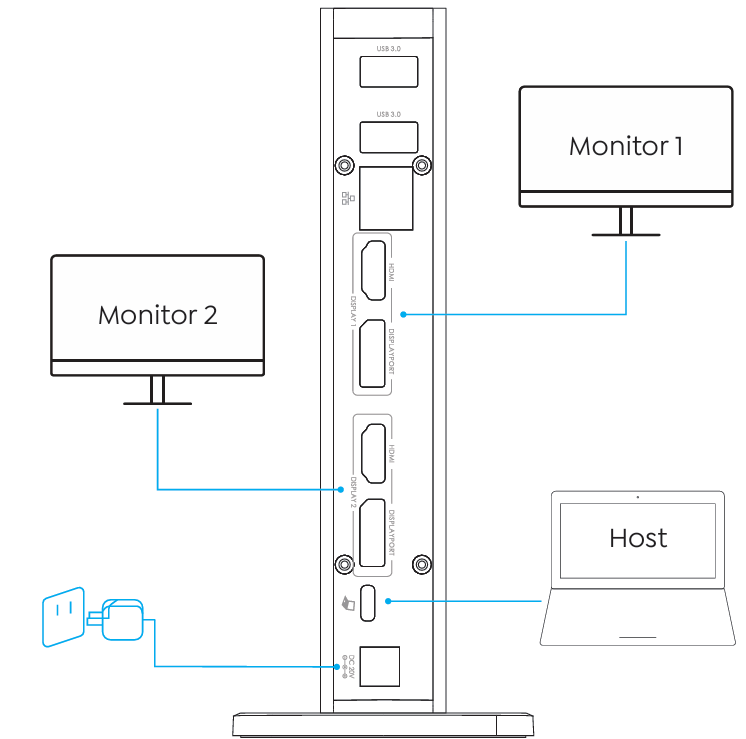
Step 1: Connect the host laptop to USB-C Host port.
Step 2: Connect Video Output A(HDMI or DisplayPort) and Video Output B(HDMI or DisplayPort) to monitors.
Step 3: Connect the Power Adapter to the DC In, then plug the Power Adapter into power source.
note
In Video Output A and Video Output B, DisplayPort and HDMI port cannot be used simultaneously, thus, one port in each video stream group is available.