Connecting to Network
Now you can connect your network device (eg.: switch, router, DSL/cable modem) to the adapter's LAN port via an Ethernet cable.
Notes on Ethernet Cables.
-
Sometimes a so-call crossover Ethernet cable is required for connection to certain network equipments. As the adapter's LAN port supports Auto-MDIX feature, it eliminates the need to use crossover cables.
-
When the Ethernet adapter is used in the Gigabit network, it is recommended that you use category 6 Ethernet cable for higher transmission speed.
The adapter's AutoSense feature can automatically detect the network's maximum line speed. To have a 1000/2500/5000/10000Mbps connection, your network device (eg.: switch, router, DSL/cable modem) must also support 1000/2500/5000/10000Mbps.
On Window 10, you can view the connection speed by the steps below:
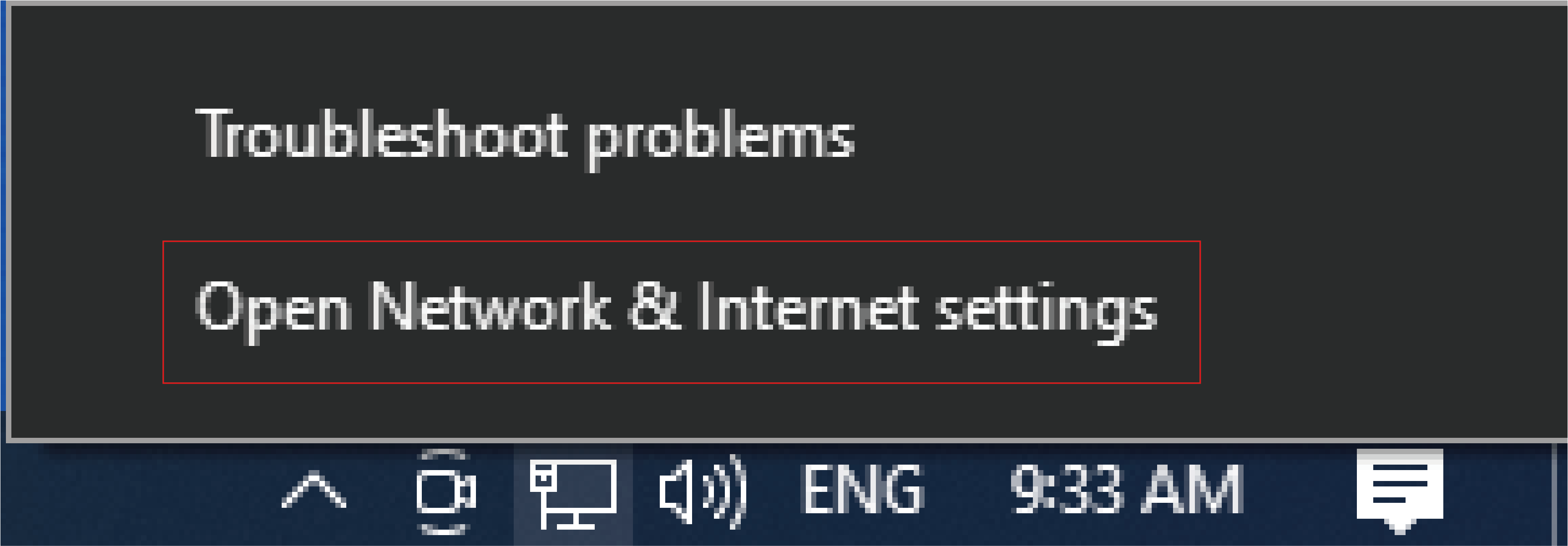
- Right-click the network icon in the system tray and select Open Network & Internet settings.
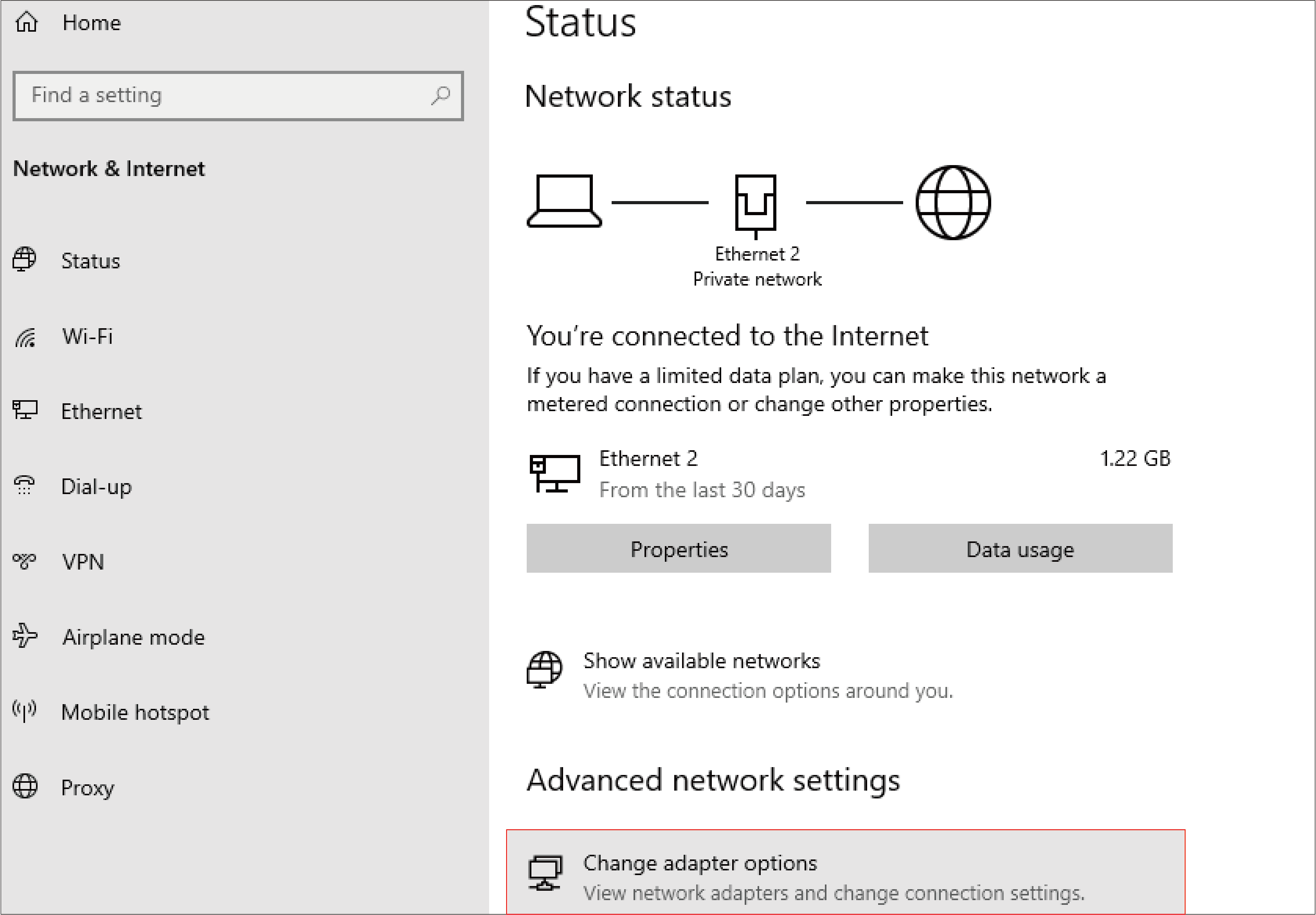
- Click Change adapter options.
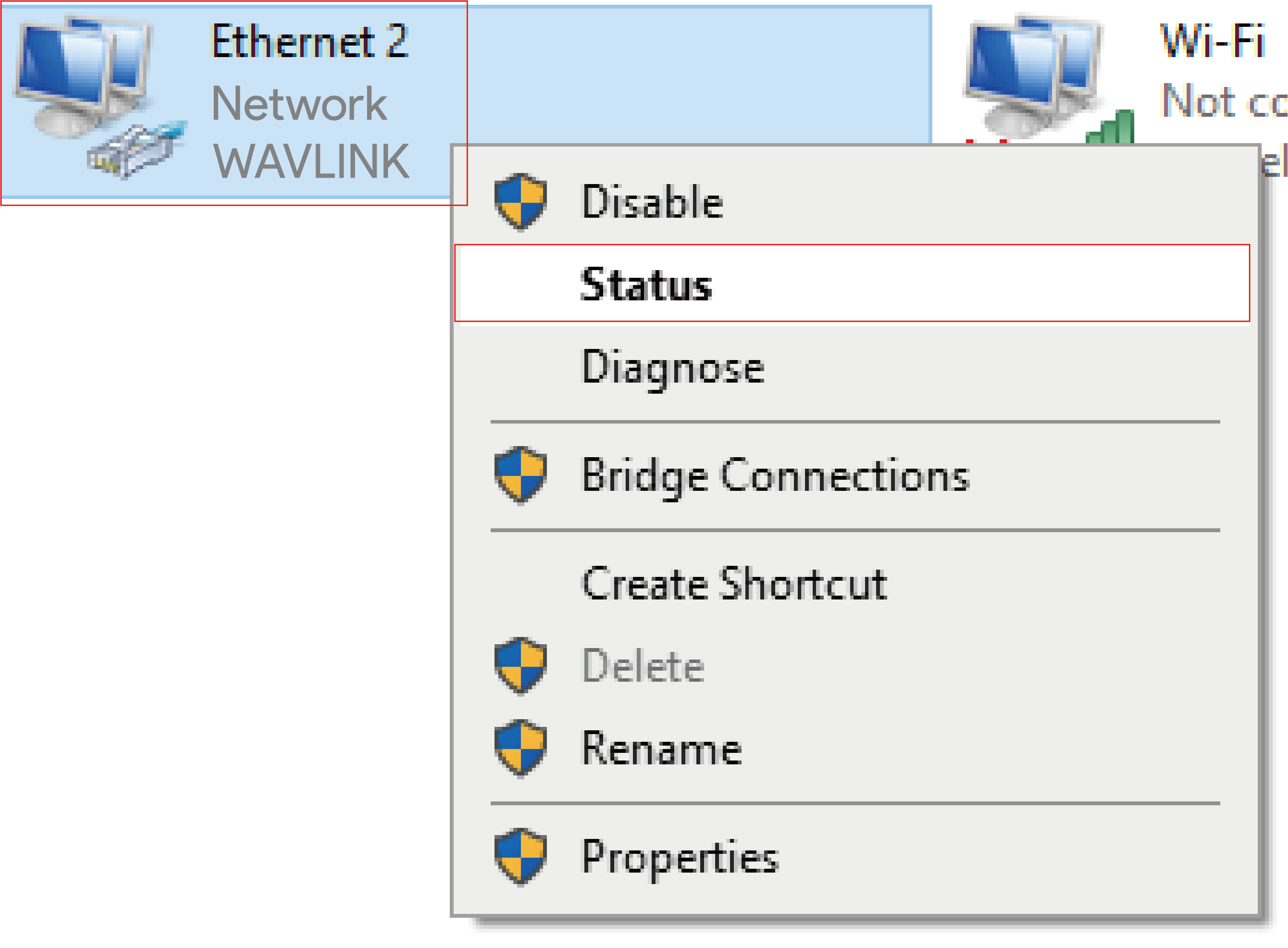
- Right-click the Ethernet icon indicating your netowrk adapter and click Status.
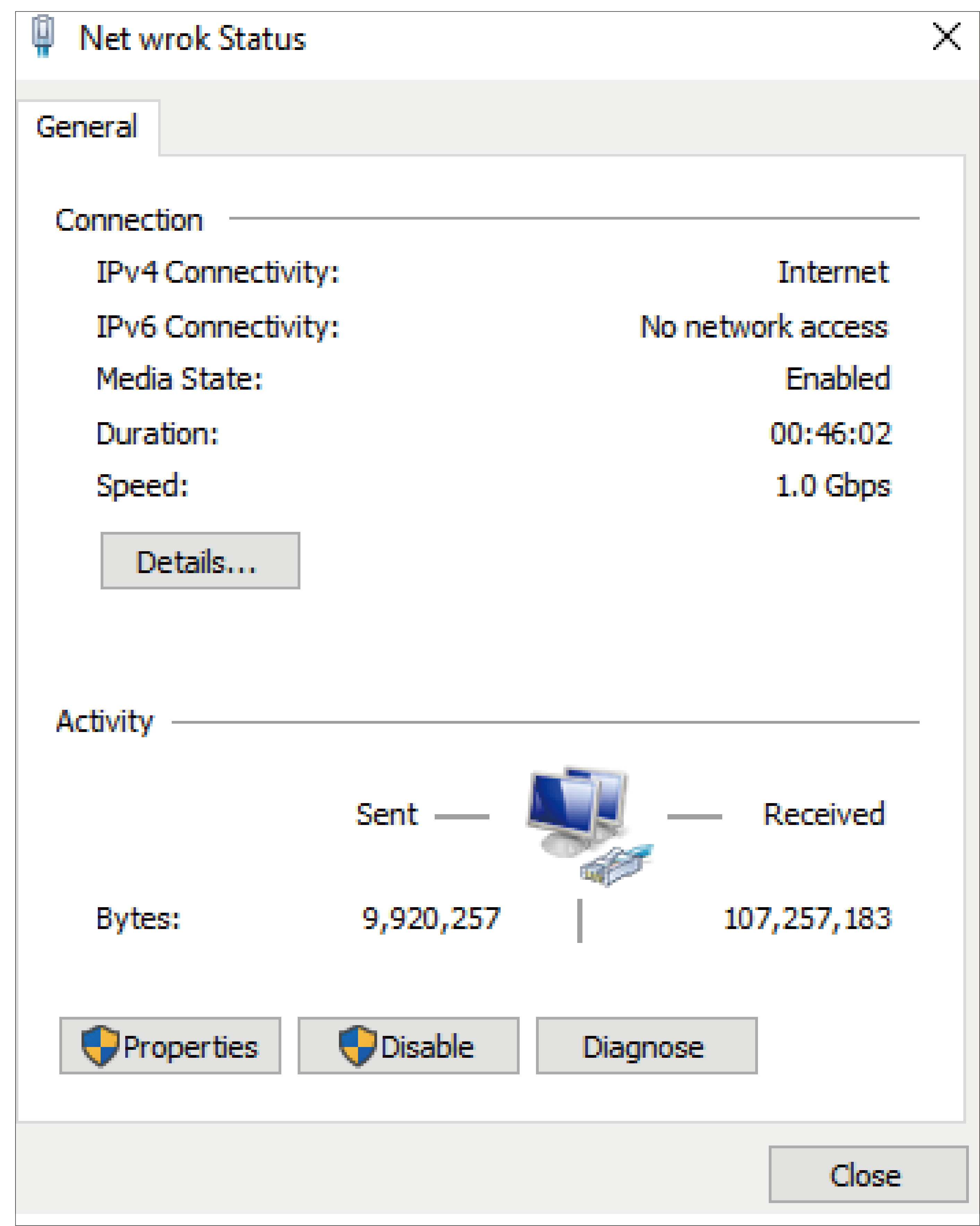
- Current connection speed will be displayed among the connection information.