More Translations
Download PDF
This chapter introduces the steps of configuring network settings.
Configuring Network Settings
You should configure your Ethernet adapter as required according to your network environment. If you are unsure about the settings, consult with your network administrator for assistance. The following describes how to launch the network settings window for your Ethernet adapter.
To configure network settings for your Ethernet adapter on Windows:
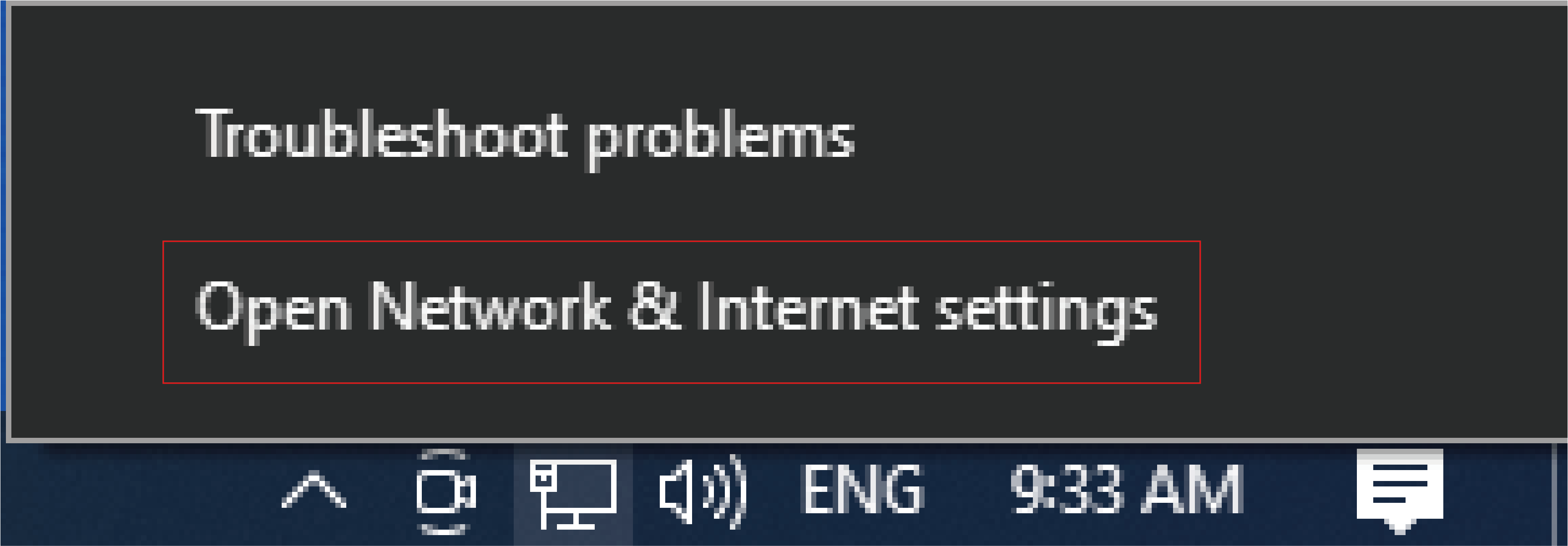
- Right-click the network icon in the system tray and select Open Network & Internet settings.
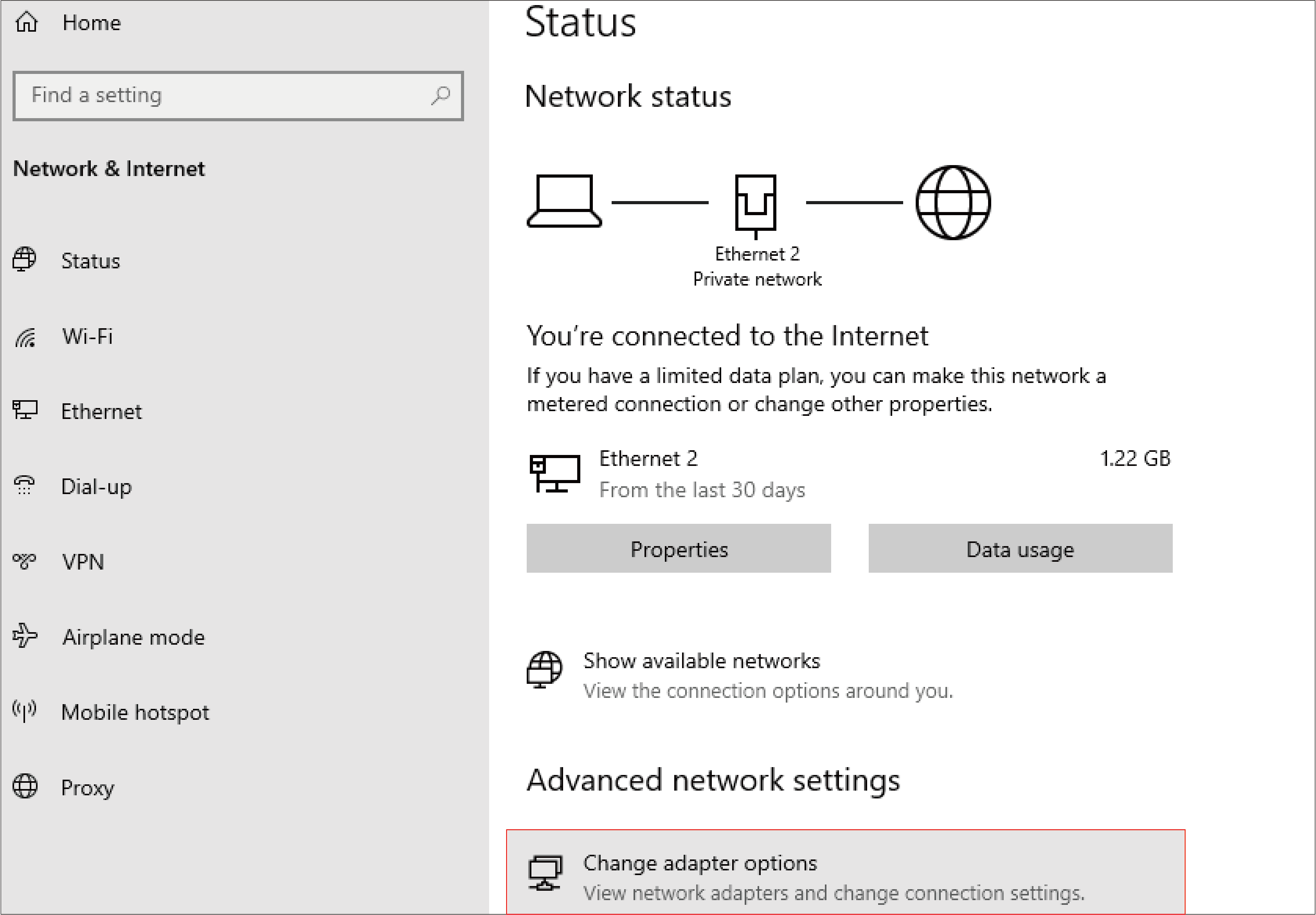
- Click Change adapter options.
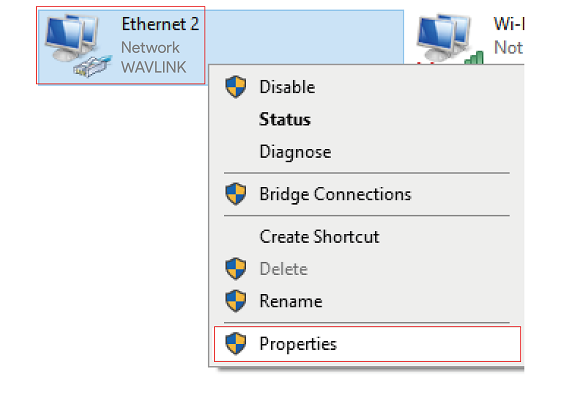
- Right-click the Ethernet icon indicating your netowrk adapter and click Properties.
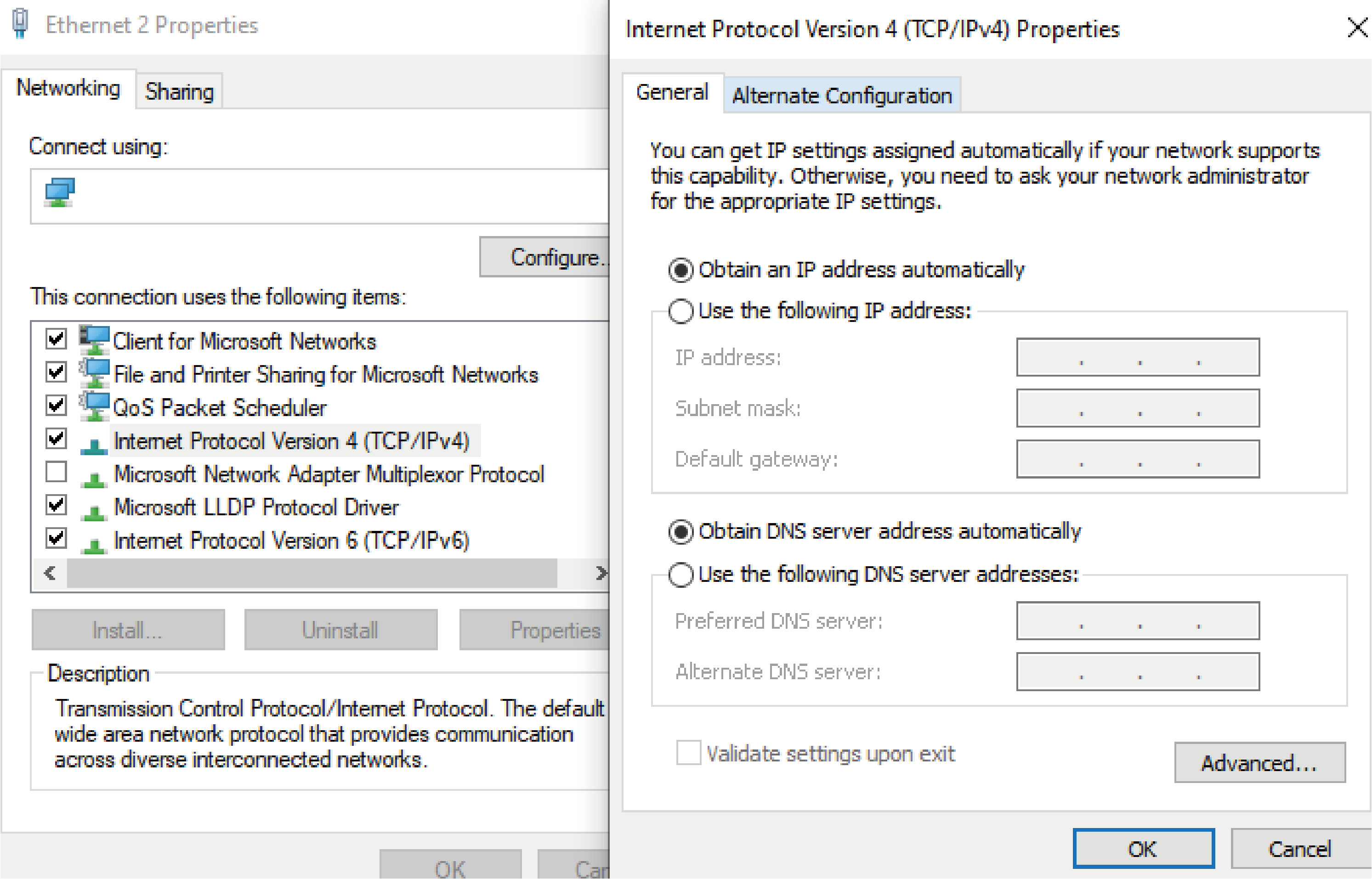
- Then the Ethernet Properties window appears for user to make required settings.
note
Open a browser and test the connection.