Chapter 1 Basic Information
• OVERVIEW
OVERVIEW
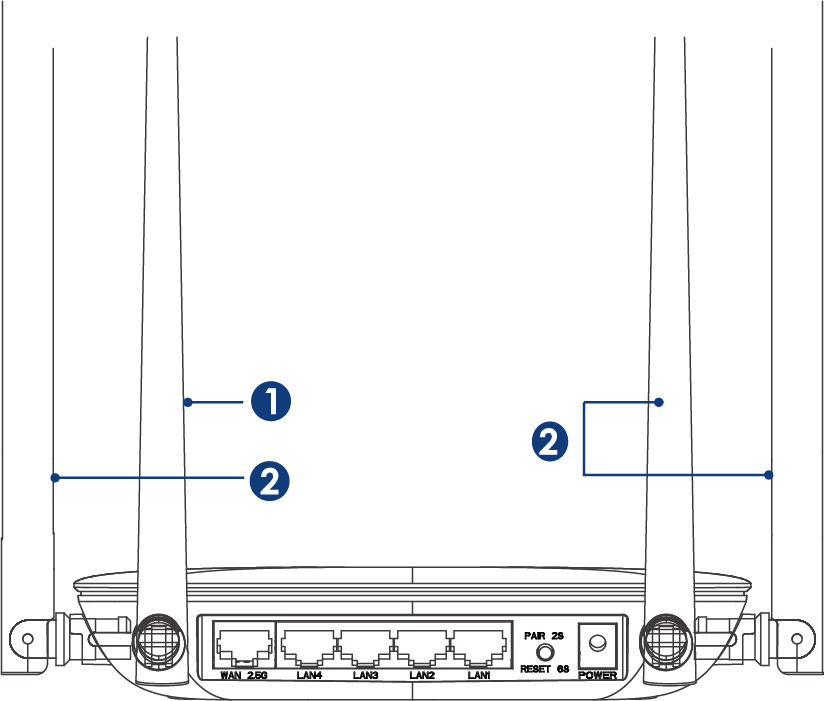
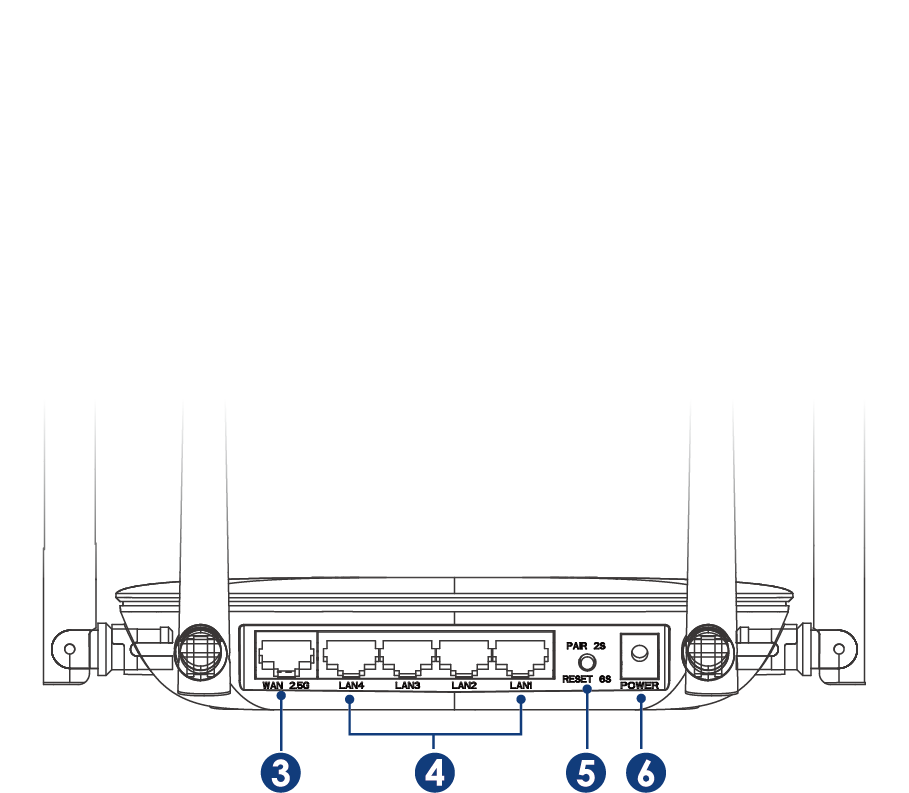
① 2.4G Antenna
② 5G Antenna
③ 1 x 2.5 Gigabit WAN Port
④ 4 x Gigabit LAN Port
⑤ PAIR/RESET Button
⑥ DC IN
PAIR/RESET Button
Press it for more than 6 seconds until the LED is solid to reset the device.
Press it for 2 seconds until the LED slowly blinks to pair.
BASIC INFO
2.4G SSID: WAVLINK-Mesh_XXXX
5G SSID: WAVLINK-Mesh_XXXX
Default IP: 192.168.20.1
Login: http://wavlogin.link
LED INDICATOR
| Mode | Description |
|---|---|
| Router Mode | Solid on: The Internet connected Fast Blinking: No Internet Connected Slow Blinking: In pairing |
| Repeater Mode | Solid on: The Internet connected Slow Blinking: Parent router connected but the Internet disconnected Fast Blinking: Parent router disconnected |
| AP Mode | Solid on: The Internet connected Fast Blinking: No Internet connected Slow Blinking: In pairing |