Chapter 2 How to Use
This chapter contains the following sections:
How to Use
Step 1. Connect the USB-C connector of the Docking Station to your Laptop or Phone.
Step 2. This Docking Station supports quad display. Connect the DP/HDMI/VGA ports to the external monitors.
Step 3. If you want to charge your Laptop or Phone, please connect the USB-C(PD IN) port to the power source.

Display Resolution
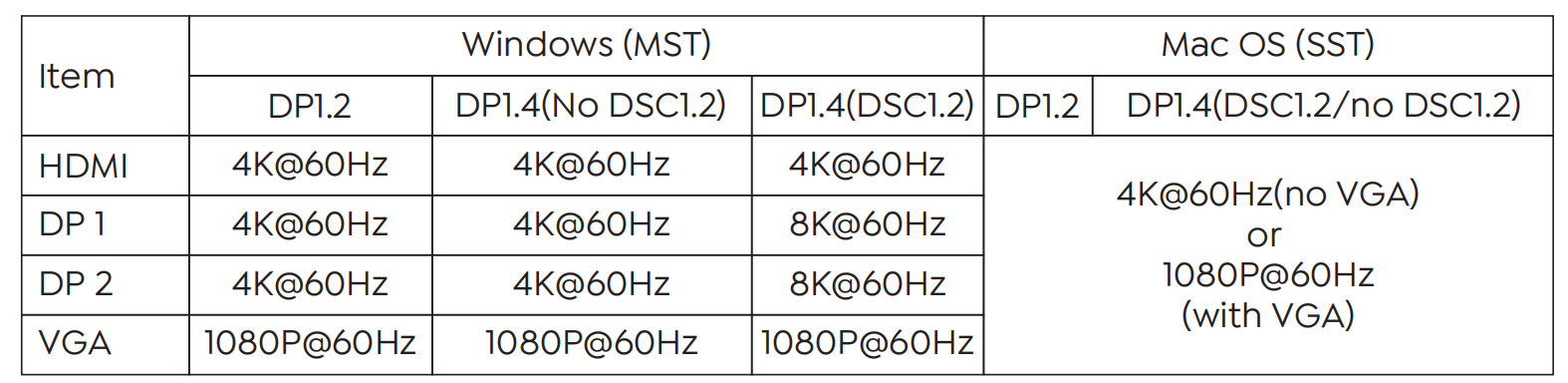
1.Single Display
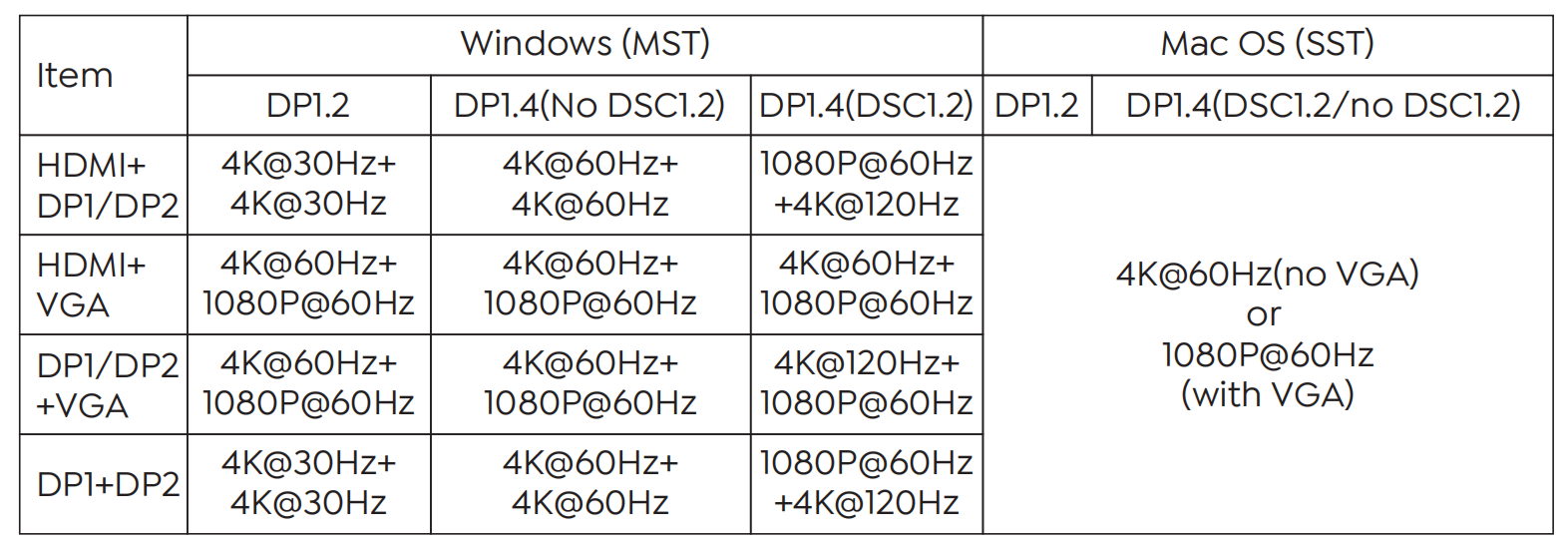
2.Dual Display
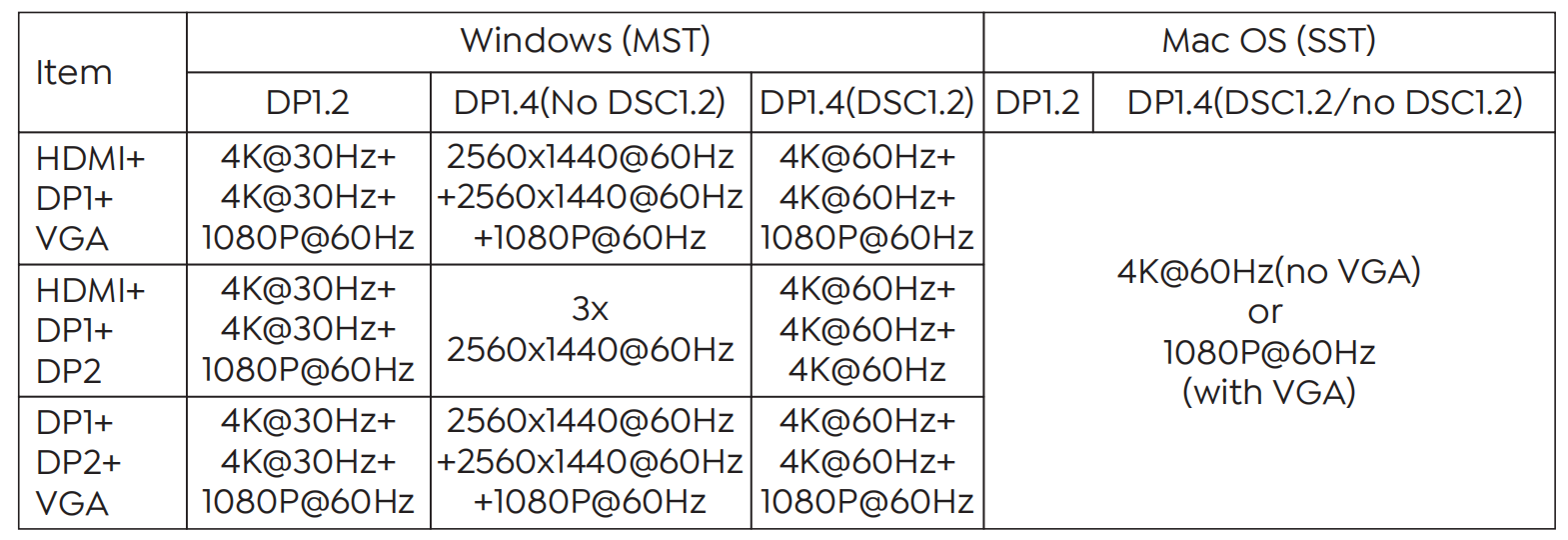
3.Triple Display
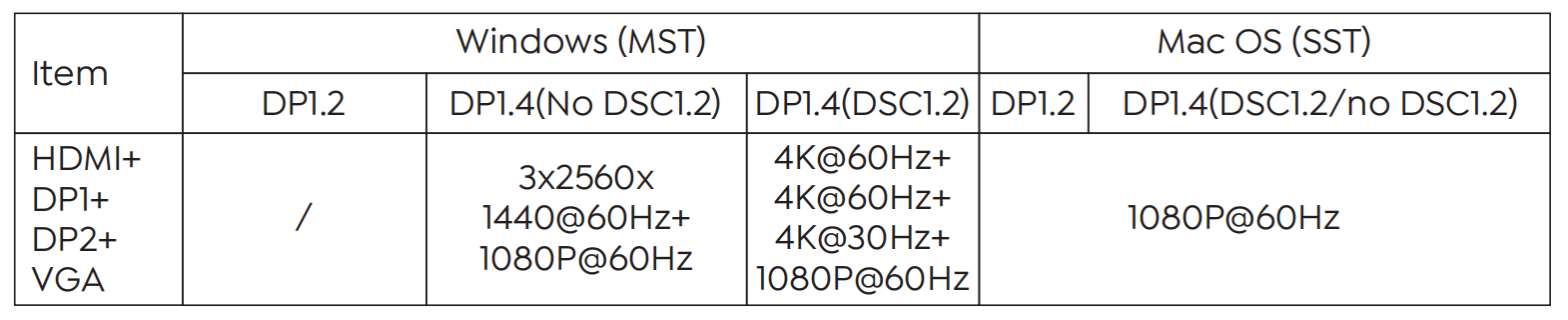
4.Quadruple Display
Note:
- 4K refers to 3840x2160.
- The above resolutions are factory test results. The resolution may be different depending on the actual situation of the computer and monitor.
- For some Windows laptops, when connecting four external monitors simultaneously, it is necessary to disable the laptop's screen to activate all external monitors.
- Mac OS supports single-stream transport, so only one video source can be output, such as ABBBB (A is the primary display).
