Chapter 2 How to Use
How to Use
Step 1. Before connecting to the Dock, please ensure the USB-C port of the PC/Laptop supports PD and DP ALT MODE. Failure to meet this requirement will result in non-functional charging and video ports.
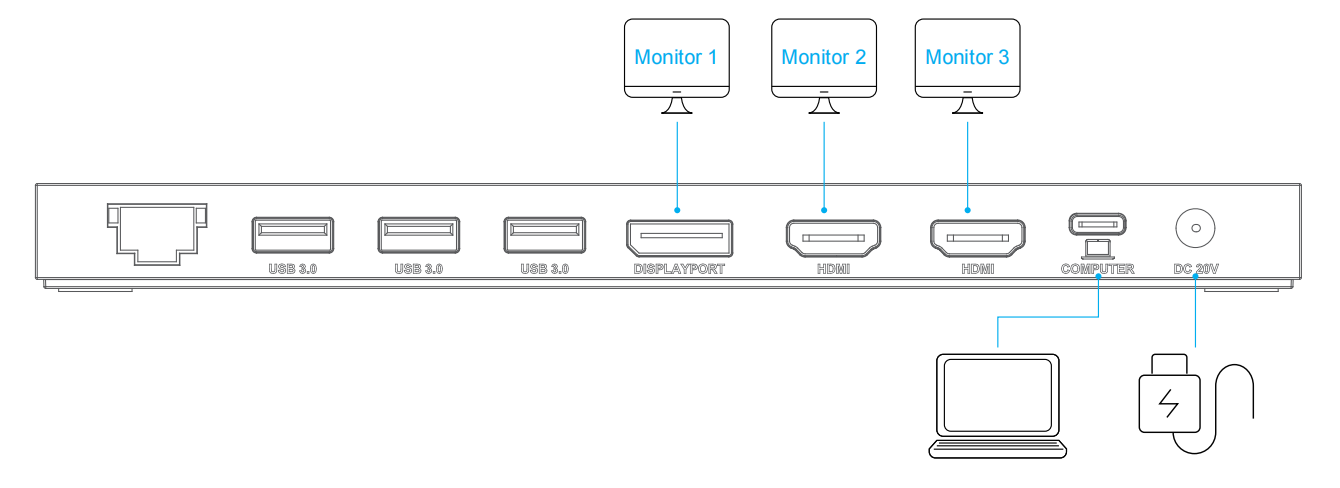
Step 2. Connect the DC IN Port to a compatible power source. Press the power button; the LED indicator will illuminate blue.
Step 3. Connect the upstream USB-C port to your host PC/laptop.
Step 4. Connect your monitor(s) to the video ports. You may then configure the display modes as needed.