Chapter 2 How to Connect
This chapter introduces the steps of connecting the docking station.
Ensuring the driver has been installed before using this Docking Station.
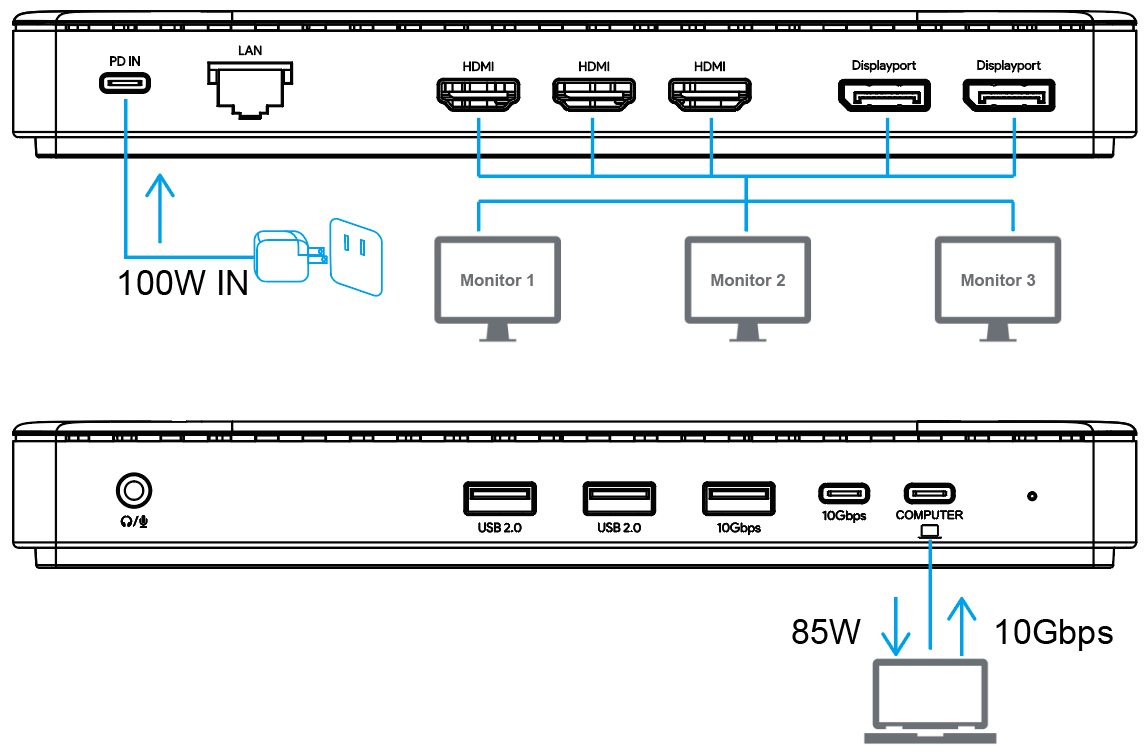
Step 1: Connect the Host
Connect one end of the USB-C cable to the USB-C Upstream port of the docking station, then connect the other end to the USB-C on the computer. (If it is a USB-A port, then use the USB-C to USB-A Adapter to connect.)
Step 2: Connect the Monitors
This docking station supports up to 3 displays, please select any one/ two/three of them to extend or mirror the screen.
Step 3: Connect the Power
Connect one end of a power adapter to the PD IN, then plug the other end of it into the power outlet.