Chapter 3 Hardware Connection
Hardware Connection
-
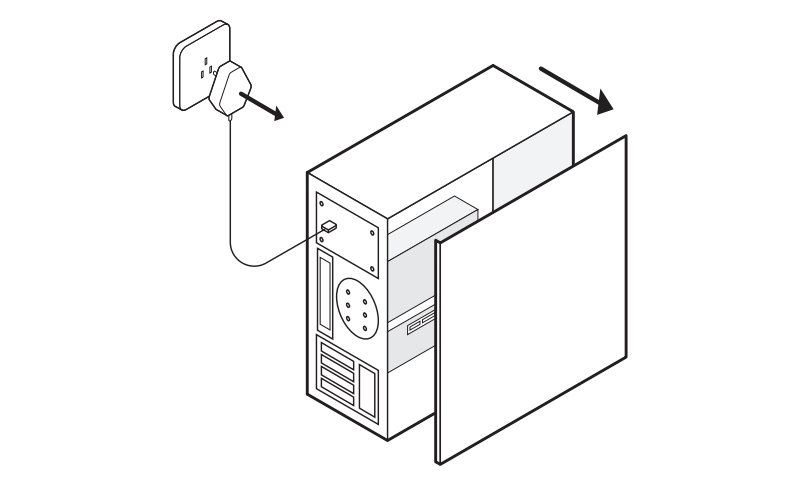
Please shut down your computer, disconnect the power supply, and remove the case cover.

-
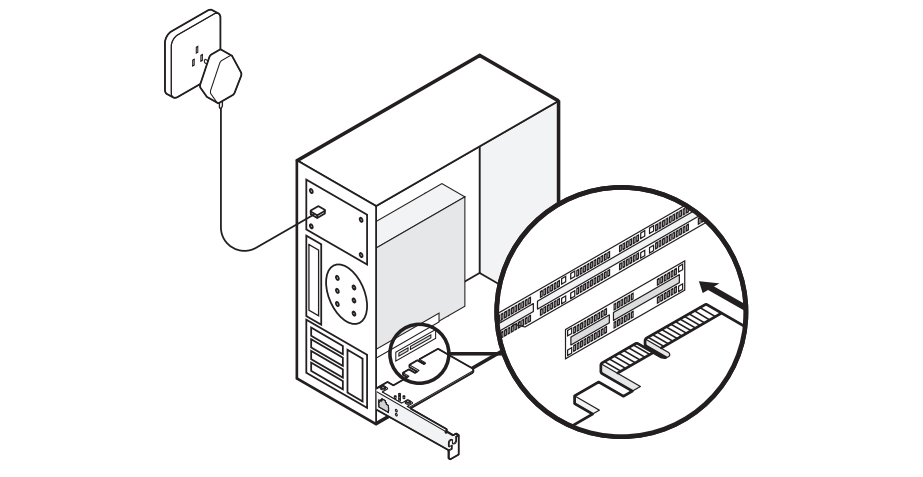
Identify an available PCIe slot on your motherboard and securely insert the network card adapter.

-
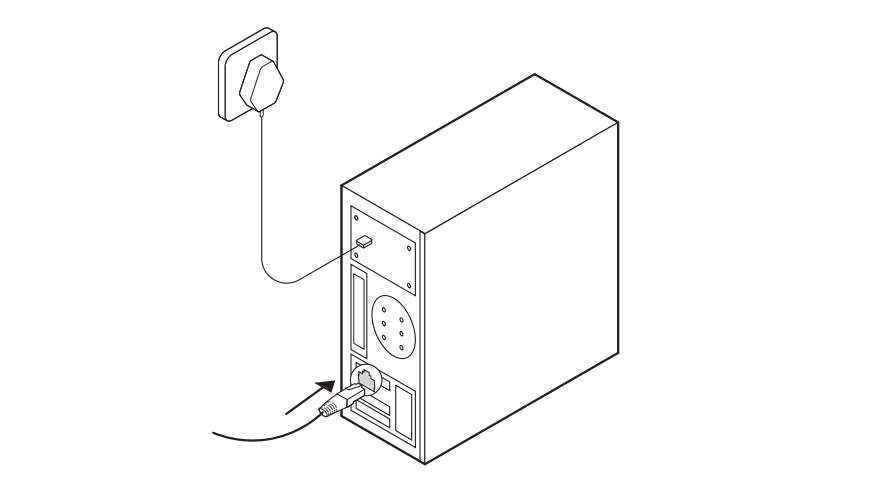
After the adapter is in place, replace the case cover, reconnect the power supply, and power on your computer.