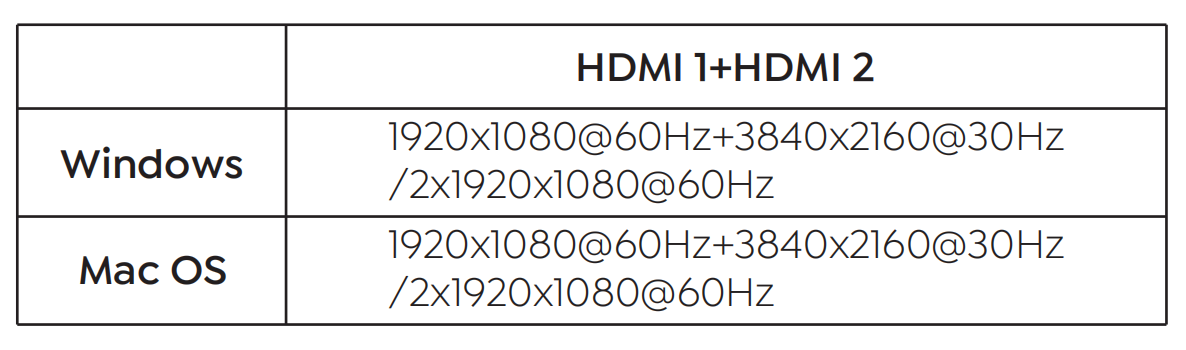
Chapter 3 Hardware Connection and Resolution
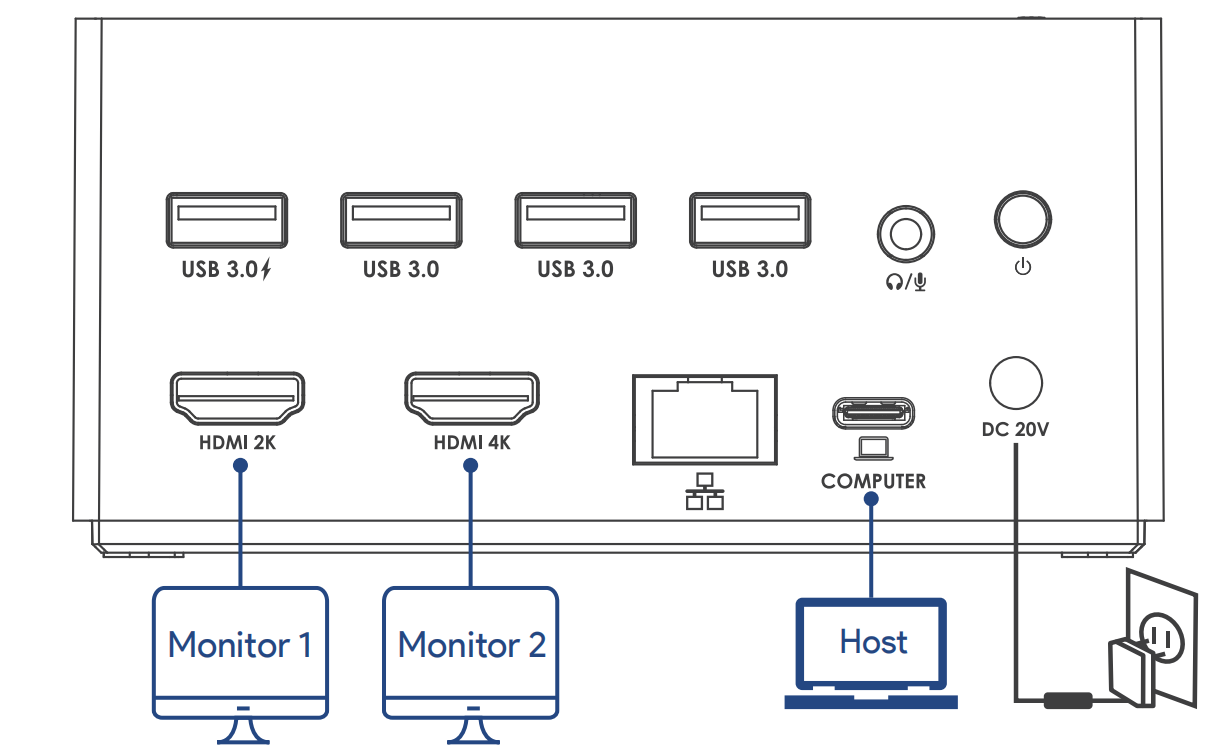
HOW TO CONNECT
Step 1. Before connecting to the Dock, please install the driver from our website.
Step 2. Connect the DC IN port to a compatible power source. Press the power button; the LED indicator will illuminate blue.
Step 3. Connect the upstream USB-C port to your host PC/laptop.
Step 4. Connect your monitor(s) to the video ports. You may then configure the display modes as needed.
RESOLUTION
Single Display
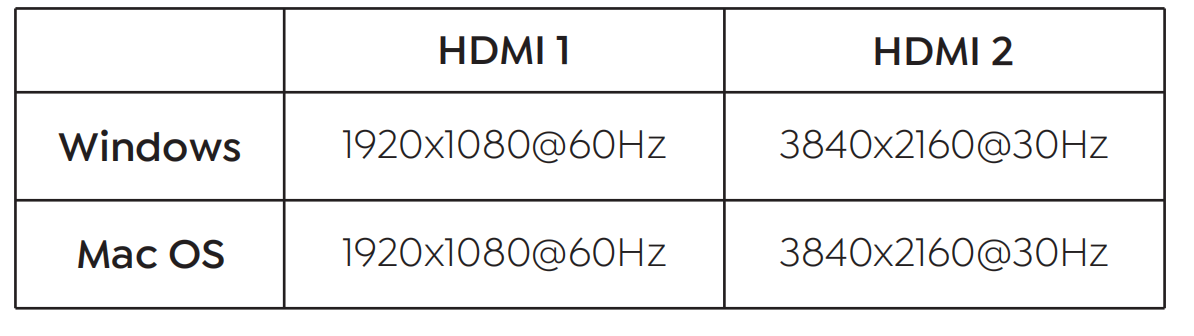
Dual Display