Chapter 3 How to Connect
This chapter introduces the steps of connecting the docking station.
Ensure the driver has been installed before using the docking station.
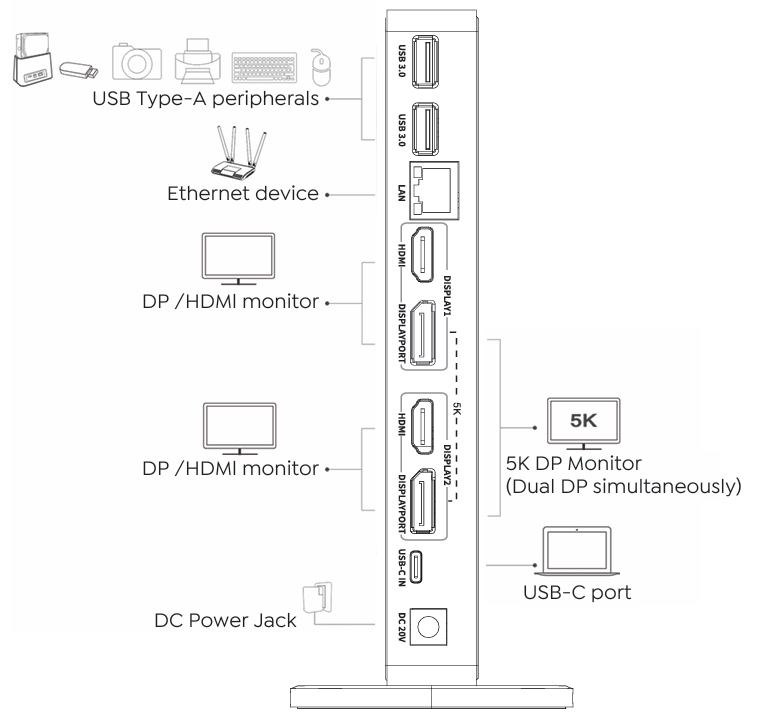
Step 1: Connect the USB-C IN port to a laptop.
Step 2: Connect the DC IN port to a power outlet.
Step 3: Connect the Video Output A/Video Output B to external monitors.
Step 4: Connect the LAN port to an Ethernet device.
Step 5: Connect the USB3.0 ports to USB Type-A peripherals.
note
In Video Output A and Video Output B, DisplayPort and HDMI port cannot be used simultaneously, thus, one port in each video stream group is available.