Chapter 2 Connection and Resolution
This chapter introduces the steps of connecting the adapter and display resolution.
Connection
Before connection, please make sure that the graphic driver has been installed.
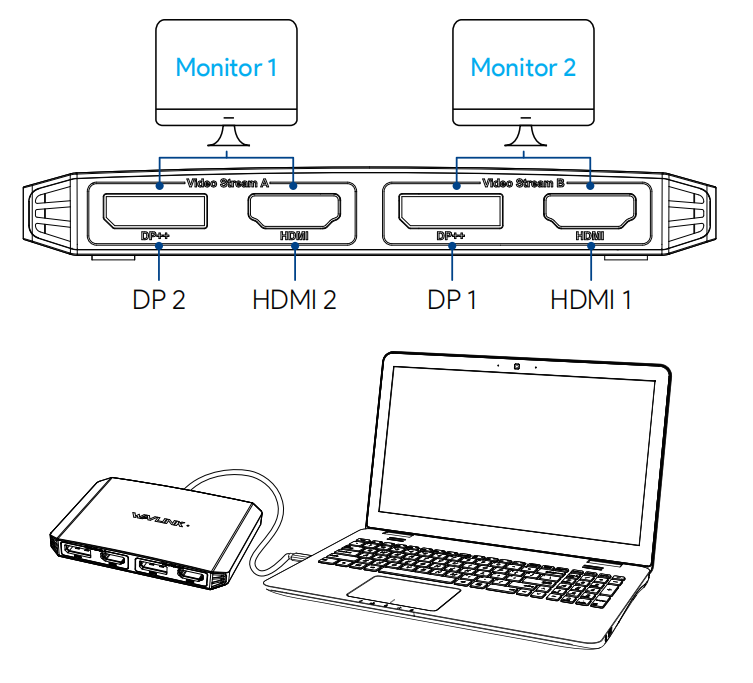
- Step 1. Connect the host laptop to USB-C/A upstream port.
- Step 2. Dual-Display Support: Connect DP/HDMI ports from different video groups to external displays (e.g., TVs, projectors).
note
*The HDMI and DP in each group cannot be used simultaneously, so you need select HDMI and DP from different group.
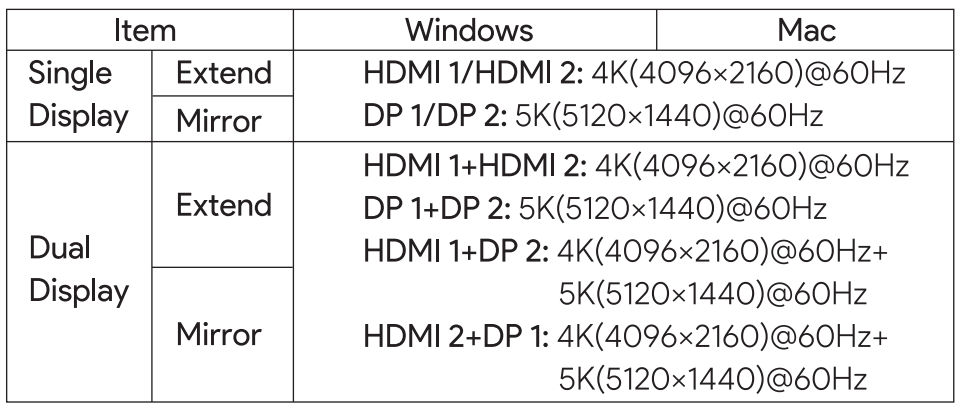
Display Resolution
note
The actual output resolution may vary due to computer system, software, hardware, different monitor, etc.